Published by Desh Keyboards
Updated September 10, 2025
The best Marathi typing keyboard app with emojis, fun GIFs, themes and more.
| Version | 17.0.6 |
| Size | 29.5 MB |
| What's New | - Save WhatsApp status by swiping up 💾- Marathi voice typing in English letters 🗣 |
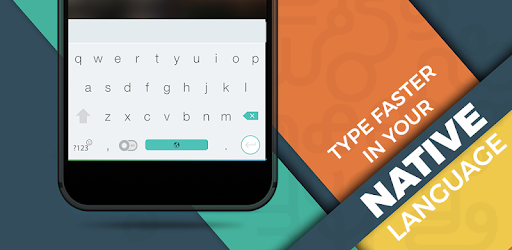
Marathi Keyboard is an Android app developed and published by Desh Keyboards at Google Play Store on Dec 31, 2017 for Android users. Marathi Keyboard is so popular that it has gained 16659674 installs so far and growing.
Marathi Keyboard is an indispensable tool designed to simplify the typing process for Marathi speakers. It bridges the gap between English and Marathi, making typing in both languages smooth and efficient. Whether you are accustomed to English typos or a native Marathi speaker, this keyboard has something to offer for everyone.
One of the standout features of Marathi Keyboard is its user-friendly interface. It is intuitive to navigate, making it accessible for users of all ages. The keyboard layout is designed to be easy to use, ensuring that even first-time users can get started without a hitch. From voicing commands to typing out complex sentences, the Marathi Keyboard handles it all with ease.
A remarkable feature of the Marathi Keyboard is its voice typing function. This allows users to seamlessly transition from traditional typing to speaking their text into the keyboard. This feature is especially useful for those who need to type long documents or messages quickly without worrying about spelling errors or speed limitations.
Marathi Keyboard isn't just for native Marathi speakers; it is also perfect for non-Maharashtrians who need to type in Marathi. English inputs are intelligently translated into Marathi, making communication easier and more efficient. This means that even if Marathi isn't your first language, you can still use the keyboard effectively.
One of the most requested features is the addition of a dictionary within the app. Integrating a dictionary would allow users to find the meanings of words on the fly, enhancing their typing and learning experience. Imagine typing a word and immediately knowing what it means without switching apps!
The developers behind Marathi Keyboard are committed to its continual improvement. Feedback is actively sought to fine-tune the keyboard. For example, syncing words to a dictionary and improving the pronunciation of specific words like 'Advocate' to 'ॲडव्होकेट' is high on the list of enhancements. This dedication ensures that the keyboard will only get better with time.
Many users incorporate Marathi Keyboard into their daily routines. Its ease of use and robust features encourage everyday use, be it for sending messages on WhatsApp or Telegram, or drafting emails. The keyboard's functionality ensures that it adds value in various contexts, making it a go-to choice for daily communication needs.
Marathi Keyboard stands out as a practical and versatile tool for anyone needing to type in Marathi. With its user-friendly design, voice typing capabilities, and continuous improvements based on user feedback, it promises to make the process of Marathi typing more engaging and straightforward. Whether you're a native Marathi speaker or someone new to the language, Marathi Keyboard provides a seamless typing experience.
Yes, you can run Marathi Keyboard on PC, but first, you will need emulator software installed on your Windows or MAC, which you can download for free. In the below video, you will find Marathi Keyboard in action. Before you install the emulator, check out the minimum and recommended system requirements to run it seamlessly. They may change depending on which version of the emulator you choose. Therefore, we recommend you download the latest version of the emulator. Below you will find three free Android emulators that we have shortlisted based on their popularity:
Up to date graphics drivers from Microsoft or the chipset vendor.
Storage: 1 GB available under installation path, 1.5GB available hard drive space
Internet: Broadband Internet connection
Regardless of which Android emulator you install, the steps to install, configure, and running the Marathi Keyboard app on PC are the same.