Published by Desh Keyboards
Updated September 11, 2025
Type faster in Odia. Keyboard supports themes and emojis.
| Version | 17.0.4 |
| Size | 21.1 MB |
| What's New | - Save WhatsApp status by swiping up 💾- Save stickers to your favorites 📌 |
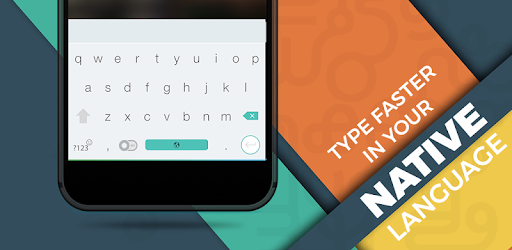
Odia Keyboard is an Android app developed and published by Desh Keyboards at Google Play Store on Dec 31, 2017 for Android users. Odia Keyboard is so popular that it has gained 5956132 installs so far and growing.
Diving into the world of typing in your native language is now simpler than ever with the Odia Keyboard. If you're someone who works under the Odisha government or just love the Odia language, this keyboard can greatly enhance your typing experience. It's specifically designed to suit the needs of Odia speakers, making it an essential tool for anyone keen on communicating effectively in this language.
One of the standout features of the Odia Keyboard is its simplicity. It's designed in a way that is straightforward and user-friendly. Even if you're new to typing in Odia, this keyboard makes the process easy and intuitive. You don't need to grapple with complicated settings or extensive manuals; just start typing!
A unique feature that sets the Odia Keyboard apart is the integrated handwritten option. This is incredibly beneficial for those who may find typing on a keyboard cumbersome. The handwritten option allows you to write Odia characters as you would on paper, which the app then converts into digital text. This feature saves a lot of time and effort, making your work smoother and more efficient.
For professionals, especially those working in government roles or similar fields, the Odia Keyboard is a game-changer. It's essential for editorial work, document preparation, and communication. The keyboard helps in creating accurate and timely reports, emails, and documents in Odia. This tool can significantly enhance your productivity, allowing you to focus more on your work rather than struggling with typing.
While the Odia Keyboard excels in its functions on mobile devices, there's also a call for its availability on PCs and laptops. This would extend its benefits even further, allowing you to maintain the same level of efficiency and ease of use across all your devices. Imagine the convenience of starting a document on your phone and finishing it on your laptop seamlessly using the same keyboard layout.
Whether you're a student, a teacher, a government employee, or just someone who loves the Odia language, the Odia Keyboard is designed for all categories of people. Its flexibility and ease of use mean that anyone can pick it up and start typing without any hassle. It's a great tool for those who are passionate about preserving and using the Odia language in their daily communications.
If you're into video editing or making editorial content, the Odia Keyboard is incredibly useful. You can easily add Odia text to your videos, making them more engaging and accessible to a local audience. This is particularly important for content creators looking to connect more deeply with viewers who read Odia.
Considering all its features and benefits, the Odia Keyboard comes highly recommended for Odia lovers. Its unique features such as the handwritten option, ease of use, and versatility make it an indispensable tool for anyone looking to enhance their typing experience in Odia.
So, if you're looking to make your life easier and more efficient when using the Odia language, the Odia Keyboard is definitely the tool for you. Embrace the simplicity and efficiency it brings to your daily tasks and enjoy a smoother, more enjoyable typing experience.
Yes, you can run Odia Keyboard on PC, but first, you will need emulator software installed on your Windows or MAC, which you can download for free. In the below video, you will find Odia Keyboard in action. Before you install the emulator, check out the minimum and recommended system requirements to run it seamlessly. They may change depending on which version of the emulator you choose. Therefore, we recommend you download the latest version of the emulator. Below you will find three free Android emulators that we have shortlisted based on their popularity:
Up to date graphics drivers from Microsoft or the chipset vendor.
Storage: 1 GB available under installation path, 1.5GB available hard drive space
Internet: Broadband Internet connection
Regardless of which Android emulator you install, the steps to install, configure, and running the Odia Keyboard app on PC are the same.