Published by Khosrov Boloorian
Updated August 4, 2025
Persian Keyboard Scientific keyboard Emoji Keyboard کیبورد فارسی Pashto in One!
| Version | 11.7 |
| Size | 5.9 MB |
| What's New | 👉Upgrade SDK to API 37 👉Update for new Google policy requirement 👉Update Next-Gen SDK 👉Fix overlap in orientation on Android 16+ 👉Review Compatibility Android 16 👉Add a missing letter to layout 👉Update Google Messaging Platform 👉Update Google Ads SDK 👉Fix back button issue on Android 14 👉Updating google frameworks 👉New design for theme setting page 👉 Fix compatibility issues with Android 14 👉Add more Emoji version 15 👉General improvement 👉Fix reported bugs and issues. |
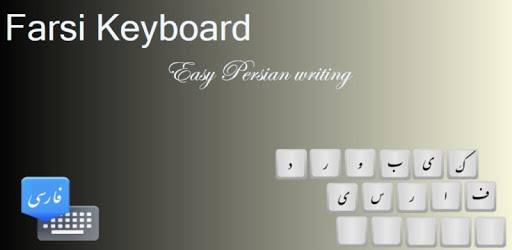
Farsi Keyboard is an Android app developed and published by Khosrov Boloorian at Google Play Store on Feb 28, 2013 for Android users. Farsi Keyboard is so popular that it has gained 4554030 installs so far and growing.
If you're looking for a typing experience that is smooth, fast, and tailored for the Farsi language, Farsi Keyboard is an excellent choice. This keyboard offers a combination of efficiency and user-friendliness that makes typing in Farsi a breeze. It's compact yet powerful, ensuring you have all the features you need without unnecessary bulk. Let's delve into what makes Farsi Keyboard so special.
One of the standout features of Farsi Keyboard is how it significantly improves typing speed. The design is intuitive, allowing for quicker keypresses and fewer errors. Users often find that they can type faster than ever before, which is particularly useful for composing messages or writing documents in Farsi.
Despite its small size, Farsi Keyboard does not skimp on features. You get an array of functionalities that enhance your typing experience. These include the ability to add diverse sounds for keypresses, display a permanent row of numbers in Farsi, and even correct spelling mistakes with the help of integrated dictionaries. These features help you type more efficiently and accurately.
Customization is key to any great keyboard, and Farsi Keyboard excels in this area. You can switch between different layouts that suit your typing style, similar to the flexibility offered by Gboard. This allows you to personalize your keyboard setup to fit your preferences, making your typing experience uniquely yours.
When it comes to reliability, Farsi Keyboard shines. It works consistently well even under heavy use, with minimal issues. Users report that even after years of regular use, the keyboard continues to function smoothly. This makes it a dependable choice for anyone who needs a trustworthy Farsi typing tool.
In addition to its efficient text input, Farsi Keyboard offers a variety of emojis and other symbols. Whether you're typing a professional email or chatting with friends, these expressive features add a fun element to your communication. Users appreciate how these options make their conversations more lively and engaging.
The dedication of the developers behind Farsi Keyboard is evident in every aspect of the tool. They continually seek to improve the keyboard based on user feedback. New updates often bring in requested features, making the keyboard even more useful over time. This commitment to excellence ensures that Farsi Keyboard remains at the top of its class.
Farsi Keyboard strikes a perfect balance between power and simplicity. Its minimalistic design doesn't compromise its high functionality. With easy-to-use features and a clean interface, it’s an ideal choice for both casual users and those who need advanced typing capabilities.
Farsi Keyboard is continually evolving, with new features being added to meet the needs of its users. The developers have plans to introduce options like gesture typing and beautiful Nastaliq script, which are highly anticipated by the community. This forward-thinking approach ensures that Farsi Keyboard will continue to lead the way in Farsi typing solutions.
Whether you're a student, a professional, or someone who loves to communicate in Farsi, Farsi Keyboard offers the perfect blend of functionality and user-friendliness. Its lightweight design, coupled with a rich set of features, makes it the ideal tool for all your Farsi typing needs.
Yes, you can run Farsi Keyboard on PC, but first, you will need emulator software installed on your Windows or MAC, which you can download for free. In the below video, you will find Farsi Keyboard in action. Before you install the emulator, check out the minimum and recommended system requirements to run it seamlessly. They may change depending on which version of the emulator you choose. Therefore, we recommend you download the latest version of the emulator. Below you will find three free Android emulators that we have shortlisted based on their popularity:
Up to date graphics drivers from Microsoft or the chipset vendor.
Storage: 1 GB available under installation path, 1.5GB available hard drive space
Internet: Broadband Internet connection
Regardless of which Android emulator you install, the steps to install, configure, and running the Farsi Keyboard app on PC are the same.