Published by Jet Toast
Updated May 7, 2026
👨🌾👩🌾🐮🐥 VILLAGE LIFE, FARM TYCOON, HARVEST & HAY! 🐶🐱🐷
| Version | 1.2.99 |
| Size | 133.5 MB |
| What's New | Minor bug fixes and improvements. Install or update to the newest version to check it out! |
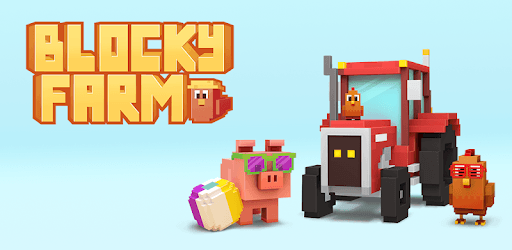
Blocky Farm is an Android app developed and published by Jet Toast at Google Play Store on Apr 11, 2018 for Android users. Blocky Farm is so popular that it has gained 5120810 installs so far and growing.
Blocky Farm is a delightful farming game that offers hours of entertainment and enjoyment. With its cute graphics, easy missions, and endless possibilities, it's no wonder why players of all ages are falling in love with this game. Whether you're a seasoned farmer or new to the world of agriculture, Blocky Farm has something for everyone.
One of the best things about Blocky Farm is its simplicity. The game is easy to understand and navigate, making it accessible to players of all skill levels. The missions are doable and provide a sense of accomplishment as you progress through the game. Whether you're planting crops, taking care of animals, or completing tasks, there's always something to do in Blocky Farm.
In today's fast-paced world, we all need a break from reality once in a while. Blocky Farm offers the perfect escape, allowing you to immerse yourself in a charming virtual farm. The cute graphics and relaxing gameplay provide a sense of tranquility and allow you to unwind after a long day. It's a great way to take a break and let your mind wander in a peaceful and enjoyable environment.
Blocky Farm is a game that keeps on giving. The developers are dedicated to providing the best gaming experience possible and regularly release updates to enhance the gameplay. They listen to player feedback and implement new features to keep the game fresh and exciting. Whether it's adding mini-games, improving graphics, or introducing new ways to earn gems and coins, the team behind Blocky Farm is committed to making the game even better.
Blocky Farm offers a wide range of unlockable lands and cool farming features. As you progress in the game, you'll have the opportunity to expand your farm and explore new areas. From planting different crops to raising various animals, there's always something new to discover in Blocky Farm. The game allows you to unleash your creativity and create the farm of your dreams.
Yes, Blocky Farm can be played both offline and online. Whether you have an internet connection or not, you can enjoy the game anytime, anywhere.
No, Blocky Farm is not a pay-to-play game. While it offers great deals for players who choose to make in-app purchases, it is not a requirement to have a fun time. The game can be enjoyed without spending any money.
Yes, Blocky Farm provides various ways to earn gems and coins. Completing missions, taking care of animals, and exploring new areas can all reward you with these valuable resources.
Yes, you can decorate your farm in Blocky Farm. The game offers an edit layout option, allowing you to customize and design your farm according to your preferences. It's similar to the popular game Clash of Clans, giving you the freedom to create a unique and personalized farm.
Yes, Blocky Farm offers mini-games that you can play while waiting for your crops to grow or tasks to complete. These mini-games provide additional entertainment and allow you to earn rewards while having fun.
In conclusion, Blocky Farm is a fantastic farming game that offers a fun and addictive experience for players of all ages. With its easy gameplay, constant updates, and enjoyable features, it's no wonder why this game has become a favorite among many. So, why not dive into the world of Blocky Farm and start building your dream farm today?
Yes, you can run Blocky Farm on PC, but first, you will need emulator software installed on your Windows or MAC, which you can download for free. In the below video, you will find Blocky Farm in action. Before you install the emulator, check out the minimum and recommended system requirements to run it seamlessly. They may change depending on which version of the emulator you choose. Therefore, we recommend you download the latest version of the emulator. Below you will find three free Android emulators that we have shortlisted based on their popularity:
Up to date graphics drivers from Microsoft or the chipset vendor.
Storage: 1 GB available under installation path, 1.5GB available hard drive space
Internet: Broadband Internet connection
Regardless of which Android emulator you install, the steps to install, configure, and running the Blocky Farm app on PC are the same.