Published by Playrix Games
Updated November 2, 2025
Township: a great game for the whole family!
| Version | 33.1.0 |
| Size | 182.3 MB |
| What's New | Season Adventures:* Win resources to develop and decorate your town with the Broadway and Carnival Passes!Thrilling New Adventures:* Find the stolen artifact and the treasure of the goddess Bastet!* Solve the mystery of a famous writer's disappearance!Also Featuring:* New regatta seasons in Greece and China!* A new building: the Ballet School! |
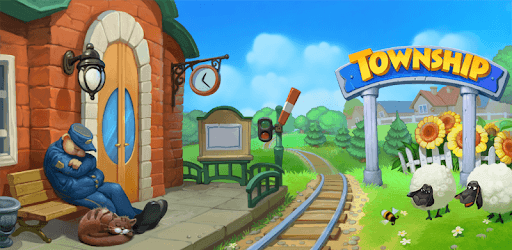
Township is an Android app developed and published by Playrix Games at Google Play Store on Nov 8, 2013 for Android users. Township is so popular that it has gained 505573967 installs so far and growing.
Township is a charming and engaging game that lets you build and manage your very own town. With its colorful graphics and a plethora of activities to engage in, it is easy to see why many players fall in love with it. As you dive into the game, you'll discover that there is so much to keep you entertained and invested over time.
One of the standout features of Township is the ability to create and customize your own town. You start with a small plot and gradually expand it by constructing buildings, cultivating crops, and managing resources. The game progresses at a satisfying pace, allowing you to see the fruits of your labor as your town grows and thrives over time.
There is always something to do in Township. Whether you're harvesting your crops, feeding your livestock, or fulfilling orders in the town market, the game keeps you busy in a fun and engaging way. You can decorate your town with beautiful landmarks and create a bustling, vibrant community. With so many different tasks and activities, there's never a dull moment.
One of the best aspects of playing Township is that it is entirely ad-free. Unlike many other games, you won't be interrupted by intrusive advertisements. This makes the gameplay experience smooth and enjoyable, allowing you to immerse yourself fully in the delightful world of your town.
Township is perfect for both casual and dedicated gamers. You can choose to play at your own pace, without feeling pressured to progress quickly. For those who are patient, the gradual progress can be very rewarding. However, there are options for those looking to speed things up, allowing for a flexible experience that caters to different play styles.
An exciting feature of Township is the range of mini-games and events. These offer a variety of challenges and rewards, keeping the gameplay fresh and interesting. Players often find themselves fully engrossed in these additional activities, which provide a nice break from the regular town management tasks.
In Township, you are not alone in your town-building journey. The game encourages you to connect with other players, join co-ops, and compete in regattas. These social aspects of the game make it more engaging and foster a sense of community. You can share tips, trade goods, and work together with friends or fellow players from around the world.
The developers behind Township are committed to making the game better over time. They regularly release updates that introduce new buildings, challenges, and features. Players often look forward to these updates as they bring fresh content and improvements to the game, ensuring that the experience remains dynamic and enjoyable.
Township is a game that can be enjoyed by both kids and adults. Its simple yet engaging gameplay, combined with its vibrant graphics and positive atmosphere, makes it a great choice for players of all ages. It offers a safe and fun environment where creativity and strategy are both encouraged.
For those who love simulation games, Township is a delightful choice. It combines the joy of building and managing a town with a range of activities that keep you engaged. Whether you play for a few minutes each day or immerse yourself for hours, Township offers an enjoyable and rewarding gaming experience. Dive into the world of Township and see what exciting adventures await as you create your very own thriving town.
Yes, you can run Township on PC, but first, you will need emulator software installed on your Windows or MAC, which you can download for free. In the below video, you will find Township in action. Before you install the emulator, check out the minimum and recommended system requirements to run it seamlessly. They may change depending on which version of the emulator you choose. Therefore, we recommend you download the latest version of the emulator. Below you will find three free Android emulators that we have shortlisted based on their popularity:
Up to date graphics drivers from Microsoft or the chipset vendor.
Storage: 1 GB available under installation path, 1.5GB available hard drive space
Internet: Broadband Internet connection
Regardless of which Android emulator you install, the steps to install, configure, and running the Township app on PC are the same.