Published by Farmis
Updated October 11, 2025
Auto guidance parallel lines in the field while driving tractor or harvester
| Version | 2.10.1 |
| Size | 28.2 MB |
| What's New | added move field featureadded *.JOB exportadded support for Racebox microadded multi-select to map |
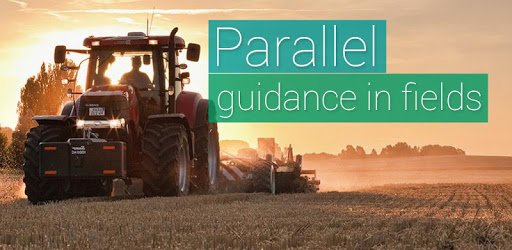
Field Navigator is an Android app developed and published by Farmis at Google Play Store on Mar 14, 2017 for Android users. Field Navigator is so popular that it has gained 100000 installs so far and growing.
If you're in search of an effective and budget-friendly GPS tracking app for farming, Field Navigator stands out as a strong contender. This app provides accurate coverage, rivaling some of the more expensive GPS units on the market. With its noteworthy features and ease of use, Field Navigator is transforming how farmers manage their fields.
The accuracy of Field Navigator is quite impressive. Many have found it to be on par with high-end GPS units, like the Raven Cruizer II. When paired with a Garmin GLO as an external GPS source, the precision achieved in field coverage can be within a mere 1% difference compared to more costly alternatives. This makes it an excellent tool for both spraying and fertilizer spreading.
Setting up Field Navigator is straightforward. Using devices like Garmin GLOs and Samsung Galaxy Tabs, this app simplifies the viewing and management of your fields. While some might have to pick the A-B points each time, a potential enhancement could be making those points align with the field's edges automatically.
One of the standout features is the manual field mapping option. Users can adjust the settings to achieve great accuracy in mapping their fields. Though occasional GPS measuring issues might arise, this can be mitigated by manually adjusting the map, ensuring the boundaries are precise and accurate.
The ability to visually detect overlaps is another novel feature. Different colors can be used to mark sprayed areas, making it easier to identify overlaps. This visual aid simplifies the management of complex or interrupted paddocks, ensuring coverage without the risk of missing or double-spraying any zones.
Field Navigator excels in data management, with all necessary information available on a single page. The application supports exporting KML files for generating detailed reports, which is particularly helpful in maintaining comprehensive records of sprayed zones and fertilizer spreads.
While Field Navigator's description mentions a 0.3m accuracy with Garmin antennas, Garmin typically claims a 3.0m accuracy. This discrepancy might cause some confusion, but regardless, the app's integration with external GPS units like Garmin GLO is highly effective for headland marking and other functions.
While Field Navigator is quite robust, there are some areas users might find needing improvements. For instance, a Bluetooth toggle for the start/stop function would enhance usability. Additionally, overlapping areas displaying in different colors could further improve the user experience.
Whether you're using phone GPS or an external unit, Field Navigator is an excellent tool for approximate coverage mapping. The app's performance is closely tied to the quality of the GPS receiver you use. Thus, investing a bit more in a reliable GPS receiver can greatly enhance the app's accuracy and functionality.
In essence, Field Navigator is a valuable tool for farmers seeking precision without breaking the bank. Its ease of use, accurate GPS tracking, and comprehensive features make it a great choice for various farming tasks.
Yes, you can run Field Navigator on PC, but first, you will need emulator software installed on your Windows or MAC, which you can download for free. In the below video, you will find Field Navigator in action. Before you install the emulator, check out the minimum and recommended system requirements to run it seamlessly. They may change depending on which version of the emulator you choose. Therefore, we recommend you download the latest version of the emulator. Below you will find three free Android emulators that we have shortlisted based on their popularity:
Up to date graphics drivers from Microsoft or the chipset vendor.
Storage: 1 GB available under installation path, 1.5GB available hard drive space
Internet: Broadband Internet connection
Regardless of which Android emulator you install, the steps to install, configure, and running the Field Navigator app on PC are the same.