Published by PlayMe8
Updated October 27, 2025
Build the farm of your dreams!
| Version | 2.19.76 |
| Size | 259.6 MB |
| What's New | Minor bug fixes and improvements. Install or update to the newest version to check it out! |
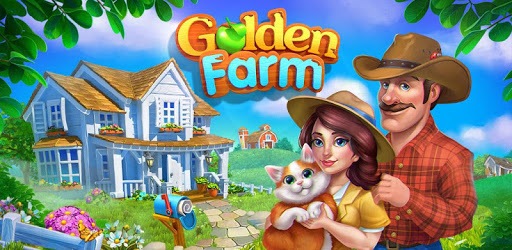
Golden Farm: Happy Farming Day is an Android app developed and published by PlayMe8 at Google Play Store on Dec 4, 2017 for Android users. Golden Farm: Happy Farming Day is so popular that it has gained 12355888 installs so far and growing.
Welcome to Golden Farm: Happy Farming Day, a charming game where you can immerse yourself in the joys of farming. Whether you’re a seasoned farmer or a newcomer, there’s something here for everyone.
Golden Farm: Happy Farming Day offers a plethora of activities to keep you engaged. You can tend your crops, raise adorable animals, and complete various missions. The game provides ample opportunities to explore at your own pace. You have the option to follow quests to advance, or simply enjoy the serene farming life by completing tasks as they come.
One of the standout features of Golden Farm: Happy Farming Day is its flexible gameplay. There is no pressure to participate in social events if you don’t want to. You can focus on your farm and progress at your own speed. The game accommodates your schedule, allowing you to skip tasks and return to them later when you have more time.
Golden Farm: Happy Farming Day is designed to be accessible and enjoyable for players of all ages. It’s easy enough for kids to play and enjoy, making it a great family-friendly game. The straightforward mechanics and intuitive interface ensure that everyone can have a good time managing their farm.
The game kicks off with engaging quests that guide you through the initial stages, making sure you’re never lost or wondering what to do next. As you progress, you’ll unlock more activities and features, keeping the gameplay fresh and exciting. Even if you’re just starting out, the quests are there to help you get the hang of things.
The graphics in Golden Farm: Happy Farming Day are adorable and charming, adding to the overall appeal of the game. The vibrant visuals and smooth performance make farming a delightful experience. Despite the absence of energy points needed to perform tasks, the game ensures there is always plenty to do on your farm.
As you advance in the game, you may wish for more land or the ability to upgrade your barn. Golden Farm: Happy Farming Day allows for continuous growth and customization of your farm. You can enhance your farm’s efficiency by upgrading buildings and acquiring new lands, making the game’s progression satisfying and rewarding.
Although participation in social events is optional, engaging with the community in Golden Farm: Happy Farming Day can enhance your experience. Helping other players and sharing resources can create a sense of camaraderie. However, if you prefer to play solo, the game respects that choice as well.
While the game runs smoothly most of the time, it might experience some glitches on less-than-perfect signals, which could lead to occasional freezes or crashes. Ensuring a stable internet connection can help mitigate these issues. If you ever encounter problems, reinstalling the game can often resolve them.
Golden Farm: Happy Farming Day also provides the option to manage multiple accounts, adding another layer of fun as you can experiment with different farming strategies.
Golden Farm: Happy Farming Day is a delightful game that combines the best elements of farming games. With its flexible gameplay, engaging quests, adorable graphics, and community features, it ensures a fun and fulfilling experience for players of all ages. Whether you’re looking to relax or embark on exciting quests, Golden Farm: Happy Farming Day has got you covered!
Yes, you can run Golden Farm: Happy Farming Day on PC, but first, you will need emulator software installed on your Windows or MAC, which you can download for free. In the below video, you will find Golden Farm: Happy Farming Day in action. Before you install the emulator, check out the minimum and recommended system requirements to run it seamlessly. They may change depending on which version of the emulator you choose. Therefore, we recommend you download the latest version of the emulator. Below you will find three free Android emulators that we have shortlisted based on their popularity:
Up to date graphics drivers from Microsoft or the chipset vendor.
Storage: 1 GB available under installation path, 1.5GB available hard drive space
Internet: Broadband Internet connection
Regardless of which Android emulator you install, the steps to install, configure, and running the Golden Farm: Happy Farming Day app on PC are the same.