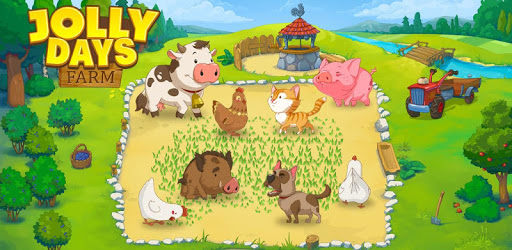
Jolly Days Farm: Time Management Game for PC

Jolly Days Farm: Time Management Game for PC

Published by HeroCraft Ltd.

Updated November 7, 2026

Manage your unruly animals in this arcade time-management frenzy!

What's New

Version1.2.1
Size106.7 MB
What's NewRise and shine, dear hard-working farmers! 🤠👩🏻🤝 Discover Market Madness, our latest game mode designed to reward you with exclusive VIP items, boosters, and essential in-game currency! 🤝Happy farming, and thank you for playing. 👍

Jolly Days Farm: Time Management Game Screenshots

Jolly Days Farm: Time Management Game PC screenshot

About Jolly Days Farm: Time Management Game For PC

Jolly Days Farm: Time Management Game is an Android app developed and published by HeroCraft Ltd. at Google Play Store on Mar 10, 2015 for Android users. Jolly Days Farm: Time Management Game is so popular that it has gained 7664908 installs so far and growing.

Jolly Days Farm: Time Management Game - A Farming Adventure for All Ages!

Welcome to Jolly Days Farm, the ultimate time management game that will keep you entertained for hours on end! Immerse yourself in the charming world of farming and experience the joy of running your own virtual farm. With its addictive gameplay and delightful graphics, this game is perfect for both kids and adults alike.

Endless Fun with 120 Exciting Levels

Embark on a thrilling journey through 120 levels of farming challenges. From sowing seeds to harvesting crops, you'll be fully immersed in the world of agriculture. Each level offers a unique set of tasks that will test your time management skills and strategic thinking. Can you complete all 120 levels and become the ultimate farmer?

A Challenging Adventure

Get ready for a bit of a challenge! Jolly Days Farm offers a gameplay experience that is both enjoyable and stimulating. As you progress through the levels, the tasks become more demanding, requiring you to think on your feet and make quick decisions. It's a game that will keep you engaged and entertained, providing hours of fun.

No More Waiting - New Levels Coming Soon!

We understand your eagerness for new levels, and we're happy to announce that more levels are on the way! Our dedicated team is working hard to bring you fresh and exciting content. Stay tuned for updates and get ready to embark on new farming adventures.

Immerse Yourself in a Farming Paradise

Jolly Days Farm offers a peaceful and idyllic setting where you can escape the hustle and bustle of everyday life. Take a break from your worries and immerse yourself in the serene world of farming. It's a perfect way to relax, unwind, and enjoy some quality time.

FAQs

1. When will the new levels be released?

We understand your excitement and are working diligently to bring you new levels as soon as possible. Stay tuned for updates and be ready to embark on new farming adventures!

2. Is Jolly Days Farm suitable for all ages?

Absolutely! Jolly Days Farm is designed to be enjoyed by both kids and adults. It offers a family-friendly gaming experience that can be enjoyed by everyone.

3. Are there any ads in the game?

Jolly Days Farm is ad-free, ensuring a seamless and uninterrupted gaming experience. However, if you wish to purchase VIP items, you may encounter ads to obtain diamonds.

4. How can I earn coins and gems in the game?

Earning coins and gems can be a bit challenging, but it adds to the excitement of the game. Keep playing, complete tasks efficiently, and strategically manage your resources to earn rewards.

5. Will there be more games like Pizza Frenzy?

We appreciate your suggestion and love hearing from our players. While we can't make any promises, we'll definitely consider creating games similar to Pizza Frenzy in the future. Stay tuned for more exciting releases!

Download Jolly Days Farm now and get ready to embark on an unforgettable farming adventure. Whether you're a seasoned farmer or new to the world of agriculture, this game is sure to captivate you with its addictive gameplay and charming graphics. Start farming, have fun, and watch your virtual farm thrive!

Can I run Jolly Days Farm: Time Management Game on PC?

Yes, you can run Jolly Days Farm: Time Management Game on PC, but first, you will need emulator software installed on your Windows or MAC, which you can download for free. In the below video, you will find Jolly Days Farm: Time Management Game in action. Before you install the emulator, check out the minimum and recommended system requirements to run it seamlessly. They may change depending on which version of the emulator you choose. Therefore, we recommend you download the latest version of the emulator. Below you will find three free Android emulators that we have shortlisted based on their popularity:

How to Install Jolly Days Farm: Time Management Game on Windows PC

BlueStacks

Minimum
  • OS: Microsoft Windows 7 and above.
  • Processor: Intel or AMD Processor.
  • RAM: Your PC must have at least 4GB of RAM. (Note that having 4GB or more disk space is not a substitute for RAM)
  • Storage: 5GB Free Disk Space.
  • You must be an Administrator on your PC.
Recommended:
  • OS: Microsoft Windows 10
  • Processor: Intel or AMD Multi-Core Processor with Single Thread benchmark score > 1000.
  • Graphics: Intel/Nvidia/ATI, Onboard or Discrete controller with benchmark score >= 750.
  • Please ensure Virtualization is enabled on your PC/Laptop.
  • RAM: 8GB or higher
  • Storage: SSD (or Fusion/Hybrid Drives)
  • Internet: Broadband connection to access games, accounts and related content.

Up to date graphics drivers from Microsoft or the chipset vendor.

  • To start with, download Bluestacks from its official website. The latest version of BluesStacks is v 5, and it is around 400 MB.
  • Once the download is done, click on the Bluestacks set up file to install it on your Windows PC. Follow the on-screen instructions and install it accordingly.
  • The next step is to launch the emulator using the desktop shortcut and sign in using your Google account.
  • Now, head over to Bluestacks home screen and click on the Google Play Store icon.
  • Hit the search bar in Google Play and search for Jolly Days Farm: Time Management Game.
  • Install Jolly Days Farm: Time Management Game from the Play Store by clicking the Install option, which completes downloading of Jolly Days Farm: Time Management Game on PC.

NoxPlayer

Minimum
  • Operating System: Windows XP SP3, Windows Vista, Windows 7, Windows 8, Windows 10, and DirectX 9.0c
  • Processor: At least dual-core processor, both Intel, and AMD are OK
  • Video: Supports Open GL 2.0 or above
  • Memory: 1.5 GB RAM
Recommended
  • Operating System: Windows 7, Windows 8, Windows 10
  • Processor: Multiple core processors which support VT-x or AMB-V Virtualization Technology, better performance with this function enabled
  • Video: The higher performance, the better
  • Memory: 4 GB RAM

Storage: 1 GB available under installation path, 1.5GB available hard drive space

Internet: Broadband Internet connection

  • Download NoxPlayer from the official website. The latest version of NoxPlayer is v 3, and it is around 600 MB.
  • Now install the emulator using the downloaded setup file. Just go through the on-screen instructions and install NoxPlayer on your computer or laptop.
  • After the installation process, launch the Nox Android emulator and log in using your Google account when it asks you.
  • Click on the Google Play Store icon and head over to the search bar to search Jolly Days Farm: Time Management Game. Once found, click on the Install button to install Jolly Days Farm: Time Management Game for PC.
  • If you do not find Jolly Days Farm: Time Management Game on Google Play Store or if you want to skip logging in to Google, you can sideload APK (download the .APK file from this page and open it with NoxPlayer).
  • Launch Jolly Days Farm: Time Management Game from home-screen and start playing it on PC right away!

MEmu

Minimum
  • 2 cores x86/x86_64 Processor (Intel or AMD CPU)
  • WinXP SP3 / Win7 / Win8 / Win10 (Not recommended to run on Server/Enterprise)
  • Latest Windows DirectX 11 / Graphics driver with OpenGL 2.0
  • Hardware Virtualization Technology (Intel VT-x/AMD-V) shall be enabled in BIOS
  • 2GB of RAM (4GB for x64 system)
  • 5GB of hard disk free space
Recommended
  • OS: Microsoft Windows 10 with VT Enabled
  • CPU: Single Thread PassMark score > 1500 (Intel/AMD Multi-Core).
  • Graphics: Intel/Nvidia/ATI, Onboard or Discrete controller with PassMark score > 750.
  • Latest Windows DirectX 11 / Graphics driver with OpenGL 4.5 or higher
  • RAM: 8GB or higher
  • HDD: SSD, 10GB of hard disk free space
  • Internet: Broadband connection with low latency for FPS games
  • Download MEmu Play from the official website. The latest version of NoxPlayer is v 7.5.
  • When the download is completed, install the MEmu emulator on your PC. Follow the on-screen instructions and keep on clicking the Next button until the final step.
  • Now, using the desktop shortcut, look for the MEmu Play emulator and launch it. Once done, it will ask you to log in using your Google account, proceed with the same.
  • MEmu Play will ask you to log in using your Google account. When you log in, it will sync your Google account to MEmu Play. Launch the Google Play Store by clicking on the icon and search for Jolly Days Farm: Time Management Game.
  • Click on the Install button once you find Jolly Days Farm: Time Management Game from the search results. You can also sideload APK (download the .APK file from this page and open it with MEmu) if you want to skip above step.
  • After the installation of Jolly Days Farm: Time Management Game, you're all set to use the app on PC!

Regardless of which Android emulator you install, the steps to install, configure, and running the Jolly Days Farm: Time Management Game app on PC are the same.