Published by Playday Games
Updated May 2, 2026
The cutest farm game! Join 10 million+ farmers!
| Version | 8.30.0 |
| Size | 58.6 MB |
| What's New | A very important update!* More rewards* Bug fix |
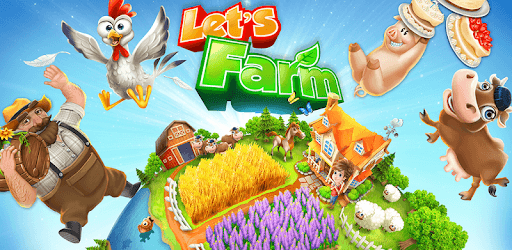
Let's Farm is an Android app developed and published by Playday Games at Google Play Store on Aug 19, 2014 for Android users. Let's Farm is so popular that it has gained 10000000 installs so far and growing.
If you're a fan of farming games, then Let's Farm is the perfect game for you! With its captivating animation, adorable animals, and a wide range of activities, Let's Farm stands out from the rest. Whether you're a casual player looking for a relaxing experience or a dedicated farmer seeking new challenges, this game has something for everyone.
Let's Farm offers a delightful farming experience with its wide variety of features. From planting and harvesting crops to taking care of cute farm animals, there's always something to keep you engaged. The game provides a smooth and seamless gameplay experience, allowing you to immerse yourself in the vibrant world of farming.
The graphics in Let's Farm are top-notch, bringing the farm to life with stunning visuals. The attention to detail is impressive, making every aspect of the game visually appealing. Whether it's the lush green fields, the charming farm animals, or the beautifully designed decoration pieces, Let's Farm offers a feast for the eyes.
Let's Farm offers a wide range of activities to keep you entertained. From growing and selling crops to producing goods and expanding your farm, there's always something to do. The game provides a sense of progression as you unlock new features and upgrade your farm. With each level, you'll discover new crops, animals, and machines to enhance your farming experience.
In addition to the regular farming activities, Let's Farm also introduces special events and challenges. These events add an extra layer of excitement to the game, allowing you to earn exclusive rewards and compete with other players. Whether it's a seasonal event or a limited-time challenge, there's always something new to look forward to in Let's Farm.
Let's Farm encourages social interaction by allowing you to connect with friends and other players. You can visit their farms, help them with tasks, and even trade goods. The game fosters a sense of community, creating a platform for players to connect and engage with each other. Whether you're looking for new friends or want to showcase your farm, Let's Farm provides a social experience like no other.
Furthermore, Let's Farm regularly updates the game with new features and improvements. The developers listen to player feedback and strive to make the game even better. With frequent updates, you can expect exciting additions and enhancements that will keep you hooked to the game.
If you're experiencing issues with the third beehive not producing honey, there might be a glitch in the game. We recommend reaching out to the game's support team for assistance. They will be able to help you troubleshoot the issue and provide a solution.
If you're unable to connect your old account to Let's Farm, it could be due to the game still being in development mode. We suggest contacting the game's support team for further guidance. They will be able to assist you in retrieving your old account and getting you back into the game.
If you're facing difficulties with making in-app purchases, it's important to ensure that you have a stable internet connection. If the issue persists, we recommend contacting the game's support team. They will be able to assist you in resolving the problem and ensuring a smooth purchasing experience.
If you're having trouble accessing the rest of the game via Facebook after reinstalling, we recommend checking your Facebook settings. Ensure that the game has the necessary permissions to access your account. If the issue persists, contacting the game's support team will provide you with the best assistance.
Currently, Let's Farm does not have a feature that allows players to sell their old decoration items in the shop. However, the developers are constantly working on updates and introducing new features. Keep an eye out for future updates, as this feature may be added in the future.
Let's Farm is a fantastic farming game that offers a captivating and enjoyable experience. With its engaging gameplay, stunning graphics, and a supportive community, it's no wonder that players keep coming back for more. So, grab your virtual farming tools and get ready to embark on an exciting farming adventure in Let's Farm!
Yes, you can run Let's Farm on PC, but first, you will need emulator software installed on your Windows or MAC, which you can download for free. In the below video, you will find Let's Farm in action. Before you install the emulator, check out the minimum and recommended system requirements to run it seamlessly. They may change depending on which version of the emulator you choose. Therefore, we recommend you download the latest version of the emulator. Below you will find three free Android emulators that we have shortlisted based on their popularity:
Up to date graphics drivers from Microsoft or the chipset vendor.
Storage: 1 GB available under installation path, 1.5GB available hard drive space
Internet: Broadband Internet connection
Regardless of which Android emulator you install, the steps to install, configure, and running the Let's Farm app on PC are the same.