Published by Leopoldo Bueno Castillo
Updated April 21, 2026
More than 60 different aircrafts and 5 sceneries available for free!!
| Version | 1.0 |
| Size | 35.6 MB |
| What's New | Solved model download problems. Added uses internet permission to allow downloads. |
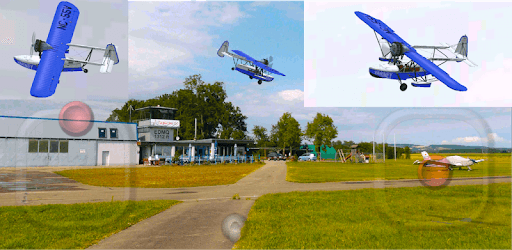
Leo's RC Simulator is an Android app developed and published by Leopoldo Bueno Castillo at Google Play Store on Feb 19, 2011 for Android users. Leo's RC Simulator is so popular that it has gained 1000000 installs so far and growing.
Leo's RC Simulator is an incredible game that allows you to immerse yourself in the world of remote control airplanes. Whether you're a seasoned enthusiast or a beginner looking to learn the ropes, this app offers an authentic and exhilarating experience that will keep you hooked for hours on end.
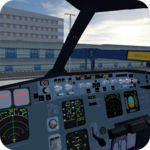
If you have a good phone or tablet, Leo's RC Simulator will deliver an exceptional gaming experience. The game is optimized to run smoothly on compatible devices, ensuring that you can fully enjoy the thrill of flying without any technical hiccups. From takeoff to landing, every moment is filled with excitement and realism.
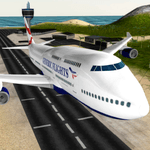
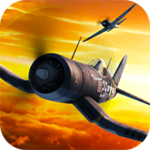
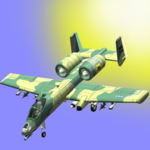
For those who have a passion for planes, Leo's RC Simulator is a must-have. The game offers a wide range of aircraft models, from Boeing and Airbus to smaller planes like the BAE 146e. With each update, the developers continue to add new planes, ensuring that there's always something new to explore and master.
Leo's RC Simulator stands out from the crowd for several reasons. Firstly, it's completely free. Unlike many other flight simulators, Leo's RC Simulator doesn't bombard you with in-app purchases or hidden fees. You can enjoy the full experience without spending a dime.
Secondly, the game offers a variety of airfields where you can take off and land your planes. From open fields to more challenging environments, each airfield provides a unique experience that adds to the realism of the game. You can even fly at night, thanks to the game's realistic day-night cycle.
Furthermore, Leo's RC Simulator allows you to customize your planes, adding a personal touch to your flying experience. You can choose from different paint schemes and decals, making each plane truly unique to you.
Leo's RC Simulator isn't just a game; it's a valuable tool for aspiring RC pilots. Whether you're a beginner or an experienced flyer, this app can help you improve your skills and perfect your maneuvers. The intuitive controls and realistic physics make it easy to learn the basics and progress to more advanced techniques.
With Leo's RC Simulator, you can practice flying in various conditions and environments, preparing yourself for any challenge that may come your way. From mastering takeoffs and landings to performing aerobatic maneuvers, this game offers endless opportunities for growth and improvement.
Yes, Leo's RC Simulator is available for both Android and iOS devices. You can download it from the respective app stores.
No, Leo's RC Simulator is completely free to play. There are no in-app purchases or hidden fees.
Yes, Leo's RC Simulator features a realistic day-night cycle, allowing you to fly both during the day and at night.
Yes, you can customize your planes in Leo's RC Simulator. You can choose from different paint schemes and decals to make your planes unique.
No, Leo's RC Simulator is a single-player game. However, you can share your achievements and experiences with friends through social media.
Yes, you can run Leo's RC Simulator on PC, but first, you will need emulator software installed on your Windows or MAC, which you can download for free. In the below video, you will find Leo's RC Simulator in action. Before you install the emulator, check out the minimum and recommended system requirements to run it seamlessly. They may change depending on which version of the emulator you choose. Therefore, we recommend you download the latest version of the emulator. Below you will find three free Android emulators that we have shortlisted based on their popularity:
Up to date graphics drivers from Microsoft or the chipset vendor.
Storage: 1 GB available under installation path, 1.5GB available hard drive space
Internet: Broadband Internet connection
Regardless of which Android emulator you install, the steps to install, configure, and running the Leo's RC Simulator app on PC are the same.