Published by i6 Games
Updated April 6, 2026
Download now! Fly Planes in this 3D Flight Simulator!
| Version | 1.43 |
| Size | 67.7 MB |
| What's New | Bug Fixes & Improvements. |
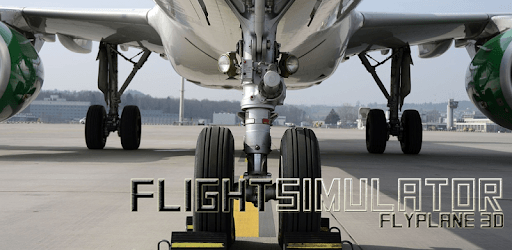
Flight Simulator: Fly Plane 3D is an Android app developed and published by i6 Games at Google Play Store on May 8, 2014 for Android users. Flight Simulator: Fly Plane 3D is so popular that it has gained 106227084 installs so far and growing.
Flight Simulator: Fly Plane 3D is an exceptional game that has captured the hearts of players across all ages. With its impressive graphics, attractive environment, and realistic plane controls, this game offers a thrilling experience like no other. Whether you are a seasoned aviation enthusiast or simply looking for some fun, this game is sure to keep you entertained for hours on end.
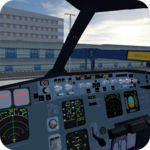
From the moment you take off, Flight Simulator: Fly Plane 3D immerses you in a world of aviation adventure. The game's stunning graphics bring the skies to life, allowing you to explore breathtaking landscapes and navigate through challenging weather conditions. Whether you're flying over mountains, cities, or oceans, the attention to detail is truly remarkable.
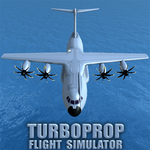
One of the standout features of this game is its wide selection of planes. From classic aircraft to modern jets, Flight Simulator: Fly Plane 3D offers a diverse range of options to choose from. Each plane is beautifully designed and meticulously rendered, providing a realistic flying experience that will leave you in awe.
While some players have expressed a desire for more tasks to complete, Flight Simulator: Fly Plane 3D still offers plenty of opportunities for exploration and enjoyment. Whether you prefer to embark on exciting missions or simply take to the skies and fly freely, this game caters to all play styles.
Furthermore, Flight Simulator: Fly Plane 3D provides both online and offline modes, allowing you to connect with fellow aviation enthusiasts or enjoy the game at your own pace. The option to play offline ensures that you can experience the thrill of flying even without an internet connection.
For those who have dreamt of becoming a pilot, Flight Simulator: Fly Plane 3D offers a taste of what it's like to take control of an aircraft. The intuitive controls make it easy for players of all skill levels to navigate the skies with precision and finesse. Whether you're performing daring maneuvers or smoothly landing at an airport, the sense of accomplishment is truly rewarding.
Whether you're a long-time fan of flight simulators or new to the genre, Flight Simulator: Fly Plane 3D is a game that will captivate you from the moment you start playing. Its stunning graphics, immersive gameplay, and wide range of planes make it a must-have for any aviation enthusiast. So buckle up, take to the skies, and let the adventure begin!
Yes, Flight Simulator: Fly Plane 3D offers both online and offline modes, allowing you to enjoy the game at your convenience.
Absolutely! Flight Simulator: Fly Plane 3D offers a diverse selection of planes, ranging from classic aircraft to modern jets. Each plane is beautifully designed and provides a unique flying experience.
While some players have expressed a desire for more tasks, Flight Simulator: Fly Plane 3D still offers plenty of opportunities for exploration and enjoyment. Whether you prefer missions or free flying, there's something for everyone.
Yes, you can play Flight Simulator: Fly Plane 3D offline, allowing you to experience the thrill of flying even without an internet connection.
Yes, you can run Flight Simulator: Fly Plane 3D on PC, but first, you will need emulator software installed on your Windows or MAC, which you can download for free. In the below video, you will find Flight Simulator: Fly Plane 3D in action. Before you install the emulator, check out the minimum and recommended system requirements to run it seamlessly. They may change depending on which version of the emulator you choose. Therefore, we recommend you download the latest version of the emulator. Below you will find three free Android emulators that we have shortlisted based on their popularity:
Up to date graphics drivers from Microsoft or the chipset vendor.
Storage: 1 GB available under installation path, 1.5GB available hard drive space
Internet: Broadband Internet connection
Regardless of which Android emulator you install, the steps to install, configure, and running the Flight Simulator: Fly Plane 3D app on PC are the same.