Published by Happy Bytes LLC
Updated April 6, 2026
Fight simulator for radio controlled aircraft
| Version | 3.62 |
| Size | 81.7 MB |
| What's New | Number of small improvements. Updated to Android 16 API. |
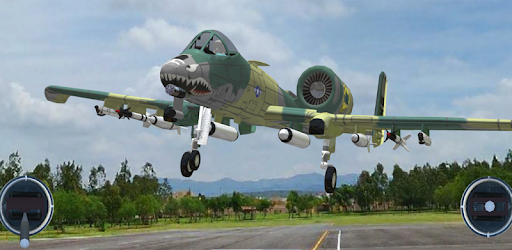
Absolute RC Flight Simulator is an Android app developed and published by Happy Bytes LLC at Google Play Store on Oct 23, 2012 for Android users. Absolute RC Flight Simulator is so popular that it has gained 1000000 installs so far and growing.
Flying a remote control airplane can be a thrilling experience, especially when the training ground is as realistic as what Absolute RC Flight Simulator offers. This amazing simulator caters to beginners eager to try their hand at flying in a safe and controlled environment. The app’s interface is user-friendly and perfect for small screens, giving newbies a solid foundation to move onto the real sky.
For those just starting, learning how to manage a remote control airplane can be challenging. Absolute RC Flight Simulator simplifies this process by offering a comprehensive training mode. You'll get to practice takeoffs and landings without the worry of crashing. The simulator's precision and attention to detail ensure a lifelike flying experience, helping you build the confidence to fly an actual RC plane. It is an invaluable tool to train with before venturing into the real world of remote-controlled aviation.
A unique feature of Absolute RC Flight Simulator is its compatibility with radio control transmitters. Many enthusiasts prefer this setup as it closely mimics the tactile experience of flying a real RC plane. You can easily plug your transmitter into your computer and now, with the mobile version available, you have the flexibility to practice on the go. This portability means you can refine your flying skills anytime, anywhere, without needing to be tied to a desktop.
One of the highlights of Absolute RC Flight Simulator is the wide array of planes available. Each plane is designed meticulously to offer a different experience, helping you understand the nuances between various models. This vast selection makes the simulator appealing to users with different preferences, allowing for a diverse and rich flying experience. Though some planes may require in-app purchases, the free options available still provide a comprehensive flying practice.
The simulator’s realism is incredible. From the flight dynamics to the environmental interactions, it feels like you're actually controlling a real plane. This detailed simulation helps in honing your skills and prepares you for real-life scenarios. Enthusiasts have praised how the app makes you feel present in the moment, enhancing the overall experience with its high-quality graphics and lifelike controls.
The flexibility to tweak the controls to your liking is an excellent feature in Absolute RC Flight Simulator. Whether you're a beginner or an advanced user, this adaptability ensures that the simulator accommodates your skill level and preferences. By fine-tuning the controls, you can enhance your experience and make your training sessions more effective and enjoyable.
Another aspect where Absolute RC Flight Simulator shines is its ad-free experience. Users can focus on honing their flying skills without constant interruptions, providing a seamless and enjoyable experience. While some users may encounter issues with restoring purchases across devices, the overall reliability of the app adds to its appeal among RC flying enthusiasts.
Absolute RC Flight Simulator stands out as a top choice for budding remote control pilots. Its focus on realism, user-friendly design, and comprehensive training make it an ideal tool for learning and enjoying the world of remote control aviation.
Yes, you can run Absolute RC Flight Simulator on PC, but first, you will need emulator software installed on your Windows or MAC, which you can download for free. In the below video, you will find Absolute RC Flight Simulator in action. Before you install the emulator, check out the minimum and recommended system requirements to run it seamlessly. They may change depending on which version of the emulator you choose. Therefore, we recommend you download the latest version of the emulator. Below you will find three free Android emulators that we have shortlisted based on their popularity:
Up to date graphics drivers from Microsoft or the chipset vendor.
Storage: 1 GB available under installation path, 1.5GB available hard drive space
Internet: Broadband Internet connection
Regardless of which Android emulator you install, the steps to install, configure, and running the Absolute RC Flight Simulator app on PC are the same.