Published by Steppschuh
Updated May 20, 2026
Remotely control your PC or Mac! Mouse, Keyboard, Media Player, Slideshows, ...!
| Version | 3.7.7.0 |
| Size | 11.0 MB |
| What's New | - Improved compatibility with new Android versions- Updated dependencies- Minor bug fixes |
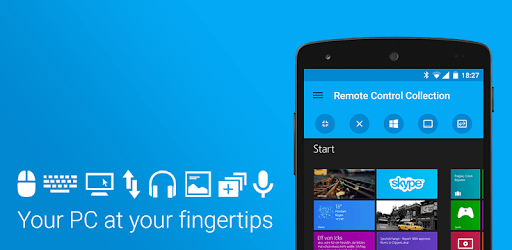
Remote Control Collection is an Android app developed and published by Steppschuh at Google Play Store on Nov 5, 2011 for Android users. Remote Control Collection is so popular that it has gained 6523794 installs so far and growing.
Remote Control Collection is a fascinating tool that brings convenience to a whole new level. If you've ever wished for a simple way to control your computer from the comfort of your sofa, this might be just what you need. The app offers a seamless connection between your device and computer, granting you control like never before.
With Remote Control Collection, everything you need is in one place. Imagine controlling your mouse and keyboard from your phone or tablet. It’s great for when you want to pause a movie but don’t want to get up from the couch. And for checking your downloads while you're away from your PC, the screen view option is incredibly handy.
The app includes a mouse and keyboard that operate smoothly and effectively. This makes it a valuable tool for presentations, enabling you to control everything without touching your computer. The interface is clean and simple, with all the controls easily accessible from one screen.
Remote Control Collection offers advanced features at a reasonable price. Unlocking the premium version removes ads and adds even more functionality. For the price of a coffee, you can get an ad-free experience and support the developers. It’s a win-win!
If you enjoy lounging around at home, this app will be your new best friend. Whether you’re pausing a movie, checking emails, or managing downloads, it’s all possible without getting off the sofa. The app works particularly well with Windows devices, but it shows great potential for other platforms too.
While the app is generally smooth, it does have a few quirks. Some users find the mouse speed a little too fast or too slow. However, these are minor issues and don’t detract from the overall experience. The development team is continuously improving the app, so fixes and updates are always on the horizon.
Remote Control Collection isn’t just about serious tasks. It has a playful side too! You can surprise family members by controlling the computer from another room, making them think the machine is haunted. It’s a fun way to see technology in action while having a little laugh along the way.
While the free version is robust, upgrading to the Pro version can elevate your experience. Ads can be a bit annoying, but they don’t interfere with how the app functions. However, if you find them distracting, a swift upgrade will solve that problem in no time.
The reliability of Remote Control Collection is commendable. It performs its tasks without glitches, making it a dependable tool for everyday use. Pop-ups may appear occasionally, but they’re manageable, especially considering the app’s overall performance and utility.
The future of Remote Control Collection is bright. With ongoing development and user feedback, this app is poised for even greater heights. It will be exciting to see where it goes next, expanding its usability and refining its existing features.
Yes, you can run Remote Control Collection on PC, but first, you will need emulator software installed on your Windows or MAC, which you can download for free. In the below video, you will find Remote Control Collection in action. Before you install the emulator, check out the minimum and recommended system requirements to run it seamlessly. They may change depending on which version of the emulator you choose. Therefore, we recommend you download the latest version of the emulator. Below you will find three free Android emulators that we have shortlisted based on their popularity:
Up to date graphics drivers from Microsoft or the chipset vendor.
Storage: 1 GB available under installation path, 1.5GB available hard drive space
Internet: Broadband Internet connection
Regardless of which Android emulator you install, the steps to install, configure, and running the Remote Control Collection app on PC are the same.