Published by KDE Community
Updated September 28, 2025
KDE Connect integrates your Android devices and Linux computers
| Version | 1.35.2 |
| Size | 6.2 MB |
| What's New | 1.35.2:- Fixed SMS integration broken in 1.351.35:- Add Digitizer plugin that allows using your device as a pressure-sensitive drawing tablet- Add setting for always showing the keyboard in Remote Input- Split TV Input and Remote Input- Change slides with volume keys in Presenter plugin- Bugfixes |
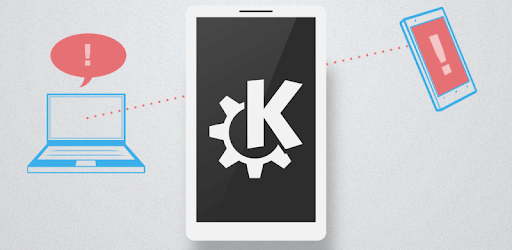
KDE Connect is an Android app developed and published by KDE Community at Google Play Store on Sep 4, 2013 for Android users. KDE Connect is so popular that it has gained 3140533 installs so far and growing.
KDE Connect is an amazing tool designed to bridge the gap between your mobile devices and computers seamlessly. It brings a host of useful features that make your life easier by allowing your devices to interact in a meaningful way. If you are someone who uses KDE on desktop Linux, KDE Connect is a must-have app to enhance your productivity.
One of the standout features of KDE Connect is its ability to integrate mobile and computer functions without needing an internet connection or wires. Devices communicate over a local network, making this tool an excellent choice for quick and secure data transfers.
Have you ever been busy working on your computer and missed an important message? With KDE Connect, you can check messages directly from your computer. You don't need to keep your phone next to you; all your notifications will appear on your desktop.
Imagine controlling your media player from another room. KDE Connect makes this possible. Whether you are using Strawberry media player or another application, you can easily control it from your phone, offering convenience when you are away from your desk.
Tired of using cables for transferring music and photos? With KDE Connect, you can transfer files from your laptop to your phone effortlessly. It's a simple way to manage your files without the hassle of physical connections.
One of the handy features is the shared clipboard. You can copy text on one device and paste it on another. This feature, in particular, enhances workflow efficiency, making cross-device operations smoother.
The app can turn your phone into a remote input device for your computer. This includes mouse and keyboard functionalities, which are extremely useful if you want to control your desktop remotely.
Unlike many other applications, KDE Connect does not require any accounts or subscription fees. You can use all its features without worrying about data harvesting. It's a simple and clean tool developed by some amazing people, focused on your privacy and security.
While KDE Connect is a great tool, it has some room for improvement, especially in terms of accessibility. Users have noted that the app is not fully accessible with screen readers like NVDA or KA screen reader for Linux. This is an area where the development team can focus to make the app even more user-friendly for everyone.
Users have provided suggestions for enhancing the app further. Features like "Quit" button to close the app, telephone answering with voice support, and screen mirroring with audio are some of the functionalities that users are looking forward to. Incorporating these would undoubtedly elevate the app's overall utility.
KDE Connect stands out as a versatile and valuable tool that enhances the interaction between your mobile devices and computer. With its impressive range of features, it provides users with convenience and efficiency. Whether you need to check messages, control media, or transfer files, KDE Connect has got you covered. Despite a few areas needing improvement, it's a remarkable app that continues to evolve and meet user needs.
Yes, you can run KDE Connect on PC, but first, you will need emulator software installed on your Windows or MAC, which you can download for free. In the below video, you will find KDE Connect in action. Before you install the emulator, check out the minimum and recommended system requirements to run it seamlessly. They may change depending on which version of the emulator you choose. Therefore, we recommend you download the latest version of the emulator. Below you will find three free Android emulators that we have shortlisted based on their popularity:
Up to date graphics drivers from Microsoft or the chipset vendor.
Storage: 1 GB available under installation path, 1.5GB available hard drive space
Internet: Broadband Internet connection
Regardless of which Android emulator you install, the steps to install, configure, and running the KDE Connect app on PC are the same.