Published by Sony Network Communications Inc.
Control your Sony Bravia TV with Video & TV SideView
| Version | 8.2.1 |
| Size | 47.5 MB |
| What's New | 8.2.1- Notice for the end of collecting customer data.Thank you for using Video & TV SideView. |
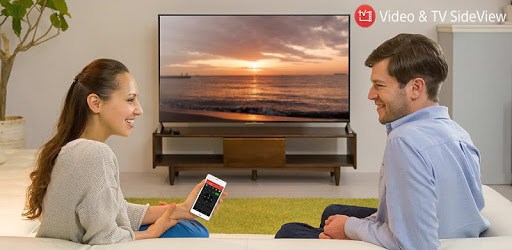
Video & TV SideView : Remote is an Android app developed and published by Sony Network Communications Inc. at Google Play Store on Jan 7, 2013 for Android users. Video & TV SideView : Remote is so popular that it has gained 10000000 installs so far and growing.
Have you ever found yourself in the unfortunate situation of a broken TV remote? Maybe it got stepped on or simply decided to stop working. Fortunately, there’s a smart and easy solution—Video & TV SideView: Remote. This app turns your smartphone into a handy TV remote, making it easier to manage your entertainment system without the hassle of hunting for a traditional remote.
Video & TV SideView: Remote stands out in the crowded market of TV remote apps. It is designed to be simple and functional. Whether you’re trying to switch channels, control the volume, or even turning the TV on and off, this app proves to be a perfect companion. Say goodbye to the frustration of fiddling with multiple remote controls. With this app, everything can be controlled from your phone.
This app is especially effective with Sony devices. From Bravia 4K Android TVs to Blu-ray players, the compatibility ensures you can control multiple devices seamlessly. You can also manage connected soundbars, enhancing your home entertainment experience. The app functions well on several devices, although certain models may face occasional connectivity issues. But rest assured, updates and fixes are continually rolled out to improve performance and compatibility.
One feature that stands out is the ability to control basic functions directly from the notification bar. Imagine having to adjust the volume or change the channel without even unlocking your phone! This sort of convenience makes Video & TV SideView: Remote a top choice for users. Moreover, the app suggests the potential inclusion of widgets for even easier access to functions, making it a perfect tool for everyday use.
Don’t worry about complicated setups or cluttered interfaces. Video & TV SideView: Remote prides itself on being easy to navigate. Clean and straightforward, it takes mere moments to understand and use effectively. You won’t need to go through menus hunting for the right option. Everything you need is right at your fingertips, making your TV-watching experience as smooth as possible.
If you've got kids who have a habit of misplacing or damaging remotes, this app is a lifesaver. No more scavenger hunts for the remote; just pick up your phone and you are good to go. It also adds an element of fun, letting you control the TV with your phone even when you’re not in the room, bringing some delight and perhaps a bit of friendly mischief into your home.
The creators of Video & TV SideView: Remote are dedicated to making it the best remote app out there. While it's already comprehensive and smooth, improvements are always on the horizon. From adding new features to ensuring compatibility with the latest operating systems and devices, the app continually evolves to meet user needs.
Overall, if you're searching for a reliable, user-friendly way to control your TV and related devices, Video & TV SideView: Remote is a noteworthy solution that integrates convenience, simplicity, and efficiency into your lifestyle.
Yes, you can run Video & TV SideView : Remote on PC, but first, you will need emulator software installed on your Windows or MAC, which you can download for free. In the below video, you will find Video & TV SideView : Remote in action. Before you install the emulator, check out the minimum and recommended system requirements to run it seamlessly. They may change depending on which version of the emulator you choose. Therefore, we recommend you download the latest version of the emulator. Below you will find three free Android emulators that we have shortlisted based on their popularity:
Up to date graphics drivers from Microsoft or the chipset vendor.
Storage: 1 GB available under installation path, 1.5GB available hard drive space
Internet: Broadband Internet connection
Regardless of which Android emulator you install, the steps to install, configure, and running the Video & TV SideView : Remote app on PC are the same.