Published by Splashtop
Splashtop is the best remote desktop app to access your PC/Mac
| Version | 3.7.4.23 |
| Size | 54.4 MB |
| What's New | * Optimize Biometric Authentication Usage Experience* Upsell page update* Other optimizations and bug fixes |
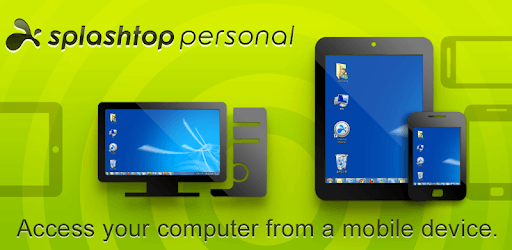
Splashtop Personal - Remote PC is an Android app developed and published by Splashtop at Google Play Store on Aug 7, 2012 for Android users. Splashtop Personal - Remote PC is so popular that it has gained 5800287 installs so far and growing.
Are you tired of being tied to your computer, unable to access your files and programs when you're away? Look no further than Splashtop Personal - Remote PC, the best service for controlling your system from anywhere in the world! With its outstanding features and user-friendly interface, it surpasses other remote connection apps like VNC, making it the top choice for users worldwide.
Splashtop Personal - Remote PC has gained a reputation for its exceptional performance and reliability. Whether you're just down the hall or across the globe, this app ensures a seamless connection to your system. Say goodbye to lag and unresponsive remote desktops – Splashtop delivers a super-responsive experience, making it feel like your device and operating system are running natively on your connecting device.
Furthermore, Splashtop Personal - Remote PC is compatible with various platforms, including iOS, Android, Dex, macOS, and iPadOS. It scales the screen to every device, ensuring a perfect fit and optimal viewing experience. Whether you're using a tablet or a phone, Splashtop has got you covered.
One of the standout features of Splashtop Personal - Remote PC is its ability to add custom on-screen widgets for Android phones. This feature allows you to personalize your remote desktop experience and enhance your productivity. While other apps limit this functionality to tablets, Splashtop goes the extra mile to cater to phone users as well.
Moreover, Splashtop Personal - Remote PC outshines Microsoft's remote access software and Google Remote Desktop for Chrome. Unlike Microsoft's software, Splashtop offers a superior user experience and unmatched control. It also surpasses Google Remote Desktop in terms of mouse mode flexibility, ensuring seamless control of your PC from your Chromebook.
Splashtop Personal - Remote PC stands out for its user-friendly interface and ease of use. Connecting to your remote desktop is a breeze, and it offers all the essential features you need for remote control. Whether you're navigating your PC to watch shows and movies in bed or managing software from a tablet or cell phone, Splashtop Personal - Remote PC has got you covered.
What's more, this app is completely free, making it accessible to everyone. It's no wonder that users have rated Splashtop Personal - Remote PC as the best among the five apps they tested. Its reliability, performance, and essential features make it a must-have tool for anyone in need of remote desktop control.
Yes, Splashtop Personal - Remote PC is completely free to use, ensuring that everyone can access its powerful remote control features without any cost.
Absolutely! Splashtop Personal - Remote PC is compatible with Android phones, allowing you to control your system from the palm of your hand.
Yes, Splashtop Personal - Remote PC is compatible with various platforms, including iOS, Android, Dex, macOS, and iPadOS. It seamlessly adapts to different devices and operating systems.
Splashtop Personal - Remote PC outperforms other remote access software, such as Microsoft's remote access software and Google Remote Desktop for Chrome. It offers superior performance, control, and flexibility, making it the top choice for remote desktop control.
Absolutely! Splashtop Personal - Remote PC allows you to watch entire movies on your Android phone, giving you the freedom to enjoy your favorite films wherever you are.
Don't miss out on the incredible features and convenience offered by Splashtop Personal - Remote PC. Download it today and experience the ultimate remote control app!
Yes, you can run Splashtop Personal - Remote PC on PC, but first, you will need emulator software installed on your Windows or MAC, which you can download for free. In the below video, you will find Splashtop Personal - Remote PC in action. Before you install the emulator, check out the minimum and recommended system requirements to run it seamlessly. They may change depending on which version of the emulator you choose. Therefore, we recommend you download the latest version of the emulator. Below you will find three free Android emulators that we have shortlisted based on their popularity:
Up to date graphics drivers from Microsoft or the chipset vendor.
Storage: 1 GB available under installation path, 1.5GB available hard drive space
Internet: Broadband Internet connection
Regardless of which Android emulator you install, the steps to install, configure, and running the Splashtop Personal - Remote PC app on PC are the same.