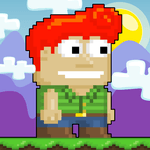
The Blockheads for PC

The Blockheads for PC

Published by Noodlecake Studios Inc

Updated August 5, 2025

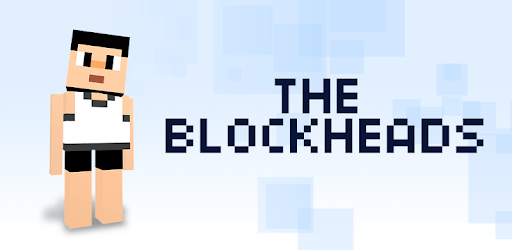
Explore, mine, craft and build in this giant and detailed sandbox game!

What's New

Version1.7.6
Size95.1 MB
What's New1.7***This is the biggest update ever! With pets, animal breeding, expert mode, skin customization, pizza ovens, new mobs, rainbow cake, a new D-Pad option for control, free HD textures, gem blocks, wind effects and HD clouds, yak shaving, shark riding, and MUCH MORE!!!1.7.6***Minor bug fixes and improvements!

The Blockheads Screenshots

The Blockheads PC screenshot

About The Blockheads For PC

The Blockheads is an Android app developed and published by Noodlecake Studios Inc at Google Play Store on Oct 8, 2013 for Android users. The Blockheads is so popular that it has gained 5000000 installs so far and growing.

The Blockheads: A Timeless Survival Adventure Game

The Blockheads is a beloved mobile survival game that invites players to build, craft, mine, and explore a vast, pixelated world. Known for its engaging gameplay and charming graphics, it has captured the hearts of many players who grew up with it. The Blockheads offers a unique experience that combines creative gameplay with survival strategies, making it a favorite for gamers of all ages.

A Nostalgic Journey

For many, The Blockheads holds a special place as a childhood memory. The excitement of getting home from school to play this game with online friends is something that created lasting memories. The game not only provided fun and entertainment but also helped many improve their English skills through interaction with friends from around the world.

Accessible Yet Challenging

The Blockheads stands out with its simple yet intricate gameplay mechanics. Players can mine for resources, craft tools, and build impressive structures similar to other sandbox games, but the 2D perspective gives it a unique twist. This makes it both accessible for younger players and challenging enough for experienced gamers.

Graphics and Music

The game’s graphics are praised for their appealing simplicity, making it enjoyable to play on mobile devices. The occasional music that plays adds an extra layer of enjoyment, creating a pleasant atmosphere as players immerse themselves in the gameplay.

Multiplayer Experience

The multiplayer system in The Blockheads is one of its strongest features. It keeps the game fresh and exciting as players can collaborate with friends or meet new people within the game’s world. This social aspect enhances the experience, making every session unique and engaging.

Creative Desires

While The Blockheads is known for its survival mode, many players wish for a creative mode to freely build and experiment without the constraints of gathering resources. This desire stems from wanting to create the amazing structures seen in trailers and gameplay videos. A creative mode could potentially offer more flexibility and fuel the creative desires of its player base.

Challenges and Bugs

Despite its many strengths, The Blockheads isn't without its challenges. Some players have reported issues with the game crashing or not loading, especially on newer phone models. These technical difficulties can be frustrating, but the dedicated community remains hopeful for updates and fixes that will address these problems.

A Game Worth Revisiting

The enduring appeal of The Blockheads is evident from its dedicated fan base. Many players return to it, even years after their first encounter. The game’s addictive nature and extensive crafting system keep players coming back for more, making it a timeless choice for anyone looking to dive into a fun and creative survival game.

Conclusion Paragraph

The Blockheads remains a fantastic game for survival enthusiasts. With its mix of building, crafting, mining, and exploring, coupled with a robust multiplayer experience, it offers endless hours of entertainment. Despite some technical issues, the game's charm and engaging gameplay continue to resonate with players old and new, making it a must-play for fans of the survival genre.

Can I run The Blockheads on PC?

Yes, you can run The Blockheads on PC, but first, you will need emulator software installed on your Windows or MAC, which you can download for free. In the below video, you will find The Blockheads in action. Before you install the emulator, check out the minimum and recommended system requirements to run it seamlessly. They may change depending on which version of the emulator you choose. Therefore, we recommend you download the latest version of the emulator. Below you will find three free Android emulators that we have shortlisted based on their popularity:

How to Install The Blockheads on Windows PC

BlueStacks

Minimum
  • OS: Microsoft Windows 7 and above.
  • Processor: Intel or AMD Processor.
  • RAM: Your PC must have at least 4GB of RAM. (Note that having 4GB or more disk space is not a substitute for RAM)
  • Storage: 5GB Free Disk Space.
  • You must be an Administrator on your PC.
Recommended:
  • OS: Microsoft Windows 10
  • Processor: Intel or AMD Multi-Core Processor with Single Thread benchmark score > 1000.
  • Graphics: Intel/Nvidia/ATI, Onboard or Discrete controller with benchmark score >= 750.
  • Please ensure Virtualization is enabled on your PC/Laptop.
  • RAM: 8GB or higher
  • Storage: SSD (or Fusion/Hybrid Drives)
  • Internet: Broadband connection to access games, accounts and related content.

Up to date graphics drivers from Microsoft or the chipset vendor.

  • To start with, download Bluestacks from its official website. The latest version of BluesStacks is v 5, and it is around 400 MB.
  • Once the download is done, click on the Bluestacks set up file to install it on your Windows PC. Follow the on-screen instructions and install it accordingly.
  • The next step is to launch the emulator using the desktop shortcut and sign in using your Google account.
  • Now, head over to Bluestacks home screen and click on the Google Play Store icon.
  • Hit the search bar in Google Play and search for The Blockheads.
  • Install The Blockheads from the Play Store by clicking the Install option, which completes downloading of The Blockheads on PC.

NoxPlayer

Minimum
  • Operating System: Windows XP SP3, Windows Vista, Windows 7, Windows 8, Windows 10, and DirectX 9.0c
  • Processor: At least dual-core processor, both Intel, and AMD are OK
  • Video: Supports Open GL 2.0 or above
  • Memory: 1.5 GB RAM
Recommended
  • Operating System: Windows 7, Windows 8, Windows 10
  • Processor: Multiple core processors which support VT-x or AMB-V Virtualization Technology, better performance with this function enabled
  • Video: The higher performance, the better
  • Memory: 4 GB RAM

Storage: 1 GB available under installation path, 1.5GB available hard drive space

Internet: Broadband Internet connection

  • Download NoxPlayer from the official website. The latest version of NoxPlayer is v 3, and it is around 600 MB.
  • Now install the emulator using the downloaded setup file. Just go through the on-screen instructions and install NoxPlayer on your computer or laptop.
  • After the installation process, launch the Nox Android emulator and log in using your Google account when it asks you.
  • Click on the Google Play Store icon and head over to the search bar to search The Blockheads. Once found, click on the Install button to install The Blockheads for PC.
  • If you do not find The Blockheads on Google Play Store or if you want to skip logging in to Google, you can sideload APK (download the .APK file from this page and open it with NoxPlayer).
  • Launch The Blockheads from home-screen and start playing it on PC right away!

MEmu

Minimum
  • 2 cores x86/x86_64 Processor (Intel or AMD CPU)
  • WinXP SP3 / Win7 / Win8 / Win10 (Not recommended to run on Server/Enterprise)
  • Latest Windows DirectX 11 / Graphics driver with OpenGL 2.0
  • Hardware Virtualization Technology (Intel VT-x/AMD-V) shall be enabled in BIOS
  • 2GB of RAM (4GB for x64 system)
  • 5GB of hard disk free space
Recommended
  • OS: Microsoft Windows 10 with VT Enabled
  • CPU: Single Thread PassMark score > 1500 (Intel/AMD Multi-Core).
  • Graphics: Intel/Nvidia/ATI, Onboard or Discrete controller with PassMark score > 750.
  • Latest Windows DirectX 11 / Graphics driver with OpenGL 4.5 or higher
  • RAM: 8GB or higher
  • HDD: SSD, 10GB of hard disk free space
  • Internet: Broadband connection with low latency for FPS games
  • Download MEmu Play from the official website. The latest version of NoxPlayer is v 7.5.
  • When the download is completed, install the MEmu emulator on your PC. Follow the on-screen instructions and keep on clicking the Next button until the final step.
  • Now, using the desktop shortcut, look for the MEmu Play emulator and launch it. Once done, it will ask you to log in using your Google account, proceed with the same.
  • MEmu Play will ask you to log in using your Google account. When you log in, it will sync your Google account to MEmu Play. Launch the Google Play Store by clicking on the icon and search for The Blockheads.
  • Click on the Install button once you find The Blockheads from the search results. You can also sideload APK (download the .APK file from this page and open it with MEmu) if you want to skip above step.
  • After the installation of The Blockheads, you're all set to use the app on PC!

Regardless of which Android emulator you install, the steps to install, configure, and running the The Blockheads app on PC are the same.
Download The Blockheads For PC