Published by MiniPlay Inc
Updated May 3, 2026
A brand new sandbox game platform---Visualize your Imagination
| Version | 1.7.15 |
| Size | 1011.1 MB |
| What's New | The Void Night version is here! Let's see what's new:- Void descends on special nights, bringing mutated creatures and siege events.- Explore the unknown with Void Treasury missions for permanent Avatar outfits.- Enjoy a new action combat system with over 500 weapon skill combinations.- Exclusive skins like Void Shadow Serina await in the Star Giftbox.- New mount, Celestial Trail, makes a stunning debut. |
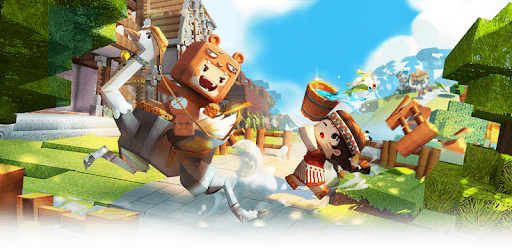
Mini World: Block Art is an Android app developed and published by MiniPlay Inc at Google Play Store on Nov 4, 2017 for Android users. Mini World: Block Art is so popular that it has gained 145334598 installs so far and growing.
Are you a fan of creative sandbox games like Minecraft? Look no further than Mini World: Block Art! This incredible app offers a unique and immersive gaming experience that will keep you entertained for hours on end. With its vast array of features and endless possibilities, Mini World: Block Art is a must-have for gamers of all ages.
One of the standout features of Mini World: Block Art is its powerful Terrain Editor. This tool allows you to shape and mold the world around you, giving you complete control over your creations. Build towering structures, intricate landscapes, and everything in between with ease. The only limit is your imagination!
However, we understand that no game is without its flaws. Some users have reported encountering glitches and bugs while using the Terrain Editor. These issues can be frustrating and disruptive to the building process. Rest assured, the development team is constantly working to address these concerns and provide a seamless experience for all players.
Mini World: Block Art boasts a vibrant and active community of players from around the world. Connect with fellow gamers, share your creations, and collaborate on exciting projects. Whether you're looking to showcase your architectural skills or embark on thrilling adventures, there's always something new to discover in Mini World: Block Art.
As a dedicated player, you may be wondering what the future holds for Mini World: Block Art. The development team is constantly working to bring you new and exciting updates. With each update, you can expect fresh content, improved gameplay mechanics, and enhanced features. Stay tuned for what's to come in 2024!
While Mini World: Block Art offers an incredible gaming experience, some users have reported encountering glitches and bugs, particularly when using the Terrain Editor. The development team is actively working to address these issues and provide a smoother gameplay experience.
Absolutely! Mini World: Block Art has a thriving community of players from all over the world. Connect with fellow gamers, share your creations, and collaborate on exciting projects. The possibilities are endless!
The development team is dedicated to bringing you exciting updates that will enhance your gaming experience. With each update, you can look forward to fresh content, improved gameplay mechanics, and new features to explore. Keep an eye out for what's coming in 2024!
Experience the thrill of Mini World: Block Art and let your creativity soar. Download the app today and embark on an unforgettable adventure!
Yes, you can run Mini World: Block Art on PC, but first, you will need emulator software installed on your Windows or MAC, which you can download for free. In the below video, you will find Mini World: Block Art in action. Before you install the emulator, check out the minimum and recommended system requirements to run it seamlessly. They may change depending on which version of the emulator you choose. Therefore, we recommend you download the latest version of the emulator. Below you will find three free Android emulators that we have shortlisted based on their popularity:
Up to date graphics drivers from Microsoft or the chipset vendor.
Storage: 1 GB available under installation path, 1.5GB available hard drive space
Internet: Broadband Internet connection
Regardless of which Android emulator you install, the steps to install, configure, and running the Mini World: Block Art app on PC are the same.