The Battle of Polytopia for PC

The Battle of Polytopia for PC

Published by Midjiwan AB

Updated April 2, 2026

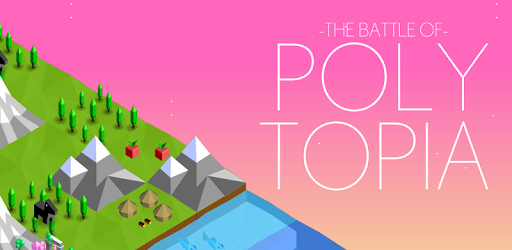
A turn based strategy game with cute low poly graphics.

What's New

Version2.16.2.15384
Size118.0 MB
What's NewUpdated Unity version

The Battle of Polytopia Screenshots

The Battle of Polytopia PC screenshot

About The Battle of Polytopia For PC

The Battle of Polytopia is an Android app developed and published by Midjiwan AB at Google Play Store on Nov 30, 2016 for Android users. The Battle of Polytopia is so popular that it has gained 1000000 installs so far and growing.

The Battle of Polytopia: A Detailed Look

What Makes The Battle of Polytopia Special?

The Battle of Polytopia is a free-to-play, turn-based strategy game that invites players into a charming but challenging world. What sets it apart from other mobile games is that it manages to deliver a polished and rewarding experience without any intrusive ads. Yes, you heard that right—no advertisements interrupting your gameplay!

Polished and Rewarding Gameplay

One of the standout features of The Battle of Polytopia is its polished feel. Despite being a free game, it comes with a level of sophistication that makes it seem like a premium option. Players have noted that this game strikes the perfect balance between being stress-relieving and rewarding, making it ideal for those who can only squeeze in short gaming sessions.

In the game, you lead a tribe and make strategic decisions to expand your territory. The user-friendly interface and simple yet captivating graphics make it easy for anyone to get started, but don't be fooled—it's challenging to master!

Multiplayer and PvP

The multiplayer mode adds another layer of excitement to The Battle of Polytopia. Whether you're challenging friends in local PvP (Player vs. Player) or taking on opponents online, there's a plethora of options to keep things interesting. Notifications can be a bit laggy, affecting the flow of turns, but this doesn't detract much from the overall experience. Playing against friends or family enhances the enjoyment and brings a competitive edge to the game.

Different Tribes, Endless Possibilities

One of the coolest aspects of the game is its variety of tribes, each with unique abilities and strategies. While some players wish all tribes were free, the cost isn't prohibitive, and owning additional tribes adds to the game's replayability. Each tribe brings something unique to the table, making every game feel fresh and different.

User Experience

The Battle of Polytopia is welcoming for new players but offers deep strategic layers for veterans. Players have commented on how easy the game is to grasp initially, but achieving high scores or dominating in multiplayer modes requires careful planning and strategy. The game also continues to evolve with updates, adding new features and tweaks that enhance gameplay.

Some players have noted that the AI can be a bit too easy, but this is balanced out by the challenge posed in multiplayer modes. You can even engage in negotiations with other tribes, further adding to the strategic depth.

Customization Options

Customization is another strong suit of The Battle of Polytopia. Players can adjust various parameters, such as map size and the density of cities. This flexibility allows for a tailored experience that can make each playthrough feel unique. Moreover, the game's recent updates have made the AI more aggressive and strategic, adding to the challenge without making it frustrating.

Future Enhancements

Many players have ideas for features they'd like to see in future updates. Suggestions include options for more elaborate negotiations, the ability to agree to a draw in multiplayer games, and more customization for maps and resources. These ideas only scratch the surface of the community’s passion and engagement with the game.

Longevity and Addictiveness

The Battle of Polytopia has proven to be a timeless classic for many players. Its blend of simple mechanics, strategic depth, and ongoing updates make it a go-to game for many. Some players have been enjoying it for years and still find it captivating. This speaks volumes about its quality and lasting appeal.

Imagine being able to play a game for years, finding new challenges and levels every time. That's the kind of experience The Battle of Polytopia offers. As the game evolves, it continues to engage its community, making it a staple in the mobile strategy game genre.

Can I run The Battle of Polytopia on PC?

Yes, you can run The Battle of Polytopia on PC, but first, you will need emulator software installed on your Windows or MAC, which you can download for free. In the below video, you will find The Battle of Polytopia in action. Before you install the emulator, check out the minimum and recommended system requirements to run it seamlessly. They may change depending on which version of the emulator you choose. Therefore, we recommend you download the latest version of the emulator. Below you will find three free Android emulators that we have shortlisted based on their popularity:

How to Install The Battle of Polytopia on Windows PC

BlueStacks

Minimum
  • OS: Microsoft Windows 7 and above.
  • Processor: Intel or AMD Processor.
  • RAM: Your PC must have at least 4GB of RAM. (Note that having 4GB or more disk space is not a substitute for RAM)
  • Storage: 5GB Free Disk Space.
  • You must be an Administrator on your PC.
Recommended:
  • OS: Microsoft Windows 10
  • Processor: Intel or AMD Multi-Core Processor with Single Thread benchmark score > 1000.
  • Graphics: Intel/Nvidia/ATI, Onboard or Discrete controller with benchmark score >= 750.
  • Please ensure Virtualization is enabled on your PC/Laptop.
  • RAM: 8GB or higher
  • Storage: SSD (or Fusion/Hybrid Drives)
  • Internet: Broadband connection to access games, accounts and related content.

Up to date graphics drivers from Microsoft or the chipset vendor.

  • To start with, download Bluestacks from its official website. The latest version of BluesStacks is v 5, and it is around 400 MB.
  • Once the download is done, click on the Bluestacks set up file to install it on your Windows PC. Follow the on-screen instructions and install it accordingly.
  • The next step is to launch the emulator using the desktop shortcut and sign in using your Google account.
  • Now, head over to Bluestacks home screen and click on the Google Play Store icon.
  • Hit the search bar in Google Play and search for The Battle of Polytopia.
  • Install The Battle of Polytopia from the Play Store by clicking the Install option, which completes downloading of The Battle of Polytopia on PC.

NoxPlayer

Minimum
  • Operating System: Windows XP SP3, Windows Vista, Windows 7, Windows 8, Windows 10, and DirectX 9.0c
  • Processor: At least dual-core processor, both Intel, and AMD are OK
  • Video: Supports Open GL 2.0 or above
  • Memory: 1.5 GB RAM
Recommended
  • Operating System: Windows 7, Windows 8, Windows 10
  • Processor: Multiple core processors which support VT-x or AMB-V Virtualization Technology, better performance with this function enabled
  • Video: The higher performance, the better
  • Memory: 4 GB RAM

Storage: 1 GB available under installation path, 1.5GB available hard drive space

Internet: Broadband Internet connection

  • Download NoxPlayer from the official website. The latest version of NoxPlayer is v 3, and it is around 600 MB.
  • Now install the emulator using the downloaded setup file. Just go through the on-screen instructions and install NoxPlayer on your computer or laptop.
  • After the installation process, launch the Nox Android emulator and log in using your Google account when it asks you.
  • Click on the Google Play Store icon and head over to the search bar to search The Battle of Polytopia. Once found, click on the Install button to install The Battle of Polytopia for PC.
  • If you do not find The Battle of Polytopia on Google Play Store or if you want to skip logging in to Google, you can sideload APK (download the .APK file from this page and open it with NoxPlayer).
  • Launch The Battle of Polytopia from home-screen and start playing it on PC right away!

MEmu

Minimum
  • 2 cores x86/x86_64 Processor (Intel or AMD CPU)
  • WinXP SP3 / Win7 / Win8 / Win10 (Not recommended to run on Server/Enterprise)
  • Latest Windows DirectX 11 / Graphics driver with OpenGL 2.0
  • Hardware Virtualization Technology (Intel VT-x/AMD-V) shall be enabled in BIOS
  • 2GB of RAM (4GB for x64 system)
  • 5GB of hard disk free space
Recommended
  • OS: Microsoft Windows 10 with VT Enabled
  • CPU: Single Thread PassMark score > 1500 (Intel/AMD Multi-Core).
  • Graphics: Intel/Nvidia/ATI, Onboard or Discrete controller with PassMark score > 750.
  • Latest Windows DirectX 11 / Graphics driver with OpenGL 4.5 or higher
  • RAM: 8GB or higher
  • HDD: SSD, 10GB of hard disk free space
  • Internet: Broadband connection with low latency for FPS games
  • Download MEmu Play from the official website. The latest version of NoxPlayer is v 7.5.
  • When the download is completed, install the MEmu emulator on your PC. Follow the on-screen instructions and keep on clicking the Next button until the final step.
  • Now, using the desktop shortcut, look for the MEmu Play emulator and launch it. Once done, it will ask you to log in using your Google account, proceed with the same.
  • MEmu Play will ask you to log in using your Google account. When you log in, it will sync your Google account to MEmu Play. Launch the Google Play Store by clicking on the icon and search for The Battle of Polytopia.
  • Click on the Install button once you find The Battle of Polytopia from the search results. You can also sideload APK (download the .APK file from this page and open it with MEmu) if you want to skip above step.
  • After the installation of The Battle of Polytopia, you're all set to use the app on PC!

Regardless of which Android emulator you install, the steps to install, configure, and running the The Battle of Polytopia app on PC are the same.


Download The Battle of Polytopia For PC