Published by ELECTRONIC ARTS
Enhance your Star Wars™ Battlefront™ experience with the official Companion app.
| Version | 1.0.6 |
| Size | 79.2 MB |
| What's New | Thanks for using the Star Wars™ Battlefront™ Companion! This update contains some behind-the-scenes fixes to keep your experience amazing. |
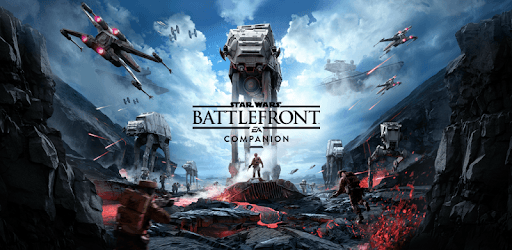
SW Battlefront Companion is an Android app developed and published by ELECTRONIC ARTS at Google Play Store on Nov 9, 2015 for Android users. SW Battlefront Companion is so popular that it has gained 1000000 installs so far and growing.
Are you a fan of the iconic Star Wars Battlefront series? If so, then you're in for a treat with the SW Battlefront Companion app. This app is the perfect companion for the game, providing you with a range of features that enhance your gaming experience. From tracking your stats to earning extra credits, this app has it all. Let's dive into what makes the SW Battlefront Companion app so special.
One of the standout features of the SW Battlefront Companion app is its ability to keep track of your stats. With this app, you can easily monitor your progress and see how you stack up against other players. Whether you're a casual gamer or a competitive player, having access to this information can help you identify areas for improvement and enhance your overall performance in the game.
Who doesn't love earning rewards? With the SW Battlefront Companion app, you have the opportunity to earn extra credits that can be used to unlock better gear in the game. The app features a fun and addictive mini-game that allows you to earn credits while having a blast. Not only does this add an extra layer of enjoyment to your gaming experience, but it also helps you progress faster and stand out on the battlefield.
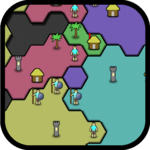
In addition to the mini-game, the SW Battlefront Companion app offers a thrilling base defense game that will keep you hooked for hours. This game is not only a great way to pass the time but also allows you to earn even more credits towards the main game. With its addictive gameplay and strategic elements, the base defense game is a must-try for all Battlefront fans.
While the SW Battlefront Companion app has received rave reviews from players, there are still some suggestions for improvement. Many fans express their desire for a Battlefront 3, hoping for a mobile version that stays true to the original console games. The idea of a full multiplayer experience with episodic story mode has also been suggested, giving players the ultimate Battlefront experience on their mobile devices.
A: Unfortunately, the SW Battlefront Companion app is designed to complement the main game and requires ownership of Star Wars Battlefront to access its features.
A: Yes, the SW Battlefront Companion app is available for both iOS and Android devices, allowing players on both platforms to enjoy its benefits.
A: While there haven't been any recent updates, the developers are constantly working to improve the app and provide the best possible experience for players. Stay tuned for future updates!
A: Yes, both the mini-game and base defense game in the SW Battlefront Companion app can be played offline, ensuring that you can enjoy them anytime, anywhere.
In conclusion, the SW Battlefront Companion app is a must-have for any Star Wars Battlefront fan. With its ability to track your stats, earn extra credits, and provide engaging mini-games, this app enhances your gaming experience and keeps you coming back for more. While there is room for improvement, the SW Battlefront Companion app is a testament to the dedication of the developers in creating a companion app that truly adds value to the main game. Download the app today and may the Force be with you!
Yes, you can run SW Battlefront Companion on PC, but first, you will need emulator software installed on your Windows or MAC, which you can download for free. In the below video, you will find SW Battlefront Companion in action. Before you install the emulator, check out the minimum and recommended system requirements to run it seamlessly. They may change depending on which version of the emulator you choose. Therefore, we recommend you download the latest version of the emulator. Below you will find three free Android emulators that we have shortlisted based on their popularity:
Up to date graphics drivers from Microsoft or the chipset vendor.
Storage: 1 GB available under installation path, 1.5GB available hard drive space
Internet: Broadband Internet connection
Regardless of which Android emulator you install, the steps to install, configure, and running the SW Battlefront Companion app on PC are the same.