Published by Yiotro
Updated May 14, 2026
Simple economic strategy without donations
| Version | 260801 |
| Size | 15.2 MB |
| What's New | - Small changes - Bug fixes |
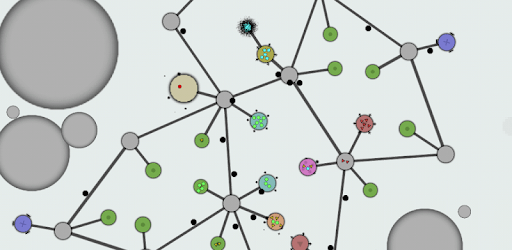
Achikaps is an Android app developed and published by Yiotro at Google Play Store on Dec 20, 2016 for Android users. Achikaps is so popular that it has gained 1771593 installs so far and growing.
Achikaps is a true masterpiece in the world of mobile gaming. It is a game that proves simplicity can coexist with complexity, creating an experience that is both addictive and enjoyable. With its perfect graphics and engaging gameplay, Achikaps has become a favorite among players of this genre.
One of the standout features of Achikaps is its lack of intrusive ads. In a time when many games bombard players with ads at every turn, Achikaps stands out by providing a seamless and uninterrupted gaming experience. It is refreshing to play a game that focuses on the gameplay itself rather than monetization.
Now, let's dive into some of the unique features that make Achikaps a must-play game:
One of the requested infrastructures in Achikaps is the Healing Ward. This structure serves a crucial role in the game by healing units within its range. It provides a safe haven for your troops, allowing them to recover and continue their missions with renewed vigor. With the Healing Ward, you can ensure the longevity of your units and increase your chances of victory.
Another requested infrastructure is the Aircraft Workshop. This workshop becomes the birthplace of your flying fighting units. From helicopters to advanced aircraft, the Aircraft Workshop allows you to create a formidable aerial force. Take control of the skies and gain a strategic advantage over your enemies with this essential structure.
The Aviary serves as a home for your flying units. When enemies enter its range, the flying units stationed in the Aviary will swiftly engage them. However, unlike other structures, the Aviary does not directly attack the enemy base. It acts as a defensive stronghold, protecting your territory from aerial threats. With the Aviary, you can establish a robust defense against airborne assaults.
The Grappler is a unique infrastructure designed to counter catapults. As an anti-catapult mechanism, the Grappler pulls the catapult towards fighting units, leading to its destruction. It does not deal direct damage but plays a crucial role in neutralizing the powerful attacks of enemy catapults. With the Grappler, you can turn the tides of battle in your favor.
Speaking of catapults, they are formidable enemy units that pose a significant threat to your base. With a range higher than helicopters, catapults can unleash wide area attacks, albeit with relatively small damage. Overcoming the challenge of enemy catapults requires careful planning and strategic thinking. Prepare your defenses and devise a strategy to counter these powerful adversaries.
Achikaps is hailed as a masterpiece due to its ability to strike a perfect balance between simplicity and complexity. The game's graphics seamlessly blend with its gameplay, creating an immersive experience for players.
No, Achikaps does not have any intrusive ads. The game focuses on providing an uninterrupted gaming experience, allowing players to fully immerse themselves in its engaging gameplay.
While Achikaps is a well-crafted game, some players have reported a couple of oddities. One issue is that when a module lacks the necessary items for construction, it pauses all other modules in the queue. Additionally, placing two modules too close together can cause one of them to disappear. These oddities, though minor, can be addressed to enhance the overall gameplay experience.
Yes, Achikaps features a tutorial that introduces players to the game's mechanics. However, some players have suggested improvements to the tutorial, such as providing more detailed instructions for certain aspects of the game.
While not necessary, the addition of a hunger system for units, where they need to eat periodically, could add an interesting dynamic to the gameplay. It would be intriguing to see how players manage their resources and ensure the well-being of their units.
In conclusion, Achikaps is a game that captivates players with its simplicity and depth. From its unique infrastructures to its engaging gameplay, Achikaps offers an experience that keeps players coming back for more. With no ads and a focus on gameplay, Achikaps stands out as a true gem in the world of mobile gaming.
Yes, you can run Achikaps on PC, but first, you will need emulator software installed on your Windows or MAC, which you can download for free. In the below video, you will find Achikaps in action. Before you install the emulator, check out the minimum and recommended system requirements to run it seamlessly. They may change depending on which version of the emulator you choose. Therefore, we recommend you download the latest version of the emulator. Below you will find three free Android emulators that we have shortlisted based on their popularity:
Up to date graphics drivers from Microsoft or the chipset vendor.
Storage: 1 GB available under installation path, 1.5GB available hard drive space
Internet: Broadband Internet connection
Regardless of which Android emulator you install, the steps to install, configure, and running the Achikaps app on PC are the same.