Published by Cowbeans
Updated July 10, 2026
Can you SURVIVE?
| Version | 1.31 |
| Size | 61.8 MB |
| What's New | - bug fixes |
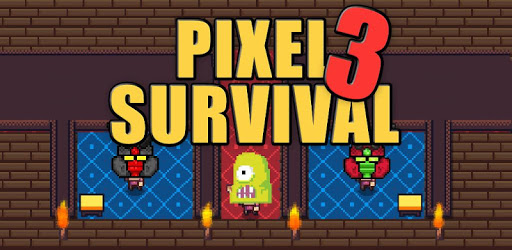
Pixel Survival Game 3 is an Android app developed and published by Cowbeans at Google Play Store on Jun 28, 2017 for Android users. Pixel Survival Game 3 is so popular that it has gained 3067136 installs so far and growing.
Welcome to the world of Pixel Survival Game 3, where survival is the ultimate goal. This game has captured the hearts of many players with its unique gameplay and immersive pixelated graphics. Despite a few bugs, it continues to be an amazing experience for gamers worldwide. Let's dive into the thrilling world of Pixel Survival Game 3 and explore its features and potential improvements.
One of the minor setbacks in Pixel Survival Game 3 is the bug that causes monsters to escape from the arenas and wander into the lobby. While this can be frustrating, it adds an unexpected challenge to the game. As you navigate through the arenas, you must be prepared to face not only the monsters but also the possibility of encountering them outside their designated areas. It adds an element of surprise and keeps you on your toes, making the game even more thrilling.
Despite the bugs, Pixel Survival Game 3 offers a vast and captivating world for players to explore. The game provides countless hours of entertainment, ensuring that you never run out of things to do. Whether you are battling monsters, crafting items, or building your own shelter, there is always something to keep you engaged.
However, one player raised a valid concern about the in-game currency. They were unsure about where to spend their hard-earned coins. While this may seem like a minor issue, it is crucial for players to have a clear understanding of how to utilize their resources effectively. Hopefully, the developers will address this concern and provide players with more options to spend their coins, enhancing the overall gameplay experience.
Pixel Survival Game 3 allows players to unleash their creativity through crafting various items. However, some players have encountered difficulties playing online after being banned and reinstalling the game. They expressed their desire to be able to join online games even after restarting. This improvement would ensure that players can continue their online adventures without any hindrances, creating a seamless multiplayer experience.
Furthermore, one player suggested adding more items, gears, and crafting options in the future. This would provide players with a wider range of choices and enhance the overall gameplay experience. Additionally, fixing the issue of the server being unavailable in multiplayer mode would allow players to enjoy the game to its fullest potential.
Dear developers, the players are truly grateful for the incredible experience Pixel Survival Game 3 has provided. They have expressed their appreciation and even vowed to promote the game to their friends if their wishes are granted. One player specifically requested the addition of guns or rifles to the crafting list, as they prefer these weapons over bows. By considering this suggestion, the developers can cater to a wider range of player preferences and ensure everyone can enjoy the game to its fullest extent.
Moreover, another player expressed their excitement for a potential Pixel Survival Game 4. They hoped for more action, additional items, and improved multiplayer functionality. This anticipation showcases the dedication and enthusiasm of the player base, urging the developers to continue creating remarkable games that capture the hearts of gamers worldwide.
Yes, you can eat in Pixel Survival Game 3. The game offers various food options to sustain your character's hunger and keep them going in their quest for survival.
While there is no official confirmation, the players' enthusiasm and anticipation for a Pixel Survival Game 4 have caught the attention of the developers. It is possible that we may see a new installment in the future.
Pixel Survival Game 3 provides players with various opportunities to spend their coins. Whether it's purchasing new items, upgrading equipment, or unlocking special features, there are plenty of ways to utilize your hard-earned coins.
Yes, Pixel Survival Game 3 offers a multiplayer mode where you can join forces with friends or other players online. However, there have been some reported issues with dropped items and depositing and receiving items while playing in multiplayer mode. The developers are aware of these concerns and are working towards improving the multiplayer experience.
Pixel Survival Game 3 continues to captivate players with its pixelated world and thrilling gameplay. Despite a few bugs and areas for improvement, it offers endless possibilities and keeps players engaged for hours on end. The developers have shown their dedication to creating an exceptional gaming experience, and with the players' feedback, the game will only continue to evolve and become even more extraordinary.
Yes, you can run Pixel Survival Game 3 on PC, but first, you will need emulator software installed on your Windows or MAC, which you can download for free. In the below video, you will find Pixel Survival Game 3 in action. Before you install the emulator, check out the minimum and recommended system requirements to run it seamlessly. They may change depending on which version of the emulator you choose. Therefore, we recommend you download the latest version of the emulator. Below you will find three free Android emulators that we have shortlisted based on their popularity:
Up to date graphics drivers from Microsoft or the chipset vendor.
Storage: 1 GB available under installation path, 1.5GB available hard drive space
Internet: Broadband Internet connection
Regardless of which Android emulator you install, the steps to install, configure, and running the Pixel Survival Game 3 app on PC are the same.