Published by Khosrov Boloorian
Updated September 10, 2025
Kurdish Keyboard کوردی Arabic Sorani Kurmanji
| Version | 11.9 |
| Size | 6.4 MB |
| What's New | 👉Update SDK level to API 37 👉Update Components 👉Fix overlap issue with bottom navigation bar on Android 16+ 👉Fix overlap in orientation 👉 Update Google Messaging Platform (UMP) 👉 Update Google SDK 👉 Updating Google frameworks 👉 New theme setting layout 👉General improvement |
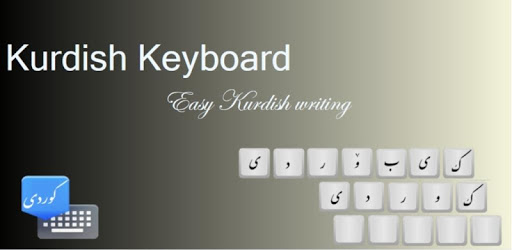
Advanced Kurdish Keyboard is an Android app developed and published by Khosrov Boloorian at Google Play Store on Feb 21, 2013 for Android users. Advanced Kurdish Keyboard is so popular that it has gained 7478888 installs so far and growing.
Discover the magic of writing in Kurdish with the Advanced Kurdish Keyboard. Whether you are learning Kurdish or just want to type in your native language effortlessly, this tool is designed to simplify the way you communicate. Let’s dive into what makes this keyboard so special.
One of the standout features of the Advanced Kurdish Keyboard is its simplicity in shifting between languages. Switching between different keyboards has never been easier, which makes it a perfect fit for bilingual or multilingual users. No more hassle—just smooth transitions.
It's important to highlight that one area needing improvement is the inclusion of Arabic numbers. This would be especially useful for those who need to switch between Kurdish and Arabic numbers frequently for research and data entry. Incorporating Arabic numbers can save users considerable time and effort.
The design of the Advanced Kurdish Keyboard is both attractive and easy to navigate. This not only makes it visually appealing but also simple to use. The design is intuitive, which means even those who are not tech-savvy can use it without any hiccups.
While the emoji section is quite functional, there is room for enhancement. The addition of more emojis and organizing them into sections similar to popular apps like Messenger could make it more comprehensive. A richer set of emojis would certainly bring more joy to users.
The Advanced Kurdish Keyboard is fast, making it a reliable choice for everyday use. However, it could benefit from some modern touches to its design. Regular updates can keep it fresh and ensure it meets the evolving needs of users.
The Advanced Kurdish Keyboard has a lot of potentials. Its seamless language shift, beautiful interface, and fast performance make it a strong contender in the world of virtual keyboards. With a few more updates and additions, like Arabic numbers and more emojis, it can become an even more powerful tool for Kurdish speakers everywhere.
Yes, you can run Advanced Kurdish Keyboard on PC, but first, you will need emulator software installed on your Windows or MAC, which you can download for free. In the below video, you will find Advanced Kurdish Keyboard in action. Before you install the emulator, check out the minimum and recommended system requirements to run it seamlessly. They may change depending on which version of the emulator you choose. Therefore, we recommend you download the latest version of the emulator. Below you will find three free Android emulators that we have shortlisted based on their popularity:
Up to date graphics drivers from Microsoft or the chipset vendor.
Storage: 1 GB available under installation path, 1.5GB available hard drive space
Internet: Broadband Internet connection
Regardless of which Android emulator you install, the steps to install, configure, and running the Advanced Kurdish Keyboard app on PC are the same.