Sandbox: Strategy & Tactics for PC

Sandbox: Strategy & Tactics for PC

Published by HeroCraft Ltd.

Updated October 23, 2025

Command your army and lead it to victory in this turn-based strategy wargame!

What's New

Version1.0.58
Size99.2 MB
What's NewGenerals,this maintenance update includes:🛠 changes to meet Google requirements;🛠 updates of internal libraries;🛠 minor fixes and stability improvements.Let the battle rage on, and thanks for playing with us 😍.

Sandbox: Strategy & Tactics Screenshots

Sandbox: Strategy & Tactics PC screenshot

About Sandbox: Strategy & Tactics For PC

Sandbox: Strategy & Tactics is an Android app developed and published by HeroCraft Ltd. at Google Play Store on Sep 10, 2014 for Android users. Sandbox: Strategy & Tactics is so popular that it has gained 1000000 installs so far and growing.

Sandbox: Strategy & Tactics - Dive into Realistic War Strategies

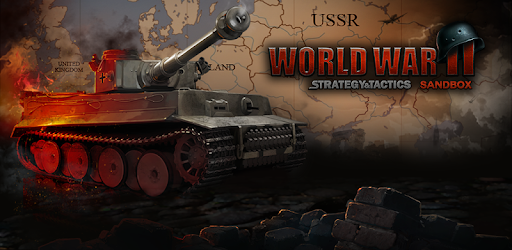
Remember those days when war strategy games captured your imagination? Sandbox: Strategy & Tactics revives that excitement with a modern twist! It allows you to dive into the world of World War II, commanding countries and navigating through intense battles. Let’s explore the depth of this game’s strategy and tactics.

The Essence of Sandbox: Strategy & Tactics

Sandbox: Strategy & Tactics stands out because it’s a turn-based strategy (TBS) game where you take on the role of a country during World War II. The game focuses on realistic war strategies and gives you control over various aspects, including troop movements and territories. It’s similar to classic war board games like Risk and modern computer games like Hearts of Iron IV.

Gameplay Mechanics

The game's mechanics offer a great balance between challenging AI and player capabilities. AI opponents are designed neither too smart nor too dumb, creating a balanced and captivating experience. Players have to conquer regions and use their armies efficiently. Some parts of the map have unique topographies, influencing how battles are fought and making each section feel distinct.

Unique Features

One of the highlights of Sandbox: Strategy & Tactics is its ability to function without microtransactions. This ensures a smooth and uninterrupted gaming experience. Players also appreciate the historical accuracy and immersive play without the constant interruption of ads, creating an engaging atmosphere.

Room for Improvement

No game is perfect, and Sandbox: Strategy & Tactics has areas where it could improve. For instance, it could benefit from including more tutorials to help new players get a hang of the game mechanics. Additionally, the game currently supports a limited range of devices. Resolving compatibility issues, especially for new and foldable phones, could attract a larger audience.

Community Requests

Players have suggested some exciting features that could make Sandbox: Strategy & Tactics even better. Adding multiplayer capabilities and forming alliances between countries could make the game more interactive. Expanding the map to include regions like South and North America and Africa could offer more diversity and richness to the gameplay.

Immersive Experience

Players have felt a deep connection to their childhood war games, and this game brings back those vibes. The game successfully combines Army-vs-Army grind with swift movements for a dynamic and exciting experience. Plus, the visuals are aesthetically pleasing, making the map enjoyable to look at while planning your next move.

An Ever-Evolving Game

Despite being a relatively niche game, Sandbox: Strategy & Tactics has captivated a loyal fan base. The developers have shown dedication by fixing previous issues, and there’s a collective hope that they will continue to enhance the game. From adding powerful naval forces for Britain to considering future sequels covering different historical periods, there’s a lot of potential for growth.

So, whether you’re reliving your childhood or looking for a new and engaging strategy game, Sandbox: Strategy & Tactics offers an enthralling war experience that keeps you coming back for more.

Can I run Sandbox: Strategy & Tactics on PC?

Yes, you can run Sandbox: Strategy & Tactics on PC, but first, you will need emulator software installed on your Windows or MAC, which you can download for free. In the below video, you will find Sandbox: Strategy & Tactics in action. Before you install the emulator, check out the minimum and recommended system requirements to run it seamlessly. They may change depending on which version of the emulator you choose. Therefore, we recommend you download the latest version of the emulator. Below you will find three free Android emulators that we have shortlisted based on their popularity:

How to Install Sandbox: Strategy & Tactics on Windows PC

BlueStacks

Minimum
  • OS: Microsoft Windows 7 and above.
  • Processor: Intel or AMD Processor.
  • RAM: Your PC must have at least 4GB of RAM. (Note that having 4GB or more disk space is not a substitute for RAM)
  • Storage: 5GB Free Disk Space.
  • You must be an Administrator on your PC.
Recommended:
  • OS: Microsoft Windows 10
  • Processor: Intel or AMD Multi-Core Processor with Single Thread benchmark score > 1000.
  • Graphics: Intel/Nvidia/ATI, Onboard or Discrete controller with benchmark score >= 750.
  • Please ensure Virtualization is enabled on your PC/Laptop.
  • RAM: 8GB or higher
  • Storage: SSD (or Fusion/Hybrid Drives)
  • Internet: Broadband connection to access games, accounts and related content.

Up to date graphics drivers from Microsoft or the chipset vendor.

  • To start with, download Bluestacks from its official website. The latest version of BluesStacks is v 5, and it is around 400 MB.
  • Once the download is done, click on the Bluestacks set up file to install it on your Windows PC. Follow the on-screen instructions and install it accordingly.
  • The next step is to launch the emulator using the desktop shortcut and sign in using your Google account.
  • Now, head over to Bluestacks home screen and click on the Google Play Store icon.
  • Hit the search bar in Google Play and search for Sandbox: Strategy & Tactics.
  • Install Sandbox: Strategy & Tactics from the Play Store by clicking the Install option, which completes downloading of Sandbox: Strategy & Tactics on PC.

NoxPlayer

Minimum
  • Operating System: Windows XP SP3, Windows Vista, Windows 7, Windows 8, Windows 10, and DirectX 9.0c
  • Processor: At least dual-core processor, both Intel, and AMD are OK
  • Video: Supports Open GL 2.0 or above
  • Memory: 1.5 GB RAM
Recommended
  • Operating System: Windows 7, Windows 8, Windows 10
  • Processor: Multiple core processors which support VT-x or AMB-V Virtualization Technology, better performance with this function enabled
  • Video: The higher performance, the better
  • Memory: 4 GB RAM

Storage: 1 GB available under installation path, 1.5GB available hard drive space

Internet: Broadband Internet connection

  • Download NoxPlayer from the official website. The latest version of NoxPlayer is v 3, and it is around 600 MB.
  • Now install the emulator using the downloaded setup file. Just go through the on-screen instructions and install NoxPlayer on your computer or laptop.
  • After the installation process, launch the Nox Android emulator and log in using your Google account when it asks you.
  • Click on the Google Play Store icon and head over to the search bar to search Sandbox: Strategy & Tactics. Once found, click on the Install button to install Sandbox: Strategy & Tactics for PC.
  • If you do not find Sandbox: Strategy & Tactics on Google Play Store or if you want to skip logging in to Google, you can sideload APK (download the .APK file from this page and open it with NoxPlayer).
  • Launch Sandbox: Strategy & Tactics from home-screen and start playing it on PC right away!

MEmu

Minimum
  • 2 cores x86/x86_64 Processor (Intel or AMD CPU)
  • WinXP SP3 / Win7 / Win8 / Win10 (Not recommended to run on Server/Enterprise)
  • Latest Windows DirectX 11 / Graphics driver with OpenGL 2.0
  • Hardware Virtualization Technology (Intel VT-x/AMD-V) shall be enabled in BIOS
  • 2GB of RAM (4GB for x64 system)
  • 5GB of hard disk free space
Recommended
  • OS: Microsoft Windows 10 with VT Enabled
  • CPU: Single Thread PassMark score > 1500 (Intel/AMD Multi-Core).
  • Graphics: Intel/Nvidia/ATI, Onboard or Discrete controller with PassMark score > 750.
  • Latest Windows DirectX 11 / Graphics driver with OpenGL 4.5 or higher
  • RAM: 8GB or higher
  • HDD: SSD, 10GB of hard disk free space
  • Internet: Broadband connection with low latency for FPS games
  • Download MEmu Play from the official website. The latest version of NoxPlayer is v 7.5.
  • When the download is completed, install the MEmu emulator on your PC. Follow the on-screen instructions and keep on clicking the Next button until the final step.
  • Now, using the desktop shortcut, look for the MEmu Play emulator and launch it. Once done, it will ask you to log in using your Google account, proceed with the same.
  • MEmu Play will ask you to log in using your Google account. When you log in, it will sync your Google account to MEmu Play. Launch the Google Play Store by clicking on the icon and search for Sandbox: Strategy & Tactics.
  • Click on the Install button once you find Sandbox: Strategy & Tactics from the search results. You can also sideload APK (download the .APK file from this page and open it with MEmu) if you want to skip above step.
  • After the installation of Sandbox: Strategy & Tactics, you're all set to use the app on PC!

Regardless of which Android emulator you install, the steps to install, configure, and running the Sandbox: Strategy & Tactics app on PC are the same.

Download Sandbox: Strategy & Tactics For PC