Published by Gismart
Updated October 5, 2026
Mix music & create tracks! Remix songs using pro sound effects
| Version | 1.31 |
| Size | 142.3 MB |
| What's New | Want to be the best DJ? Then you neeeed this update.Enjoy new sound packs. Roll and gate effects and beat-sync have improved. |
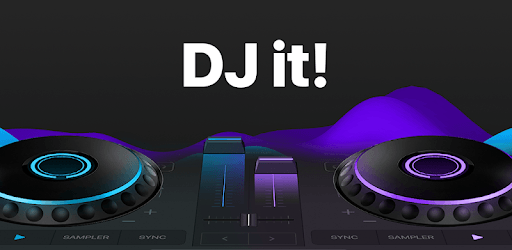
DJ it! - Music Mixer is an Android app developed and published by Gismart at Google Play Store on Aug 3, 2020 for Android users. DJ it! - Music Mixer is so popular that it has gained 21090653 installs so far and growing.
Are you ready to unleash your DJ potential? DJ it! - Music Mixer is here to help you create amazing music mixes with ease. Whether you're a beginner exploring the world of DJing or an experienced DJ looking to refine your skills, this intuitive app offers a plethora of features that will make mixing music fun and exciting.
One of the standout features of DJ it! - Music Mixer is its user-friendly interface. The app is designed to be simple and straightforward, allowing you to dive right into mixing without any hassles. You have all the essential tools at your fingertips, making it quick and easy to blend tracks seamlessly. Say goodbye to complicated setups and hello to an intuitive mixing experience.
Don't be fooled by its simplicity; DJ it! - Music Mixer is packed with advanced tools and features. From auto-mixing to pitch control, you have everything you need to create the perfect sound. You can also loop, scratch, and apply various effects, giving you the freedom to experiment and develop your unique style. These features ensure a professional-quality mix every time.
Music effects can make or break a mix, and DJ it! - Music Mixer understands this well. The app comes loaded with a variety of effects like reverb, echo, and flanger, which you can easily apply to any track. These effects let you add depth and dimension to your mixes, making them sound more dynamic and engaging.
Importing your favorite tracks into DJ it! - Music Mixer is a breeze. Whether you're pulling music from your device or an online source, the app allows for seamless integration. It supports a wide array of audio formats, ensuring you can mix any track you want without any compatibility issues. Your favorite songs are always just a drag-and-drop away.
If you're new to DJing, DJ it! - Music Mixer offers plenty of resources to help you improve. The app features tutorials and guides tailored for beginners, so you can learn the basics and advanced techniques at your own pace. Even seasoned DJs will find handy tips and tricks to refine their skills. With practice and the right tools, anyone can become a DJ pro.
Real-time preview is one of the most exciting features DJ it! - Music Mixer. You can listen to your mix as you create it, ensuring that every transition is smooth and every effect is perfectly timed. This live preview option helps you make quick adjustments on the fly, so your final product is polished and flawless.
Your creativity knows no bounds with DJ it! - Music Mixer. The app allows for a high level of customization, from changing the layout to personalizing your sound effects. Tailor the app to fit your specific needs and preferences, making your mixing experience uniquely yours.
What's the point of creating amazing mixes if you can't share them? DJ it! - Music Mixer makes it easy to share your masterpieces with the world. Whether it's through social media or direct uploads, your audience can enjoy your music effortlessly. Get ready to impress your friends and fans with your mixing prowess!
Ready to elevate your DJ game? Download DJ it! - Music Mixer today and start crafting unforgettable mixes!
Yes, you can run DJ it! - Music Mixer on PC, but first, you will need emulator software installed on your Windows or MAC, which you can download for free. In the below video, you will find DJ it! - Music Mixer in action. Before you install the emulator, check out the minimum and recommended system requirements to run it seamlessly. They may change depending on which version of the emulator you choose. Therefore, we recommend you download the latest version of the emulator. Below you will find three free Android emulators that we have shortlisted based on their popularity:
Up to date graphics drivers from Microsoft or the chipset vendor.
Storage: 1 GB available under installation path, 1.5GB available hard drive space
Internet: Broadband Internet connection
Regardless of which Android emulator you install, the steps to install, configure, and running the DJ it! - Music Mixer app on PC are the same.