Published by Flexbyte Software
Updated August 16, 2025
Groove Mixer DAW is your sampler drum machine, your music beat maker.
| Version | 2.7.10 |
| Size | 29.0 MB |
| What's New | We have added the ability to modify DS files. You can open them in the DrumSynth application, make changes, and upon exiting, the new sound will automatically update in GrooveMixer. |
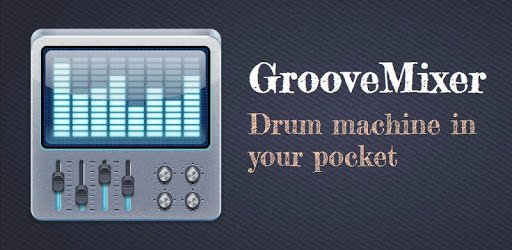
Groove Mixer. Music Beat Maker is an Android app developed and published by Flexbyte Software at Google Play Store on Nov 28, 2012 for Android users. Groove Mixer. Music Beat Maker is so popular that it has gained 6280552 installs so far and growing.
Have you ever dreamed of creating your own beats and music but felt held back by expensive software or complex interfaces? "Groove Mixer. Music Beat Maker" might just be the solution you've been searching for! This innovative beat-making app opens up a world of musical possibilities for everyone, from budding musicians to seasoned producers. Let’s dive into what makes Groove Mixer a must-have tool for music creation.
Groove Mixer combines simplicity with powerful features, making it easy to create impressive beats. Even if you're just starting your musical journey, you’ll find the app incredibly user-friendly. You can jump in and start making beats that sound like they've been created in a professional studio. The app includes many functions you’d expect in premium, expensive music software, but at a fraction of the cost.
One of the standout features of Groove Mixer is its accessibility. You don't need a high-end iOS device or an expensive laptop to use this app. It is lightweight, requiring just 8MB of space, which means it can run smoothly on older or less powerful devices. This ensures that more people can access music-making tools without financial strain.
Despite its simplicity, Groove Mixer doesn’t skimp on quality. You can make beats that sound professional. The app allows you to put samples together in minutes, making it a fantastic option for quick, on-the-go music production. Whether you're trying to catch a moment of inspiration or create a polished track, Groove Mixer has you covered.
Groove Mixer includes a suite of essential effects like filters and flangers, helping you add depth and variety to your beats. While you might face some limitations, such as the ability to play only one note at a time on the piano, these don't overshadow the incredibly positive and enriching experience the app provides. Plus, the frequent updates and community feedback often lead to new features and improvements.
The beat-making app is not only for beginners; it also accommodates more advanced users. You can download extra beats from the Groove Mixer website and even pay to export your songs to Midi and Mp3. This flexibility allows you to use Groove Mixer as part of a larger music production workflow. If you feel creative, you can easily combine it with other tools, like Fruity Loops, to bring your music ideas to life.
Groove Mixer isn’t just popular in one part of the world; it's adored globally. Musicians from different countries, including those in Africa, have found it valuable for producing songs without needing a full studio setup. This speaks to its universal appeal and effectiveness.
The developers of Groove Mixer are continually working to improve the app. With the possibility of new features, like expanded racks and voice recording, the app is evolving to meet the needs of its users. This commitment to improvement ensures that Groove Mixer remains relevant and beneficial for all its users.
Whether you're making beats for fun or aiming for the charts, "Groove Mixer. Music Beat Maker" is an invaluable tool that combines accessibility, simplicity, and professional-quality results. Download Groove Mixer today and start your musical adventure!
Yes, you can run Groove Mixer. Music Beat Maker on PC, but first, you will need emulator software installed on your Windows or MAC, which you can download for free. In the below video, you will find Groove Mixer. Music Beat Maker in action. Before you install the emulator, check out the minimum and recommended system requirements to run it seamlessly. They may change depending on which version of the emulator you choose. Therefore, we recommend you download the latest version of the emulator. Below you will find three free Android emulators that we have shortlisted based on their popularity:
Up to date graphics drivers from Microsoft or the chipset vendor.
Storage: 1 GB available under installation path, 1.5GB available hard drive space
Internet: Broadband Internet connection
Regardless of which Android emulator you install, the steps to install, configure, and running the Groove Mixer. Music Beat Maker app on PC are the same.