Published by Mobiray Soft
Updated April 29, 2026
Loops pads for mixing music. Be a dj. Create music
| Version | 4.3.1 |
| Size | 138.6 MB |
| What's New | BPM Change v1.0 — adjust playback speed with pitch change for creative tempo control. |
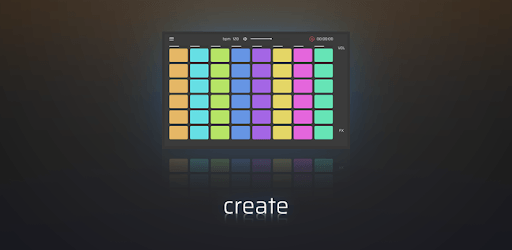
DJ Loop Pads is an Android app developed and published by Mobiray Soft at Google Play Store on Jun 21, 2015 for Android users. DJ Loop Pads is so popular that it has gained 15819943 installs so far and growing.
Are you ready to dive into the world of music mixing and create your own unique beats? Look no further than DJ Loop Pads, the ultimate app for beginners and music enthusiasts alike. With its user-friendly interface and a wide range of modern genres to choose from, this app is guaranteed to provide endless hours of fun and creativity. Let's explore what makes DJ Loop Pads the go-to app for all your DJing needs!
With DJ Loop Pads, even beginners can effortlessly create funky beats that sound amazing. No prior music production experience is required. Simply tap on the buttons and let your creativity flow. Whether you're into hip-hop, electronic, or any other modern genre, this app has got you covered. The possibilities are endless, and you'll find yourself lost in the world of music creation.
Once you start using DJ Loop Pads, you won't be able to put it down. The app offers a seamless experience that will keep you entertained for hours on end. Whether you're looking to kill some time or dive deep into music production, DJ Loop Pads has got your back. Say goodbye to boredom and hello to endless musical enjoyment!
If you have a Play Pass subscription, you're in for a treat. DJ Loop Pads grants you access to all the units, unlocking a world of possibilities. No limitations, no boundaries. You can explore and experiment with different sounds, effects, and beats to your heart's content. Unleash your full potential as a DJ and let your imagination run wild!
A: Absolutely! DJ Loop Pads provides a fun learning experience for aspiring DJs. You can create beats and share them with your friends, gaining valuable feedback and improving your skills along the way.
A: Currently, DJ Loop Pads does not support external devices. However, the app offers a wide range of features and effects that allow you to create incredible music using your phone's built-in microphone and speakers.
A: Yes, DJ Loop Pads is available for Android devices. You can easily download it from the Google Play Store and start creating your own beats right away.
A: Unfortunately, DJ Loop Pads does not have a built-in recording feature. However, you can use external recording apps to capture your amazing beats and share them with the world.
A: While DJ Loop Pads is primarily designed for beginners and music enthusiasts, it can still be a valuable tool for professional music production. It allows you to experiment with different sounds and effects, giving you a platform to explore your creativity.
So what are you waiting for? Download DJ Loop Pads now and embark on a musical journey like no other. Unleash your inner DJ, create amazing beats, and let the world hear your talent!
Yes, you can run DJ Loop Pads on PC, but first, you will need emulator software installed on your Windows or MAC, which you can download for free. In the below video, you will find DJ Loop Pads in action. Before you install the emulator, check out the minimum and recommended system requirements to run it seamlessly. They may change depending on which version of the emulator you choose. Therefore, we recommend you download the latest version of the emulator. Below you will find three free Android emulators that we have shortlisted based on their popularity:
Up to date graphics drivers from Microsoft or the chipset vendor.
Storage: 1 GB available under installation path, 1.5GB available hard drive space
Internet: Broadband Internet connection
Regardless of which Android emulator you install, the steps to install, configure, and running the DJ Loop Pads app on PC are the same.