Published by Ivaylo Dimitrov
Updated March 30, 2026
Remote control app for Android devices
| Version | 1.0.10 |
| Size | 18.7 MB |
| What's New | update to new target SDKno new changes or imporvements |
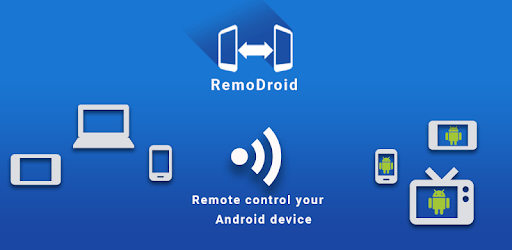
RemoDroid is an Android app developed and published by Ivaylo Dimitrov at Google Play Store on Oct 14, 2011 for Android users. RemoDroid is so popular that it has gained 1000000 installs so far and growing.
RemoDroid is a unique application designed to give you remote control over Android devices. Whether you need to manage an Android TV box, connect your tablet to a television, or even use your phone as a remote touchpad for your PC, RemoDroid provides an effective solution. This app stands out for its simplicity and versatility, making it an ideal choice for a wide range of remote control needs.
One of the best things about RemoDroid is how straightforward it is to use. The app allows you to control any compatible Android device with ease. After a simple installation process, you can manually connect to devices via their IP address. For those using rooted devices, connecting is seamless and efficient, allowing for real-time control and streaming.
RemoDroid works excellently on various Android devices, including tablets, smartphones, and Android TV boxes. This flexibility makes it a versatile tool for anyone looking to control multiple gadgets without physical interaction.
RemoDroid enables your phone or tablet to act as a touchpad for your PC running Android, making it extremely helpful in situations where direct touch input is needed. However, some users have requested the addition of multi-touch gestures like pinch-to-zoom to further enhance its functionality.
With RemoDroid, your tablet can act as a remote for your TV, allowing you to change channels, adjust volume, and perform other remote functions without getting up from your couch. This is particularly useful for those who have their Android devices rooted.
The app allows you to stream and control devices remotely, though the effectiveness varies depending on the device's specifications and operating system. Some users have experienced black screens or app crashes while switching capture methods, particularly on older devices like the Samsung Galaxy S3. Despite these minor issues, the overall experience remains positive for most users.
A common issue some users face is screen freezing after a short period. While the touch functionality often remains operative in such cases, this can be a minor inconvenience. Fortunately, the development team has been responsive in rolling out updates that improve stability.
To make the most out of RemoDroid, it’s sometimes necessary to connect manually via the device's IP address. This small extra step is well worth the effort given the app’s range of capabilities and functionalities.
For the full range of features, rooting your device may be required. Rooted devices offer enhanced streaming and control options that non-rooted devices might lack. This is something you should consider if you wish to take full advantage of what RemoDroid offers.
While RemoDroid is a powerful tool, there is always room for improvement. Users have suggested additional functionalities such as multi-touch gestures and audio transmission from the TV to the phone for a more immersive experience. Moreover, ensuring that the app functions smoothly on older devices would significantly broaden its appeal.
RemoDroid is a remarkable app that excels at providing remote control capabilities for various Android devices. Whether you are using it to control an Android TV, act as a touch input for your PC, or remotely manage devices in hard-to-reach places, RemoDroid proves to be a practical and efficient tool. With ongoing updates and dedicated developers, this app promises to continue being a top choice for remote Android control solutions.
Yes, you can run RemoDroid on PC, but first, you will need emulator software installed on your Windows or MAC, which you can download for free. In the below video, you will find RemoDroid in action. Before you install the emulator, check out the minimum and recommended system requirements to run it seamlessly. They may change depending on which version of the emulator you choose. Therefore, we recommend you download the latest version of the emulator. Below you will find three free Android emulators that we have shortlisted based on their popularity:
Up to date graphics drivers from Microsoft or the chipset vendor.
Storage: 1 GB available under installation path, 1.5GB available hard drive space
Internet: Broadband Internet connection
Regardless of which Android emulator you install, the steps to install, configure, and running the RemoDroid app on PC are the same.