Published by NEGU Soft
Updated April 27, 2026
Take control of your mouse and keyboard through WiFi or Bluetooth!
| Version | 2.7.0 |
| Size | 4.5 MB |
| What's New | - Updated UI |
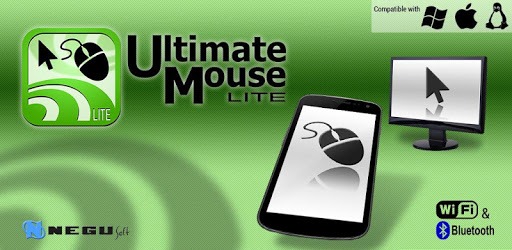
Ultimate Mouse Lite is an Android app developed and published by NEGU Soft at Google Play Store on Aug 29, 2011 for Android users. Ultimate Mouse Lite is so popular that it has gained 1071428 installs so far and growing.
Looking for a convenient way to control your computer or device remotely? Look no further than Ultimate Mouse Lite. This incredible app offers a seamless and efficient remote control experience, allowing you to navigate your device with ease. Whether you're using it as a wireless mouse or keyboard, Ultimate Mouse Lite has got you covered.
With Ultimate Mouse Lite, controlling your computer or device has never been easier. The app offers a range of features that allow you to navigate, scroll, and type effortlessly. Say goodbye to the hassle of tangled wires and clunky keyboards - Ultimate Mouse Lite provides a seamless and intuitive user experience.
One user raves, "I just got out cos I needed a remote for XBMC and because I use my phone as a hotspot, I can't use the original remote as my phone Wi-Fi network. But this works fine over Bluetooth, meaning I can sit on the sofa watching XBMC and use this to control the mouse. Free and the ads are totally unobtrusive."
Ultimate Mouse Lite offers both Bluetooth and Wi-Fi connectivity options, ensuring a stable and reliable connection. Unlike other apps that may struggle to connect via Wi-Fi, Ultimate Mouse Lite provides a seamless experience. One user shares, "The only gyro app that worked for me. Tried a lot of different apps and it wouldn't connect via Wi-Fi. The additional Bluetooth feature is a plus too."
Whether you're using Bluetooth or Wi-Fi, you can trust that Ultimate Mouse Lite will keep you connected and in control.
Ultimate Mouse Lite is not just limited to controlling your mouse and keyboard. This app offers a range of additional features that enhance your remote control experience. From using voice typing to controlling your computer's mouse via Bluetooth or Wi-Fi, Ultimate Mouse Lite has it all.
One user shares their experience, "I finally found an app that would make chill surfing easier for me! Although the pointer mode could use a bit of tweaking, it's still a wonderful app!"
Experience the versatility of Ultimate Mouse Lite and take your remote control capabilities to the next level.
Yes, Ultimate Mouse Lite is compatible with Android devices. Simply download the app from the Google Play Store and start using it to control your computer or device remotely.
Ultimate Mouse Lite offers both Bluetooth and Wi-Fi connectivity options. Simply follow the on-screen instructions within the app to connect to your computer or device.
Yes, Ultimate Mouse Lite is a free app that may display ads. However, users have reported that the ads are unobtrusive and do not interfere with the remote control experience.
Absolutely! Ultimate Mouse Lite allows you to type from your phone to your computer, making it even more convenient for remote control purposes.
Ultimate Mouse Lite is compatible with a wide range of computers and devices. Whether you're using Windows, Mac, or Linux, you can enjoy the benefits of this app.
Take control of your computer or device with Ultimate Mouse Lite. Download the app today and experience the convenience and ease of remote control like never before!
Yes, you can run Ultimate Mouse Lite on PC, but first, you will need emulator software installed on your Windows or MAC, which you can download for free. In the below video, you will find Ultimate Mouse Lite in action. Before you install the emulator, check out the minimum and recommended system requirements to run it seamlessly. They may change depending on which version of the emulator you choose. Therefore, we recommend you download the latest version of the emulator. Below you will find three free Android emulators that we have shortlisted based on their popularity:
Up to date graphics drivers from Microsoft or the chipset vendor.
Storage: 1 GB available under installation path, 1.5GB available hard drive space
Internet: Broadband Internet connection
Regardless of which Android emulator you install, the steps to install, configure, and running the Ultimate Mouse Lite app on PC are the same.