Published by Games X Informática EIRELI
Updated August 13, 2026
Become a rock star and crush the guitar playing several songs.
| Version | 2.08 |
| Size | 80.2 MB |
| What's New | Minor bug fixes and improvements. Install or update to the newest version to check it out! |
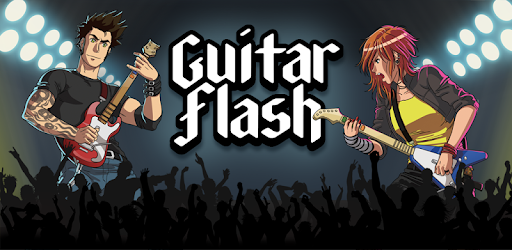
Guitar Flash is an Android app developed and published by Games X Informática EIRELI at Google Play Store on Aug 6, 2015 for Android users. Guitar Flash is so popular that it has gained 23435611 installs so far and growing.
Guitar Flash is a game that stands out from the rest in the playstore. It offers an unparalleled guitar hero experience that keeps players hooked for hours on end. But why stop there? The potential for improvement is endless, and the developers have the opportunity to take this game to new heights.
One of the key features that could be added to Guitar Flash is the ability to create profiles. This would allow players to track their progress, set goals, and compete with friends. Additionally, a practice mode would be a fantastic addition, giving players the chance to hone their skills and master difficult songs.
The multiplayer feature in Guitar Flash is undeniably fun, but it could benefit from better servers. Constant disconnections can be frustrating and disrupt the flow of gameplay. By improving the servers, the developers can ensure a seamless and enjoyable multiplayer experience for all players.
While Guitar Flash already boasts an impressive selection of songs, there is always room for more. Fans of bands like Disturbed and Metallica are eager to see their favorite tracks added to the game. By incorporating a wider range of songs, the developers can cater to a broader audience and keep players engaged for even longer.
One of the most exciting suggestions from players is the creation of a Bluetooth guitar controller specifically designed for Guitar Flash. This would enhance the immersive experience and make players feel like true rockstars. By offering this accessory, the developers can tap into a new market and provide an unparalleled gaming experience.
Unfortunately, creating profiles is not currently a feature in Guitar Flash. However, this is a suggestion that has been brought up by players and could be implemented in the future.
Yes! The developers are constantly working on adding new songs to Guitar Flash. While they have a great selection already, they are always open to suggestions from players.
While there are no official plans for a Bluetooth guitar controller at the moment, it is an exciting idea that has been suggested by players. The developers may consider this option in the future.
To enhance your multiplayer experience, make sure you have a stable internet connection. If you are experiencing constant disconnections, it may be due to server issues. The developers are aware of this and are working on improving the servers.
In conclusion, Guitar Flash is an addictive game that offers a fantastic guitar hero experience on mobile. With the addition of features like profiles, practice mode, and an expanded song library, this game has the potential to become even better. The developers should also consider the possibility of a Bluetooth guitar controller to take the gameplay to the next level. So, grab your phone, unleash your inner rockstar, and get ready to rock out with Guitar Flash!
Yes, you can run Guitar Flash on PC, but first, you will need emulator software installed on your Windows or MAC, which you can download for free. In the below video, you will find Guitar Flash in action. Before you install the emulator, check out the minimum and recommended system requirements to run it seamlessly. They may change depending on which version of the emulator you choose. Therefore, we recommend you download the latest version of the emulator. Below you will find three free Android emulators that we have shortlisted based on their popularity:
Up to date graphics drivers from Microsoft or the chipset vendor.
Storage: 1 GB available under installation path, 1.5GB available hard drive space
Internet: Broadband Internet connection
Regardless of which Android emulator you install, the steps to install, configure, and running the Guitar Flash app on PC are the same.