Published by Zagmoid
Updated October 5, 2026
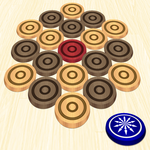
Play and feel real carrom at anytime, anywhere you want.
| Version | 1.47 |
| Size | 7.9 MB |
| What's New | Now players can remove ads for a small fee.This also has fixes for aspect ratio issues in some phones & fixes for ANR and crashes user reported.Thanks all for reporting bugs!. We will keep improving thanks to you all! |
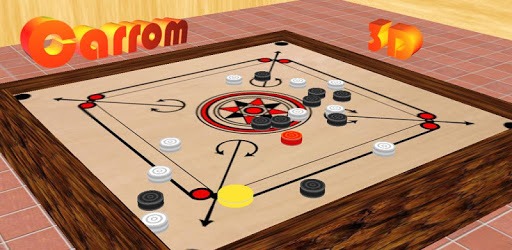
Carrom 3D is an Android app developed and published by Zagmoid at Google Play Store on Jan 2, 2013 for Android users. Carrom 3D is so popular that it has gained 29761142 installs so far and growing.
"Carrom 3D" is an incredible game that brings the classic carrom experience right to your fingertips. Whether you're a seasoned player or new to the game, you'll find a lot to love about this virtual version. The game combines simplicity with a deep sense of nostalgia, making it a delightful choice for players of all ages.
One of the standout features of "Carrom 3D" is how beginner-friendly it is. Many players mention learning how to play carrom both in the game and in real life through this engaging app. The controls are intuitive, and the tutorial does a great job at guiding you through the basics.
The game is lightweight, making it an ideal choice for anyone concerned about storage space on their device. Despite being small in size, "Carrom 3D" doesn't compromise on fun and delivers a rich gaming experience. Plus, it's easily available on the Play Store, ready for you to download and start playing at any time.
For many, "Carrom 3D" brings back fond memories of playing carrom with family and friends. It’s a lovely bridge between past experiences and modern technology. The game has managed to capture the essence of traditional carrom, making it feel as though you're playing the game on a physical board.
The 3D visuals are impressive and add to the realistic feel of the game. The smooth animations and lifelike physics make each move satisfying, whether you're striking the coins or pocketing the queen. "Carrom 3D" truly shines in its ability to recreate the tactile feel of carrom on a digital platform.
"Carrom 3D" isn't just a solo experience. It's a fantastic way to bond with family and friends. The game allows for multiplayer modes so you can challenge your loved ones to a match anytime, anywhere. It’s a game that everyone in the family can enjoy together, regardless of age or skill level.
Players are often surprised by how entertaining "Carrom 3D" can be. Whether you thought the game might be boring initially, you're in for a pleasant surprise. The engaging gameplay quickly changes any preconceived notions, allowing you to enjoy hours of entertainment. It’s a game that gets more exciting the more you play it.
The universal appeal of "Carrom 3D" is evident in the excitement and joy it brings. Many players express their love for the game, noting that it has become a favorite activity they look forward to every day. The immersive gameplay and nostalgic appeal have carved a special place in the hearts of many.
"Carrom 3D" is more than just a game; it's a delightful experience that captures the charm of an age-old pastime and presents it in a fresh, engaging format. Whether you’re rediscovering a childhood passion or exploring a new game, "Carrom 3D" offers hours of enjoyment and a perfect way to unwind. Download it today and enjoy the carrom experience right at your fingertips!
Yes, you can run Carrom 3D on PC, but first, you will need emulator software installed on your Windows or MAC, which you can download for free. In the below video, you will find Carrom 3D in action. Before you install the emulator, check out the minimum and recommended system requirements to run it seamlessly. They may change depending on which version of the emulator you choose. Therefore, we recommend you download the latest version of the emulator. Below you will find three free Android emulators that we have shortlisted based on their popularity:
Up to date graphics drivers from Microsoft or the chipset vendor.
Storage: 1 GB available under installation path, 1.5GB available hard drive space
Internet: Broadband Internet connection
Regardless of which Android emulator you install, the steps to install, configure, and running the Carrom 3D app on PC are the same.