Published by Italic Games
Updated November 5, 2025
This is the best and most realistic 3D bowling game on the Android phones.
| Version | 4.0 |
| Size | 15.2 MB |
| What's New | Fixed some crash bugs of the game. Thanks. |
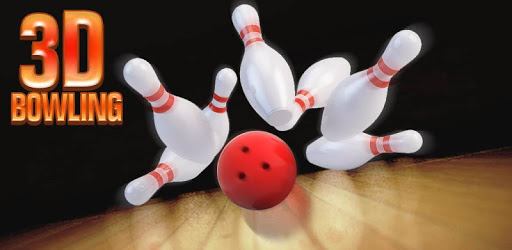
3D Bowling is an Android app developed and published by Italic Games at Google Play Store on Jun 7, 2011 for Android users. 3D Bowling is so popular that it has gained 183499022 installs so far and growing.
Get ready to dive into the exciting world of 3D Bowling! Whether you’re a seasoned bowler or just a beginner, 3D Bowling offers a delightful experience right at your fingertips. This game brings the classic sport of bowling to your mobile device with stunning graphics and an easy-to-play format. Let’s explore what makes 3D Bowling so enjoyable.
One of the standout features of 3D Bowling is its smooth gameplay. The game is designed to be fast, ensuring you don’t have to wait long to roll your next strike. The intuitive controls let you focus on knocking down the pins, making it perfect for quick, enjoyable sessions. Whether you have a few minutes or a couple of hours, 3D Bowling fits right into your schedule.
Another highlight of 3D Bowling is its beautiful graphics. The game captures the essence of real-life bowling alleys, complete with shiny lanes and realistic bowling pins. The lack of distracting elements allows you to immerse yourself fully in the game. It's all about pure bowling fun, without unnecessary interruptions.
3D Bowling is fun for all ages. It's simple enough for kids to enjoy, yet challenging enough to keep adults entertained. The game’s accessible design ensures that anyone can pick it up and start playing immediately. Whether you're playing alone or with friends, 3D Bowling provides endless entertainment.
For many players, 3D Bowling sparks a sense of nostalgia. It’s reminiscent of the early days of mobile games, providing a classic gaming experience that many have cherished over the years. Additionally, the ability to play offline makes 3D Bowling a great companion during travel, as it doesn’t require an internet connection to enjoy.
3D Bowling is a fantastic game for bowling enthusiasts. It captures the joy and excitement of traditional bowling without the need to leave your home. If you've ever been part of a bowling league or simply love the game, 3D Bowling keeps that passion alive. For those who can't bowl in real life due to various reasons, this game offers a wonderful alternative, letting you enjoy your favorite sport anytime.
What sets 3D Bowling apart is its simplicity. There’s no need for complicated strategies or flashy elements. Just roll the ball and aim for a strike. The straightforward gameplay ensures that you can relax and have fun without any stress. It’s this simplicity that keeps players coming back for more.
3D Bowling is a game that the whole family can enjoy. From young children to grandparents, everyone can join in the fun. It’s a great way to spend time together, whether you're competing for the highest score or just enjoying a casual game. The family-friendly nature of 3D Bowling makes it a beloved game for many households.
If you’re looking for a fun, engaging, and easy-to-play bowling game, 3D Bowling is just the ticket. Its smooth gameplay, beautiful graphics, and universal appeal make it a standout choice for anyone who loves bowling. Get ready to roll some strikes and enjoy hours of entertainment with 3D Bowling!
Yes, you can run 3D Bowling on PC, but first, you will need emulator software installed on your Windows or MAC, which you can download for free. In the below video, you will find 3D Bowling in action. Before you install the emulator, check out the minimum and recommended system requirements to run it seamlessly. They may change depending on which version of the emulator you choose. Therefore, we recommend you download the latest version of the emulator. Below you will find three free Android emulators that we have shortlisted based on their popularity:
Up to date graphics drivers from Microsoft or the chipset vendor.
Storage: 1 GB available under installation path, 1.5GB available hard drive space
Internet: Broadband Internet connection
Regardless of which Android emulator you install, the steps to install, configure, and running the 3D Bowling app on PC are the same.