Published by Gametion
Updated November 14, 2025
Carrom is a fun to play board game for all ages. Put the coins in the pockets.
| Version | 6.1.0.140 |
| Size | 150.9 MB |
| What's New | 🎁 More Ways to Earn Rewards – Watch videos to grab Cash, rewards from Daily Deals, and more! 🎡 Spin & Win – Check out the refreshed Spin Wheel and spin for exciting rewards! 🔥 Enhanced Performance – Play smoother, faster, and better than ever! 🐞 Bug Fixes – Glitches squashed for a seamless experience. 🎯 Game Optimizations – Improved stability and responsiveness for smoother gameplay. Update now and enjoy every strike! |
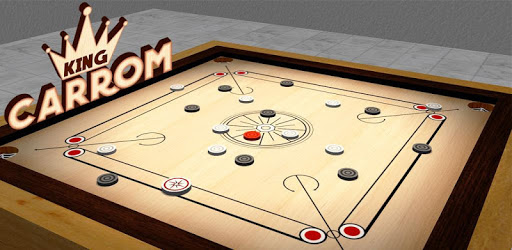
Carrom King™ is an Android app developed and published by Gametion at Google Play Store on Apr 12, 2017 for Android users. Carrom King™ is so popular that it has gained 90714925 installs so far and growing.
Carrom King™ is a captivating game that has enthralled players worldwide. This beautifully designed digital version of the classic Carrom board game offers everything you need for a thrilling gaming experience. Whether you are a seasoned player or a beginner, Carrom King™ promises a fun and engaging gameplay.
One remarkable feature of Carrom King™ is the ability to play in both single-player and multiplayer modes. You can challenge the computer or play with your friends. The game is designed to be versatile, catering to every player’s style and preference.
For those looking to compete at higher stakes, Carrom King™ offers various entry fee options. Players can select from a range of entry fees, including 1100, 2200, and 11000, with corresponding winning amounts. This flexibility makes the game suitable for both casual gamers and those seeking high-stakes excitement.
The visuals are stunning, creating a realistic Carrom experience on your device. Coupled with smooth and responsive controls, the game ensures that you are fully immersed, whether you’re aiming your striker or pocketing the coins.
However, some issues like network connectivity might occasionally disrupt your game. The developers are continually working to enhance the gameplay experience, ensuring smoother and more reliable matches. Efforts are also made to minimize network issues, which can currently affect some players.
One of the most requested features is the introduction of clans. Forming clans allows friends to band together, compete as a team, and share the joy of winning. This functionality fosters a community spirit, enhancing your gaming experience. Players eagerly await updates that will bring clans to Carrom King™, making the game even more social and engaging.
Personalization is another strong suit of Carrom King™. Players can select lobbies with different entry fees and match formats like 1 vs 1 or 2 vs 2. This ensures everyone finds a match that fits their skills and preferences. Although beginners might find certain fees daunting, a variety of lobbies ensure there’s something for everyone.
Some players wish for an auto-claim feature for their winnings and more ways to directly transact winnings to personal accounts. Listening to player feedback, these features might see enhancements in future updates, better aligning the game with player expectations.
Compatibility is another highlight. Whether you’re using an older device or the latest smartphones, Carrom King™ ensures a seamless experience. Although occasionally, players might face device-specific issues, the support team is diligent in addressing these concerns to guarantee optimal gameplay.
Dive into the exciting world of Carrom King™ and discover why it’s beloved by so many players around the globe. The game’s dedication to providing a fantastic gaming experience for everyone, from casual matches to competitive play, ensures it remains a top choice for Carrom enthusiasts everywhere.
Yes, you can run Carrom King™ on PC, but first, you will need emulator software installed on your Windows or MAC, which you can download for free. In the below video, you will find Carrom King™ in action. Before you install the emulator, check out the minimum and recommended system requirements to run it seamlessly. They may change depending on which version of the emulator you choose. Therefore, we recommend you download the latest version of the emulator. Below you will find three free Android emulators that we have shortlisted based on their popularity:
Up to date graphics drivers from Microsoft or the chipset vendor.
Storage: 1 GB available under installation path, 1.5GB available hard drive space
Internet: Broadband Internet connection
Regardless of which Android emulator you install, the steps to install, configure, and running the Carrom King™ app on PC are the same.