Published by FunGamesMobile.com
Updated November 26, 2025
You have never seen a Ludo game like this one. Takes the game to the next level.
| Version | 2.10 |
| Size | 93.5 MB |
| What's New | Some minor improvements, and one security update |
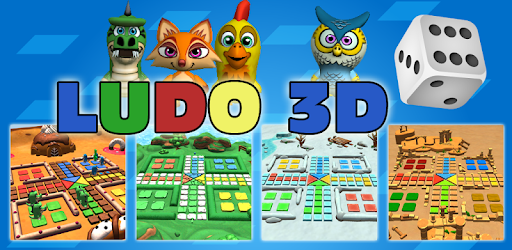
Ludo 3D Multiplayer is an Android app developed and published by FunGamesMobile.com at Google Play Store on Oct 15, 2015 for Android users. Ludo 3D Multiplayer is so popular that it has gained 1000000 installs so far and growing.
Ludo 3D Multiplayer is an exciting digital version of the classic board game, with a modern twist that brings the game into the digital age. This game offers a delightful experience with stunning 3D graphics and user-friendly gameplay, providing hours of fun for players of all ages.
One of the standout features of Ludo 3D Multiplayer is its easy and accessible gameplay. The game is designed to be intuitive, allowing players to jump right in without needing a steep learning curve. If you love board games, you'll find it a breeze to play Ludo 3D Multiplayer. It maintains the essence of the traditional game while adding a fresh, immersive dimension with its 3D environment.
There's nothing quite like the joy of playing Ludo with friends and family. Ludo 3D Multiplayer makes it possible to enjoy the game with your loved ones, no matter where they are. You can invite friends to join you, creating a fun and interactive gaming experience. It's a perfect way to stay connected and have fun together.
Ludo 3D Multiplayer is packed with features that keep the game entertaining and engaging. From different levels to various modes of play, there's something for everyone. These features ensure that the game remains fresh and exciting, encouraging players to keep coming back for more.
Playing against the computer in Ludo 3D Multiplayer is a fair and enjoyable experience. The AI does not cheat, providing a balanced challenge that allows you to hone your skills and strategies. It's a great way to practice before taking on real opponents in multiplayer mode.
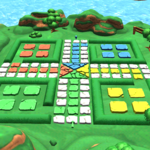
The 3D graphics in Ludo 3D Multiplayer add a visually appealing element to the game. The vibrant and detailed scenes make the gameplay more immersive and enjoyable. It's a treat for the eyes and adds to the overall excitement of the game.
Ludo 3D Multiplayer is not just about winning; it's also about having fun and relaxing. Whether you're taking a break from a busy day or looking to unwind, this game is a perfect choice. It provides a light-hearted and enjoyable experience that can help reduce stress and bring smiles to players' faces.
Be a part of the growing Ludo 3D Multiplayer community. Share your experiences, connect with other players, and enjoy the camaraderie that comes from playing a beloved game. Together, you can discover tips, strategies, and enjoy the game to its fullest.
The creators of Ludo 3D Multiplayer are dedicated to making the game even better. They listen to feedback and continuously work on adding new features and improvements. This commitment ensures that the game will keep evolving, offering new and exciting ways to enjoy Ludo.
Dive into the world of Ludo 3D Multiplayer today and experience the joy of this classic game brought to life in stunning 3D. Whether you're playing with friends, family, or the computer, you're sure to have a fantastic time!
Yes, you can run Ludo 3D Multiplayer on PC, but first, you will need emulator software installed on your Windows or MAC, which you can download for free. In the below video, you will find Ludo 3D Multiplayer in action. Before you install the emulator, check out the minimum and recommended system requirements to run it seamlessly. They may change depending on which version of the emulator you choose. Therefore, we recommend you download the latest version of the emulator. Below you will find three free Android emulators that we have shortlisted based on their popularity:
Up to date graphics drivers from Microsoft or the chipset vendor.
Storage: 1 GB available under installation path, 1.5GB available hard drive space
Internet: Broadband Internet connection
Regardless of which Android emulator you install, the steps to install, configure, and running the Ludo 3D Multiplayer app on PC are the same.