Published by Ubiquiti Networks, Inc.
Updated August 26, 2025
Use the UniFi mobile app for controller management or quick provisioning.
| Version | 10.39.7 |
| Size | 104.3 MB |
| What's New | This release improves UTR Long-Range support and brings several improvements to the UTR experience. - Added LCM Management for UTR. - Added Device section in Settings for UTR. - Improved dashboard and uplink UI for UTR. - Improved latency widget animations on the dashboard. - Improved reliability of UTR firmware upgrades. - Fixed QR code scanning not recognizing AmneziaWG codes. - Fixed client issues including unblocking clients, and clearing aliases. - And more… |
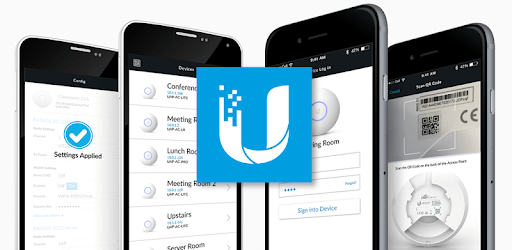
UniFi is an Android app developed and published by Ubiquiti Networks, Inc. at Google Play Store on Sep 4, 2015 for Android users. UniFi is so popular that it has gained 3950731 installs so far and growing.
If you're seeking an easy and efficient way to manage your network, UniFi might just be the solution you’ve been looking for. With a user-friendly interface and essential tools at your disposal, managing your network from anywhere in the world is now within reach. Let’s explore what makes UniFi a solid choice for network administration.
UniFi streamlines the process of monitoring and managing networks, making it accessible even for those who may not be tech-savvy. The app provides a centralized location where you can quickly assess the status of your network. You’ll be able to see which devices are connected and get a quick overview of network performance. This feature is incredibly useful when you're on the go, allowing you to keep an eye on things even if you’re not near a computer.
When issues arise, the UniFi app is there to help you identify and address them swiftly. It offers the ability to triage common problems and make quick assessments. This ensures you can determine whether a situation requires immediate attention or can wait. This aspect is particularly helpful for handling minor issues without needing to access a full console.
For those managing multiple networks, UniFi can be a time-saving ally. The app allows network technicians to provide support remotely, which is especially beneficial for those working with a variety of clients. While some configurations and more complex tasks require access to the web UI, the app provides enough functionality to handle many day-to-day tasks effectively.
UniFi is designed with ease of use in mind. The app’s interface is intuitive, making it simple to navigate. Users appreciate features such as dark mode and the ability to flip between tabs easily. However, it’s worth noting that some functionalities, like advanced configuration, are only accessible through the web UI. Despite these limitations, the app holds its own by providing a positive user experience overall.
UniFi has proven to be reliable over time. Whether it's for personal use or for professional network management, users report that the app performs well for basic monitoring and management tasks. While occasional glitches can occur, the stability and speed of the app make it a worthwhile tool for network management needs.
The app works seamlessly with UniFi products, creating an integrated experience that's hard to beat. This synergy between software and hardware ensures you have everything you need at your fingertips. From rebooting devices to monitoring performance, UniFi provides a cohesive and efficient way to manage your network.
Though there are some areas where the app could improve, such as displaying device names more accurately or providing options for custom naming, these limitations don’t overshadow its overall utility. Feedback suggests that additional features and better naming capabilities would further enhance the user experience. The continued development and updates to the app show a commitment to improving functionality and user satisfaction.
In summary, UniFi offers a range of features that make network management easier and more efficient. With its user-friendly interface, essential tools, and reliable performance, it stands out as a valuable app for both home users and network professionals.
Yes, you can run UniFi on PC, but first, you will need emulator software installed on your Windows or MAC, which you can download for free. In the below video, you will find UniFi in action. Before you install the emulator, check out the minimum and recommended system requirements to run it seamlessly. They may change depending on which version of the emulator you choose. Therefore, we recommend you download the latest version of the emulator. Below you will find three free Android emulators that we have shortlisted based on their popularity:
Up to date graphics drivers from Microsoft or the chipset vendor.
Storage: 1 GB available under installation path, 1.5GB available hard drive space
Internet: Broadband Internet connection
Regardless of which Android emulator you install, the steps to install, configure, and running the UniFi app on PC are the same.