Published by MikroTik
Updated November 28, 2025
Configuration tool for RouterOS
| Version | 1.5.9 |
| Size | 20.1 MB |
| What's New | 1.5.9- Added URL open action- Fixed Update Channel selection- Fixed Tools/Graphing graphs- Fixed IP ordering- Fixed some crashesOther changes in 1.5- Added eSIM provisioning via App and mobile data- Added OpenFlow icon- Use monospace font for script fields- File manager improvements- Fixed reverse order by #- Fixed some field value unset (e.g. WiFi > Steering > RRM)- Fixed terminal input issues for some virtual keyboards- Fixed some missing fields |
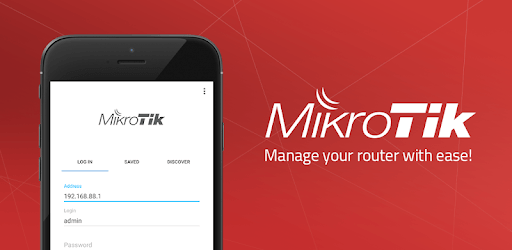
MikroTik is an Android app developed and published by MikroTik at Google Play Store on Oct 29, 2018 for Android users. MikroTik is so popular that it has gained 100000 installs so far and growing.
Looking for a networking solution that is both powerful and user-friendly? Look no further than MikroTik. With its advanced features and intuitive interface, managing RouterOS has never been easier. This app has truly come a long way, earning the praise of users worldwide.
One of the standout features of MikroTik is its ability to provide detailed network management from the palm of your hand. Whether you're at home, in the office, or on the go, you can rest easy knowing that this app has got your back. Its seamless performance ensures that you can sleep soundly, knowing that your network is in good hands.
What sets MikroTik apart from other networking solutions is its commitment to perfection. Users have expressed their love for the company, the software, and the hardware. The app's flawless performance has left users in awe, with many finding it difficult to pinpoint any areas for improvement. It's safe to say that MikroTik has set the bar high for other networking apps.
For those in South Africa, the term "ncah" is used to describe something that is exceptionally good. And MikroTik certainly lives up to this description. Its ease of use, simplicity, and straightforwardness make it a favorite among users. Whether you're a networking expert or a novice, MikroTik caters to all levels of expertise.
While the app is already impressive, there is always room for improvement. One user suggested that it would be even nicer if the app remembered the tabs used after closing, similar to the winbox on PC. This small enhancement would further enhance the user experience and streamline navigation within the app.
1. Advanced Features: MikroTik offers a wide range of advanced features that allow for seamless network management.
2. Intuitive Interface: The app's user-friendly interface makes it easy for anyone to navigate and utilize its powerful features.
3. Flawless Performance: MikroTik's commitment to perfection ensures that users can rely on its flawless performance for their networking needs.
4. Suitable for All Levels: Whether you're a networking expert or a beginner, MikroTik caters to all levels of expertise.
A: Yes, MikroTik can be used on multiple devices, allowing for convenient network management from anywhere.
A: Absolutely! MikroTik is designed to cater to the needs of businesses of all sizes, including small businesses.
A: Yes, MikroTik provides excellent customer support to assist users with any queries or concerns they may have.
A: Yes, MikroTik allows users to schedule tasks, making it easier to automate network management processes.
Experience the power and simplicity of MikroTik today. Say goodbye to complicated network management and hello to a seamless experience. Try MikroTik now and discover why it's the ultimate networking solution.
Yes, you can run MikroTik on PC, but first, you will need emulator software installed on your Windows or MAC, which you can download for free. In the below video, you will find MikroTik in action. Before you install the emulator, check out the minimum and recommended system requirements to run it seamlessly. They may change depending on which version of the emulator you choose. Therefore, we recommend you download the latest version of the emulator. Below you will find three free Android emulators that we have shortlisted based on their popularity:
Up to date graphics drivers from Microsoft or the chipset vendor.
Storage: 1 GB available under installation path, 1.5GB available hard drive space
Internet: Broadband Internet connection
Regardless of which Android emulator you install, the steps to install, configure, and running the MikroTik app on PC are the same.