Published by Tap4fun Corp., Ltd.
Updated April 3, 2026
Offense and Defense! Combat and Battle! Join the World-Class PVP strategy game.
| Version | 1.7.7 |
| Size | 82.0 MB |
| What's New | - Bug Fixes. |
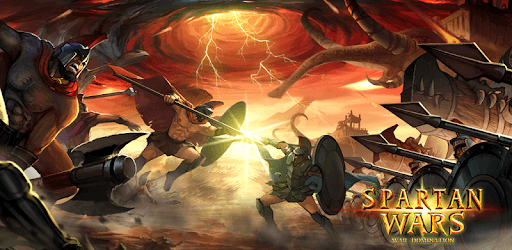
Spartan Wars: Blood and Fire is an Android app developed and published by Tap4fun Corp., Ltd. at Google Play Store on Feb 2, 2013 for Android users. Spartan Wars: Blood and Fire is so popular that it has gained 10000000 installs so far and growing.
Have you ever wondered what it was like to be a gladiator fighting for glory and honor? Spartan Wars: Blood and Fire brings that world to your fingertips. This engaging game takes you back in time to immerse yourself in intense battles and epic quests.
When you dive into Spartan Wars: Blood and Fire, it's like stepping into a time machine. The atmosphere of ancient times is recreated to perfection. You'll find yourself surrounded by warriors, strategizing your next move to dominate your enemies. The thrill of historic battles and the quest for victory make this game captivating.
Spartan Wars: Blood and Fire is not just about fighting; it’s also about creating strong alliances. You’ll meet players from around the world and forge bonds that could make your team unbeatable. The game encourages social interaction, helping you to enjoy it even more as you strategize with your friends and allies.
Getting to know the ins and outs of Spartan Wars: Blood and Fire can be a bit challenging at first. However, once you get the hang of it, the game becomes extremely rewarding. The strategic depth keeps you engaged, and the feeling of mastering the game is incredibly satisfying.
One of the most delightful aspects of Spartan Wars: Blood and Fire is the abundance of events and bonuses. These events keep the gameplay fresh and exciting, giving you new challenges to overcome. Being aware of these events in advance can help you prepare and maximize your in-game rewards.
Spartan Wars: Blood and Fire offers a mix of free and premium features. You can enjoy the game without spending money, thanks to many free bonuses that enhance gameplay. However, premium purchases can accelerate your progress and give you an edge in battles.
A few tweaks could make Spartan Wars: Blood and Fire even better. Longer notification times for events would be helpful, allowing players more time to strategize. A more balanced gameplay experience where new players can thrive without feeling overshadowed by more powerful ones could also enhance the overall enjoyment.
Despite its few shortcomings, Spartan Wars: Blood and Fire remains an incredibly entertaining game. The journey from being a novice to becoming a skilled warrior is full of excitement. The game’s smooth gameplay and the joy of building and commanding your own empire make every moment worthwhile.
The best part about Spartan Wars: Blood and Fire is the sense of community. You’ll meet people from all corners of the world, each bringing their unique strategies and styles. The camaraderie and teamwork add another layer of enjoyment to the game.
Spartan Wars: Blood and Fire delivers a thrilling and immersive experience. Its rich gameplay, strategic depth, and strong community make it a must-try for anyone interested in historic battles and complex strategies. Join the battle today and carve your name into the annals of history!
Yes, you can run Spartan Wars: Blood and Fire on PC, but first, you will need emulator software installed on your Windows or MAC, which you can download for free. In the below video, you will find Spartan Wars: Blood and Fire in action. Before you install the emulator, check out the minimum and recommended system requirements to run it seamlessly. They may change depending on which version of the emulator you choose. Therefore, we recommend you download the latest version of the emulator. Below you will find three free Android emulators that we have shortlisted based on their popularity:
Up to date graphics drivers from Microsoft or the chipset vendor.
Storage: 1 GB available under installation path, 1.5GB available hard drive space
Internet: Broadband Internet connection
Regardless of which Android emulator you install, the steps to install, configure, and running the Spartan Wars: Blood and Fire app on PC are the same.