Published by 505 Games Srl
Updated December 9, 2025
The newest Puzzle-RPG hybrid from the creators of Puzzle Quest!
| Version | 9.0.0 |
| Size | 635.5 MB |
| What's New | The latest update for Gems of War has arrived! Discover a variety of improvements to the game's Underspire mode, including:- New Trap Rooms- Additional Reward Rooms- Menu and UI Enhancements And much more!For a full breakdown, visit our forums at community.gemsofwar.com |
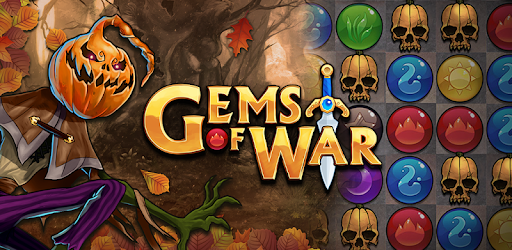
Gems of War - Match 3 RPG is an Android app developed and published by 505 Games Srl at Google Play Store on Jun 16, 2015 for Android users. Gems of War - Match 3 RPG is so popular that it has gained 3515915 installs so far and growing.
Gems of War - Match 3 RPG is an incredible puzzle game that offers a multitude of ways to combine teams for each battle. Whether you're a casual gamer or a dedicated player, this game is sure to captivate you with its addictive gameplay and exciting features.
Step into a world filled with adventure and embark on thrilling quests in Gems of War - Match 3 RPG. With its awesome graphics and captivating storyline, you'll find yourself completely immersed in the game from the moment you start playing. The game boasts a wide range of characters, each with their own unique abilities, adding depth and excitement to every battle.
Get ready for a match 3 experience like no other. Gems of War - Match 3 RPG combines the beloved match 3 mechanics with RPG elements, creating a gameplay that is both strategic and enjoyable. The game challenges you to think strategically and make the best moves to defeat your opponents. With a suitable number of giant spiders and a variety of mini-games, there's never a dull moment in this game.
If you loved the original Puzzle Quest, then Gems of War - Match 3 RPG is a must-play. This game serves as a direct continuation of the beloved franchise, offering the same satisfying gameplay mechanics that made the original so popular. You'll find yourself hooked as you strive to gather the desired resources and progress through the game.
Gems of War - Match 3 RPG is not only addictive but also incredibly rewarding. The game keeps you engaged with its generous rewards and a constant stream of new content. Whether you're a new player or a long-time fan, there's always something exciting to discover in this game. The daily tasks and events provide ample opportunities to win big and earn valuable goodies.
Yes, you can enjoy Gems of War - Match 3 RPG on both your mobile device and Xbox. The game offers a seamless experience across different platforms, allowing you to continue your adventure wherever you go.
No, Gems of War - Match 3 RPG does not bombard you with annoying ads. The game focuses on providing a smooth and uninterrupted gaming experience, allowing you to fully immerse yourself in the gameplay.
No, microtransactions in Gems of War - Match 3 RPG are minimal and do not hinder your progress. The game is designed to ensure that everything can be earned through gameplay, making it enjoyable for players who prefer not to spend real money.
In conclusion, Gems of War - Match 3 RPG is a fantastic puzzle game that offers a captivating and rewarding experience. With its engaging gameplay, stunning graphics, and generous rewards, this game is a must-play for any puzzle game enthusiast. So, what are you waiting for? Hit that download button and embark on an epic adventure today!
Yes, you can run Gems of War - Match 3 RPG on PC, but first, you will need emulator software installed on your Windows or MAC, which you can download for free. In the below video, you will find Gems of War - Match 3 RPG in action. Before you install the emulator, check out the minimum and recommended system requirements to run it seamlessly. They may change depending on which version of the emulator you choose. Therefore, we recommend you download the latest version of the emulator. Below you will find three free Android emulators that we have shortlisted based on their popularity:
Up to date graphics drivers from Microsoft or the chipset vendor.
Storage: 1 GB available under installation path, 1.5GB available hard drive space
Internet: Broadband Internet connection
Regardless of which Android emulator you install, the steps to install, configure, and running the Gems of War - Match 3 RPG app on PC are the same.