Published by Skullcap Studios
Updated November 24, 2025
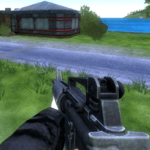
Procedural voxel 3d shooter in the best traditions of the genre.
| Version | 1.00 |
| Size | 33.4 MB |
| What's New | Bug fixing |
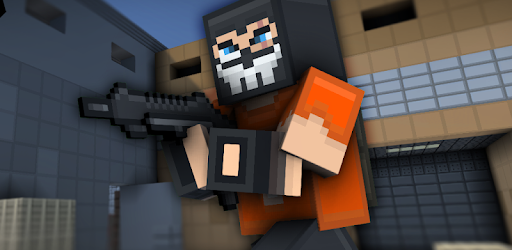
Blockpost is an Android app developed and published by Skullcap Studios at Google Play Store on Jun 25, 2018 for Android users. Blockpost is so popular that it has gained 100000 installs so far and growing.
Are you ready for an adrenaline-pumping gaming experience that will keep you hooked for hours? Look no further than Blockpost, the game that combines exciting gameplay with stunning visuals. Whether you're a seasoned gamer or new to the world of gaming, Blockpost is sure to captivate you from the moment you start playing.
Blockpost offers a unique and immersive gameplay experience that will test your skills and keep you on the edge of your seat. With its intuitive controls and smooth mechanics, you'll have no trouble navigating through the game and taking down your enemies. Whether you prefer shooting or strategic movements, Blockpost has got you covered.
One of the standout features of Blockpost is its customizable button positions. You have the freedom to choose whether you want to shoot or move with your left hand and aim with your right hand. This level of customization ensures that you can play the game in a way that feels natural and comfortable to you.
Blockpost is a game that is constantly evolving and improving. The developers are dedicated to providing regular updates to enhance your gaming experience. They listen to feedback from players like you and strive to make the game even more enjoyable with each update.
One of the aspects that the developers have been working on is the menu interface. While the gameplay itself is top-notch, some players have expressed their desire for a larger menu interface on Android devices. The developers have taken note of this feedback and are committed to making the necessary improvements to ensure a seamless gaming experience for all players.
Blockpost has taken the gaming community by storm. Many players were initially introduced to the game on Steam, only to be pleasantly surprised by its availability on mobile devices. The transition from PC to mobile has been seamless, allowing players to enjoy their favorite game on the go.
Don't let the name fool you - Blockpost is not just another ordinary game. It offers a unique and captivating experience that will leave you wanting more. The game has received rave reviews from players who have described it as their dream game. Its balanced gameplay and fair mechanics make it a must-play for any gaming enthusiast.
If you're looking for a game that will keep you entertained and engaged, Blockpost is the perfect choice. With its exciting gameplay, customizable controls, and regular updates, this game is sure to become your new favorite. Don't just take our word for it - give it a try and see for yourself. Get ready to embark on an epic gaming adventure with Blockpost!
Yes, Blockpost is available for both PC and mobile devices, including Android.
Yes, the developers are dedicated to providing regular updates to enhance the gaming experience.
Absolutely! Blockpost allows you to customize the button positions according to your preferences.
Yes, Blockpost was initially released on Steam before becoming available on mobile devices.
The developers have taken player feedback into consideration and are committed to improving the menu interface for Android devices.
Yes, you can run Blockpost on PC, but first, you will need emulator software installed on your Windows or MAC, which you can download for free. In the below video, you will find Blockpost in action. Before you install the emulator, check out the minimum and recommended system requirements to run it seamlessly. They may change depending on which version of the emulator you choose. Therefore, we recommend you download the latest version of the emulator. Below you will find three free Android emulators that we have shortlisted based on their popularity:
Up to date graphics drivers from Microsoft or the chipset vendor.
Storage: 1 GB available under installation path, 1.5GB available hard drive space
Internet: Broadband Internet connection
Regardless of which Android emulator you install, the steps to install, configure, and running the Blockpost app on PC are the same.