Shadow Fight 2 for PC

Shadow Fight 2 for PC

Published by NEKKI

Updated August 13, 2025

Prepare to fight with shadows!

What's New

Version2.41.9
Size128.8 MB
What's New* Bug fixes* OptimizationFor a more complete version of the patch note, please join our social mediaDiscord: https://discord.gg/shadowfight Facebook: https://www.facebook.com/shadowfight2shades/

Shadow Fight 2 Screenshots

Shadow Fight 2 PC screenshot

About Shadow Fight 2 For PC

Shadow Fight 2 is an Android app developed and published by NEKKI at Google Play Store on Jul 22, 2014 for Android users. Shadow Fight 2 is so popular that it has gained 100000000 installs so far and growing.

Experience the Thrill of Battle with Shadow Fight 2

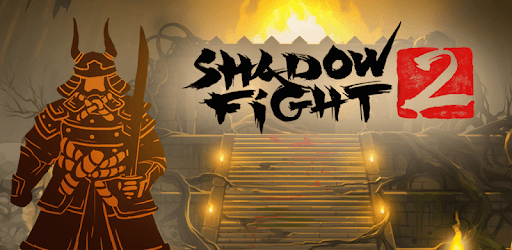
Shadow Fight 2 is a captivating fighting game that brings a unique blend of action and RPG elements. Dive into a world where your combat skills are put to the test, and the stakes are high as you battle formidable opponents and bosses, culminating in a showdown with the ultimate adversary, Titan.

Immersive Gameplay

One of the standout features of Shadow Fight 2 is its realistic feel. The combat mechanics are fluid, providing players with a genuine sense of being in a martial arts showdown. Each move and counter feels precise, making it an enjoyable experience for those who appreciate well-designed fighting games.

Nostalgic Journey

For many players, Shadow Fight 2 holds a special place in their hearts. It’s a game that has been a part of their lives since childhood, sparking memories and offering a trip down memory lane every time they play. The game’s longevity is a testament to its well-crafted design and engaging storyline.

Stress Relief and More

Engaging in battles within Shadow Fight 2 isn't just about winning; it's also a great way to alleviate stress after a busy day. The game's mechanics encourage players to focus and channel their energy, providing a productive way to unwind and sharpen their fighting skills.

Challenges and Rewards

Shadow Fight 2 offers a perfect blend of challenge and reward. While some players find defeating the last boss, Titan, particularly challenging, the satisfaction of overcoming such formidable foes makes the journey worthwhile. Additionally, the game keeps players motivated with the opportunity to unlock cool weapons using gems, although earning these gems can be quite the task.

Beautiful Art and Storyline

The artistry in Shadow Fight 2 is nothing short of breathtaking. The game’s beautifully designed characters and environments add to the immersive experience. The story woven throughout the gameplay is equally engaging, compelling players to progress and uncover the mysteries within.

Ads and Enhancements

While Shadow Fight 2 is overwhelmingly praised, some players have voiced concerns about the frequency of ads, suggesting that they can interrupt the gaming experience. Despite this, the overall enjoyment factor remains high, with many hoping for updates that balance the monetization with uninterrupted gameplay.

Motivation for Martial Arts

Shadow Fight 2 isn't just a game; it's an inspiration. The detailed moves and strategies motivate players to learn and train in real life martial arts. It’s a game that encourages personal growth and fitness, pushing players to hone their abilities both in-game and outside of it.

Customization and Personalization

One aspect that players look forward to seeing improved is the customization options for their in-game profiles. The ability to change profile pictures or adapt their avatars would add a layer of personal expression to an already phenomenal game.

Shadow Fight 2 continues to be a beloved title thanks to its engaging gameplay, stunning visuals, and memorable story. It offers a perfect mix of challenge and pleasure, inviting players to immerse themselves in a world of shadowy battles and martial arts mastery.

Can I run Shadow Fight 2 on PC?

Yes, you can run Shadow Fight 2 on PC, but first, you will need emulator software installed on your Windows or MAC, which you can download for free. In the below video, you will find Shadow Fight 2 in action. Before you install the emulator, check out the minimum and recommended system requirements to run it seamlessly. They may change depending on which version of the emulator you choose. Therefore, we recommend you download the latest version of the emulator. Below you will find three free Android emulators that we have shortlisted based on their popularity:

How to Install Shadow Fight 2 on Windows PC

BlueStacks

Minimum
  • OS: Microsoft Windows 7 and above.
  • Processor: Intel or AMD Processor.
  • RAM: Your PC must have at least 4GB of RAM. (Note that having 4GB or more disk space is not a substitute for RAM)
  • Storage: 5GB Free Disk Space.
  • You must be an Administrator on your PC.
Recommended:
  • OS: Microsoft Windows 10
  • Processor: Intel or AMD Multi-Core Processor with Single Thread benchmark score > 1000.
  • Graphics: Intel/Nvidia/ATI, Onboard or Discrete controller with benchmark score >= 750.
  • Please ensure Virtualization is enabled on your PC/Laptop.
  • RAM: 8GB or higher
  • Storage: SSD (or Fusion/Hybrid Drives)
  • Internet: Broadband connection to access games, accounts and related content.

Up to date graphics drivers from Microsoft or the chipset vendor.

  • To start with, download Bluestacks from its official website. The latest version of BluesStacks is v 5, and it is around 400 MB.
  • Once the download is done, click on the Bluestacks set up file to install it on your Windows PC. Follow the on-screen instructions and install it accordingly.
  • The next step is to launch the emulator using the desktop shortcut and sign in using your Google account.
  • Now, head over to Bluestacks home screen and click on the Google Play Store icon.
  • Hit the search bar in Google Play and search for Shadow Fight 2.
  • Install Shadow Fight 2 from the Play Store by clicking the Install option, which completes downloading of Shadow Fight 2 on PC.

NoxPlayer

Minimum
  • Operating System: Windows XP SP3, Windows Vista, Windows 7, Windows 8, Windows 10, and DirectX 9.0c
  • Processor: At least dual-core processor, both Intel, and AMD are OK
  • Video: Supports Open GL 2.0 or above
  • Memory: 1.5 GB RAM
Recommended
  • Operating System: Windows 7, Windows 8, Windows 10
  • Processor: Multiple core processors which support VT-x or AMB-V Virtualization Technology, better performance with this function enabled
  • Video: The higher performance, the better
  • Memory: 4 GB RAM

Storage: 1 GB available under installation path, 1.5GB available hard drive space

Internet: Broadband Internet connection

  • Download NoxPlayer from the official website. The latest version of NoxPlayer is v 3, and it is around 600 MB.
  • Now install the emulator using the downloaded setup file. Just go through the on-screen instructions and install NoxPlayer on your computer or laptop.
  • After the installation process, launch the Nox Android emulator and log in using your Google account when it asks you.
  • Click on the Google Play Store icon and head over to the search bar to search Shadow Fight 2. Once found, click on the Install button to install Shadow Fight 2 for PC.
  • If you do not find Shadow Fight 2 on Google Play Store or if you want to skip logging in to Google, you can sideload APK (download the .APK file from this page and open it with NoxPlayer).
  • Launch Shadow Fight 2 from home-screen and start playing it on PC right away!

MEmu

Minimum
  • 2 cores x86/x86_64 Processor (Intel or AMD CPU)
  • WinXP SP3 / Win7 / Win8 / Win10 (Not recommended to run on Server/Enterprise)
  • Latest Windows DirectX 11 / Graphics driver with OpenGL 2.0
  • Hardware Virtualization Technology (Intel VT-x/AMD-V) shall be enabled in BIOS
  • 2GB of RAM (4GB for x64 system)
  • 5GB of hard disk free space
Recommended
  • OS: Microsoft Windows 10 with VT Enabled
  • CPU: Single Thread PassMark score > 1500 (Intel/AMD Multi-Core).
  • Graphics: Intel/Nvidia/ATI, Onboard or Discrete controller with PassMark score > 750.
  • Latest Windows DirectX 11 / Graphics driver with OpenGL 4.5 or higher
  • RAM: 8GB or higher
  • HDD: SSD, 10GB of hard disk free space
  • Internet: Broadband connection with low latency for FPS games
  • Download MEmu Play from the official website. The latest version of NoxPlayer is v 7.5.
  • When the download is completed, install the MEmu emulator on your PC. Follow the on-screen instructions and keep on clicking the Next button until the final step.
  • Now, using the desktop shortcut, look for the MEmu Play emulator and launch it. Once done, it will ask you to log in using your Google account, proceed with the same.
  • MEmu Play will ask you to log in using your Google account. When you log in, it will sync your Google account to MEmu Play. Launch the Google Play Store by clicking on the icon and search for Shadow Fight 2.
  • Click on the Install button once you find Shadow Fight 2 from the search results. You can also sideload APK (download the .APK file from this page and open it with MEmu) if you want to skip above step.
  • After the installation of Shadow Fight 2, you're all set to use the app on PC!

Regardless of which Android emulator you install, the steps to install, configure, and running the Shadow Fight 2 app on PC are the same.
Download Shadow Fight 2 For PC