Published by Panasonic Corporation
Updated April 18, 2026
Panasonic TV Remote 2 shares content between VIERA and a smartphone or tablet.
| Version | 2.73 |
| Size | 38.5 MB |
| What's New | - bug fix |
Panasonic TV Remote 2 is an Android app developed and published by Panasonic Corporation at Google Play Store on Feb 5, 2013 for Android users. Panasonic TV Remote 2 is so popular that it has gained 5000000 installs so far and growing.
Experience the ultimate convenience when you control your Panasonic HDTV right from your smartphone with Panasonic TV Remote 2. This powerful app connects effortlessly to your TV over WiFi, provided your TV is on the same network as your phone. No more fumbling with multiple remotes or looking for the right one! The app handles it all and integrates seamless functionality that makes your viewing experience even more enjoyable.
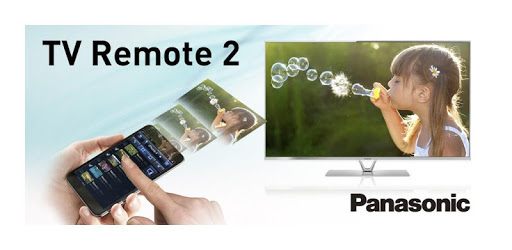
Do you want to showcase your recent vacation photos or videos on a big screen? Panasonic TV Remote 2 makes it simple. By pausing your finger on any photo icon until a TV icon appears at the top of your mobile screen, you can easily flick the content up to your TV. In a few easy steps, your memories are displayed in vibrant detail on your Panasonic HDTV. This feature is intuitive, and even those less tech-savvy will find it manageable to use.
The app's voice control feature allows effortless searching for TV shows and web content. Just say the show’s name, and it appears on your screen. This hands-free convenience is a big hit, making it easier to find your favorite kids' programs or explore YouTube, Netflix, and Amazon Prime. For those who love smart technology, this feature turns your smartphone into a comprehensive media hub.
In addition to casting, Panasonic TV Remote 2 enables you to share and save media files between devices. You don't need additional accessories like keyboards or mice, and the app handles everything. This makes it more user-friendly and practical for daily use, offering a clutter-free environment where your smartphone becomes the center of control.
Imagine consolidating all your TV functions into a single app that can manage your TV, internet services, streaming platforms, and even your DVD-DVR player. Panasonic TV Remote 2 does exactly that. It's responsive, reliable, and designed for ease of use, making it a worthy addition to modern home entertainment setups. It has become an essential tool for many, taking over traditional remotes.
The app offers consistent performance. It includes features like “flick to play,” although some users may find that not all video files are supported. While occasional technical issues can arise, such as the app defaulting to a "test mode," these are generally rare and easily rectifiable. The developers are committed to solving any problems, continually improving the app.
Sometimes life throws little curveballs—like when you can’t find the TV remote. Thanks to Panasonic TV Remote 2, a simple app can be a small-scale lifesaver. Whether your remote is missing or you just want the convenience of controlling your TV from your phone, the app steps in to save the day. It's a small tool with big benefits.
Overall, Panasonic TV Remote 2 stands out for its functionality, ease of use, and added convenience to your entertainment experience. It offers an impressive range of features that simplify media viewing and control, making it a fantastic addition to your tech arsenal.
Yes, you can run Panasonic TV Remote 2 on PC, but first, you will need emulator software installed on your Windows or MAC, which you can download for free. In the below video, you will find Panasonic TV Remote 2 in action. Before you install the emulator, check out the minimum and recommended system requirements to run it seamlessly. They may change depending on which version of the emulator you choose. Therefore, we recommend you download the latest version of the emulator. Below you will find three free Android emulators that we have shortlisted based on their popularity:
Up to date graphics drivers from Microsoft or the chipset vendor.
Storage: 1 GB available under installation path, 1.5GB available hard drive space
Internet: Broadband Internet connection
Regardless of which Android emulator you install, the steps to install, configure, and running the Panasonic TV Remote 2 app on PC are the same.