Published by LG Electronics, Inc.
Updated June 11, 2026
Simply play your Smart TV with your smartphone!
| Version | 5.4 |
| Size | 10.3 MB |
| What's New | - Fixes bugs |
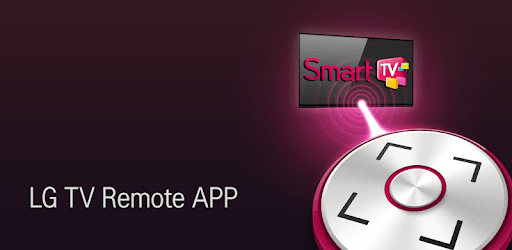
LG TV Remote is an Android app developed and published by LG Electronics, Inc. at Google Play Store on Jun 21, 2012 for Android users. LG TV Remote is so popular that it has gained 10000000 installs so far and growing.
When it comes to enhancing your smart TV experience, the LG TV Remote is a must-have tool. This easy-to-use app transforms your smartphone or tablet into a comprehensive remote control for your LG TV. It offers a slew of features that make navigating your TV a breeze without the need for extra hardware.
Setting up the LG TV Remote is simple and straightforward. Once your device is updated, the app runs smoothly and delivers a seamless connection between your smartphone and TV. The installation process is effortless, making it accessible even for those who aren’t tech-savvy.
The LG TV Remote comes loaded with features that can make your viewing experience more convenient. Among its standout functionalities are the intuitive interface and the ability to use your device as a mouse and keyboard for your smart TV. This eliminates the need for additional peripherals, saving you both time and money.
One notable feature that garnered much attention was the screen capture function. This capability allowed users to take screenshots of their TV display, useful for sharing moments and comments on social media or capturing favorite scenes. While the feature was temporarily removed, it has since been reinstated, much to the delight of its users.
The LG TV Remote makes it easy to control your TV from anywhere in the room, or even from other parts of the house. It includes control over channels, volume, and other settings through a user-friendly interface. However, it’s essential to note that the power button might not function if the TV is off, as the WiFi connection isn’t active when the TV is switched off. This limitation is due to the WiFi dongle used to establish the connection.
This app is highly compatible with various devices, making it a versatile companion for a broad range of users. Whether you’re using an Android tablet or a Galaxy S5, the LG TV Remote offers you control over your smart TV. It’s particularly impressive in how it integrates with other LG products, continuing the trend of high-quality, reliable electronics from LG.
Overall, the LG TV Remote app provides a rich, user-friendly experience. It’s designed with the user in mind, ensuring that you can control your smart TV effortlessly. While there have been some hiccups, particularly with features like screen capture, the development team actively listens to feedback and makes improvements, demonstrating their commitment to a quality user experience.
The LG TV Remote app is a reliable and convenient tool that makes managing your smart TV easier than ever. With its intuitive interface and comprehensive set of features, it stands out as a valuable addition to any LG smart TV setup. Whether you want to navigate channels or take snapshots of your screen, the LG TV Remote brings your TV control to your fingertips.
Yes, you can run LG TV Remote on PC, but first, you will need emulator software installed on your Windows or MAC, which you can download for free. In the below video, you will find LG TV Remote in action. Before you install the emulator, check out the minimum and recommended system requirements to run it seamlessly. They may change depending on which version of the emulator you choose. Therefore, we recommend you download the latest version of the emulator. Below you will find three free Android emulators that we have shortlisted based on their popularity:
Up to date graphics drivers from Microsoft or the chipset vendor.
Storage: 1 GB available under installation path, 1.5GB available hard drive space
Internet: Broadband Internet connection
Regardless of which Android emulator you install, the steps to install, configure, and running the LG TV Remote app on PC are the same.