Published by Gameloft
Updated April 11, 2026
N.O.V.A. Legacy brings you the best sci-fi FPS experience in a compact version.
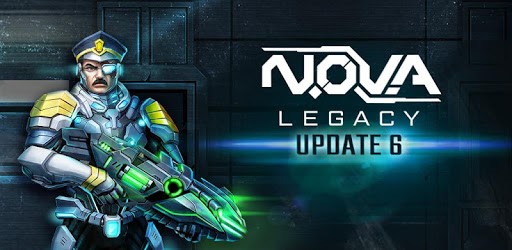
N.O.V.A. Legacy is an Android app developed and published by Gameloft at Google Play Store on Mar 27, 2017 for Android users. N.O.V.A. Legacy is so popular that it has gained 50000000 installs so far and growing.
Are you ready for an addictive gaming experience that will keep you glued to your phone? Look no further than N.O.V.A. Legacy, the best game developed by Gameloft. With its outstanding graphics and captivating gameplay, this game is guaranteed to make your day more fun.
N.O.V.A. Legacy is a nostalgic game that has stood the test of time. Despite being released many years ago, it still manages to capture the hearts of gamers worldwide. The clean and immersive gameplay gives it a unique charm that is hard to find in other games.
One of the standout features of N.O.V.A. Legacy is its variety of game modes. Whether you prefer the campaign mode, multiplayer battles, or exciting events, this game has something for everyone. The campaign mode takes you on an epic journey, while the multiplayer mode allows you to compete against players from around the world. And with the addition of new maps and missions, the fun never ends.
Speaking of maps, the developers of N.O.V.A. Legacy have done a great job in creating diverse and engaging environments. From futuristic cities to desolate badlands, each map offers a unique challenge and keeps you on your toes. And if that's not enough, how about adding jetpacks to the mix? Imagine the thrill of flying through the battlefield, outmaneuvering your opponents and dominating the game.
While N.O.V.A. Legacy is an amazing game, there are a few areas that could be improved. Some players have expressed their desire for more visual customization options for their characters while holding weapons. Additionally, gaining more Trithlum, the in-game currency, when watching ads would be a welcome addition. And let's not forget about the legendary weapons - unlocking them can be quite challenging. However, these minor issues don't overshadow the overall greatness of the game.
Yes, N.O.V.A. Legacy is available for download on the Play Store. Simply search for the game and start your adventure.
Yes, N.O.V.A. Legacy can be played offline. However, for the best experience and access to multiplayer features, an internet connection is recommended.
The developers of N.O.V.A. Legacy are constantly working to improve the game's security and remove any hackers. However, if you encounter any suspicious activity, you can report it to the support team.
Currently, N.O.V.A. Legacy's multiplayer mode supports battles against players from around the world. However, the developers are always open to feedback and may consider adding a feature that allows two players to play together in the future.
In conclusion, N.O.V.A. Legacy is a fantastic game that offers a thrilling and immersive gaming experience. With its stunning graphics, diverse game modes, and constant updates, it's no wonder why it's considered one of the best games out there. So, what are you waiting for? Download N.O.V.A. Legacy now and embark on an unforgettable adventure!
Yes, you can run N.O.V.A. Legacy on PC, but first, you will need emulator software installed on your Windows or MAC, which you can download for free. In the below video, you will find N.O.V.A. Legacy in action. Before you install the emulator, check out the minimum and recommended system requirements to run it seamlessly. They may change depending on which version of the emulator you choose. Therefore, we recommend you download the latest version of the emulator. Below you will find three free Android emulators that we have shortlisted based on their popularity:
Up to date graphics drivers from Microsoft or the chipset vendor.
Storage: 1 GB available under installation path, 1.5GB available hard drive space
Internet: Broadband Internet connection
Regardless of which Android emulator you install, the steps to install, configure, and running the N.O.V.A. Legacy app on PC are the same.