Published by Kabam
Updated July 28, 2026
The biggest names from the Marvel Universe are ready to battle!
| Version | 58.1.0 |
| Size | 2.8 GB |
| What's New | Marvel Contest of Champions version 58.1.0 continues the Web of Corruption Saga with Spider-Man Noir, Gwenom, and Green Goblin (Stellar-Forged) joining the roster. Take on the new Monochrome Mystery Side-Quest, with another activity to play as part of the Marvel Contest of Champions update. Wakanda Challenge Rituals and the Pump It Up Showcase Tower are now available for players looking for additional challenges. The epic Epilogue continues in the Marvel Contest of Champions latest version, bringing additional rewards to earn. |
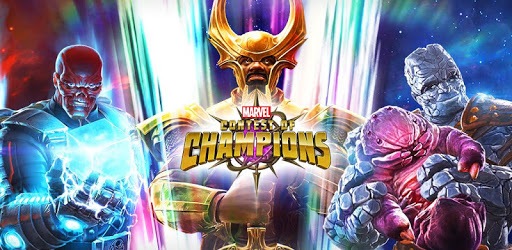
MARVEL Contest of Champions is an Android app developed and published by Kabam at Google Play Store on Dec 10, 2014 for Android users. MARVEL Contest of Champions is so popular that it has gained 175299614 installs so far and growing.
Are you ready to join the ranks of the mighty Marvel superheroes and villains? Look no further than MARVEL Contest of Champions, a super fun game that has captivated players for years. With regular updates, new characters, and exciting gameplay, this app is a must-play for any Marvel fan.
One of the best aspects of MARVEL Contest of Champions is that it's not pay-to-play. You can dive into the action without worrying about spending a fortune. This game has been around for five years, and with each update, it only gets better. The developers continuously introduce new characters and update existing ones, ensuring that there's always something fresh to discover.
During the Christmas season, players are treated to a special surprise – the chance to obtain 6-star characters. Last Christmas, lucky players received four 6-star characters, two of which were absolutely phenomenal. It's moments like these that make the game truly exciting and rewarding.
While MARVEL Contest of Champions offers endless fun, some players find it challenging to upgrade their 5 and 6-star characters. However, this adds an extra layer of excitement and strategy to the game. Overcoming these obstacles and strengthening your team feels incredibly rewarding.
Speaking of rewards, the game's creator has been showered with requests for special gifts. One player, in particular, expressed their desire for a 5-star crystal. While it's uncertain if these requests will be granted, it's clear that players are passionate about the game and eager for more opportunities to enhance their experience.
MARVEL Contest of Champions has not only provided countless hours of entertainment but has also brought people together. One player shared a heartwarming story of how they made a lifelong friend simply by playing the game. It's moments like these that remind us of the power of gaming to forge connections and create lasting memories.
While MARVEL Contest of Champions is undeniably a fantastic game, there have been a few bugs that have persisted for years. Some players have reported issues with crystals getting stuck or receiving undesirable champions. It's important for the developers to address these concerns and ensure a smooth and enjoyable experience for all players.
For many players, MARVEL Contest of Champions is the first app game that has truly captivated them for an extended period. Its addictive gameplay and constant updates keep players coming back for more. Whether you're a Marvel fan or just looking for a game to sink your teeth into, this app is a must-try.
Despite a few minor hiccups, MARVEL Contest of Champions continues to shine as one of the best games out there. With its vast roster of champions, stunning graphics, and regular updates, it's no wonder players are eagerly anticipating what's to come. The creators and everyone involved in making this game deserve a round of applause for their dedication and hard work.
As of now, MARVEL Contest of Champions is primarily available on mobile devices. However, there may be future plans to expand to other platforms.
While it's uncertain if a 7-star hero will be added, the developers are always open to feedback and suggestions from the passionate player community.
If you encounter any bugs or technical issues while playing MARVEL Contest of Champions, you can reach out to the game's support team for assistance. They are dedicated to providing the best possible gaming experience and will do their best to address any concerns.
While there is no official confirmation of a sequel, the success of MARVEL Contest of Champions has undoubtedly left fans hopeful for future installments or spin-offs.
Yes, you can run MARVEL Contest of Champions on PC, but first, you will need emulator software installed on your Windows or MAC, which you can download for free. In the below video, you will find MARVEL Contest of Champions in action. Before you install the emulator, check out the minimum and recommended system requirements to run it seamlessly. They may change depending on which version of the emulator you choose. Therefore, we recommend you download the latest version of the emulator. Below you will find three free Android emulators that we have shortlisted based on their popularity:
Up to date graphics drivers from Microsoft or the chipset vendor.
Storage: 1 GB available under installation path, 1.5GB available hard drive space
Internet: Broadband Internet connection
Regardless of which Android emulator you install, the steps to install, configure, and running the MARVEL Contest of Champions app on PC are the same.