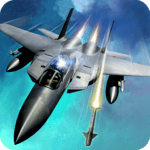
Published by Doodle Mobile Ltd.
Updated April 3, 2026
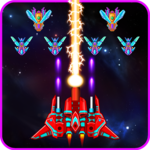
Rule the skies in the #1 gorgeous 3D aerial combat!
| Version | 2.7 |
| Size | 25.6 MB |
| What's New | Fixed some crash issues of the game. Thanks. |
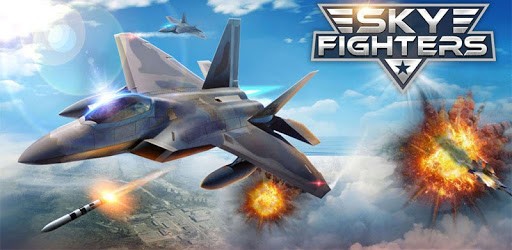
Sky Fighters 3D is an Android app developed and published by Doodle Mobile Ltd. at Google Play Store on Sep 15, 2017 for Android users. Sky Fighters 3D is so popular that it has gained 119348705 installs so far and growing.
Sky Fighters 3D is an action-packed game that takes you to the skies with thrilling jet battles. Whether you're a casual gamer or a die-hard fan of flight simulation, this game promises to deliver an exciting experience. You’ll be piloting some of the most advanced fighter jets, engaging in dogfights, and completing a range of missions.
Sky Fighters 3D boasts high-quality graphics that make you feel like you're truly in the cockpit. The attention to detail is apparent, from the sleek designs of the jets to the realistic landscapes you’ll be flying over. Complementing these stunning visuals is the high-quality sound which further immerses you in the action. The roar of the engines, the whoosh of missiles, and the explosions are all incredibly lifelike.
One of the standout features of Sky Fighters 3D is the variety of fighter jets available. Each jet comes with its unique advantages and weaponry, making the game fresh and exciting every time you play. Upgrading your jets and weapons adds another layer of strategy. The challenge of earning the best jets and equipment keeps you coming back for more.
Starting with Sky Fighters 3D is straightforward. The initial levels are easy and help you get a hang of the controls and mechanics. As you progress, the levels become increasingly challenging, requiring better tactics and faster reflexes. This gradual increase in difficulty ensures that both new and experienced players will find the game enjoyable and rewarding.
Even with its bite-sized 21 MB, Sky Fighters 3D packs a punch with a gripping storyline. You’ll take on multiple missions that not only test your flying skills but also immerse you in the story. Whether you’re shooting down enemy planes, destroying targets on the ground, or evading incoming missiles, every mission feels important and exciting.
Sky Fighters 3D runs smoothly on most devices, making it accessible to many players. The controls are intuitive, with responsive touch inputs that ensure you can focus more on strategy and less on fumbling with buttons. Even if you are maneuvering through tough situations, the game never lags.
It’s easy to lose track of time with Sky Fighters 3D. Because of its realistic gameplay and engaging missions, many players find themselves playing for hours. The mission structures and variety keep the content fresh, ensuring that you’ll always find something new each time you play.
Sky Fighters 3D doesn't just entertain; it can inspire. By providing a realistic yet thrilling portrayal of air combat, the game can ignite an interest in aviation among younger players. Even those who have no previous interest in flight could find themselves wanting to learn more. With its detailed jets and exhilarating missions, Sky Fighters 3D sparks curiosity and admiration for real-life pilots.
If you haven't played Sky Fighters 3D yet, now is the perfect time to delve into this high-flying adventure. With its captivating graphics, challenging gameplay, and engaging missions, it guarantees an unforgettable aerial combat experience. So, buckle up, and get ready for some sky-high excitement!
Yes, you can run Sky Fighters 3D on PC, but first, you will need emulator software installed on your Windows or MAC, which you can download for free. In the below video, you will find Sky Fighters 3D in action. Before you install the emulator, check out the minimum and recommended system requirements to run it seamlessly. They may change depending on which version of the emulator you choose. Therefore, we recommend you download the latest version of the emulator. Below you will find three free Android emulators that we have shortlisted based on their popularity:
Up to date graphics drivers from Microsoft or the chipset vendor.
Storage: 1 GB available under installation path, 1.5GB available hard drive space
Internet: Broadband Internet connection
Regardless of which Android emulator you install, the steps to install, configure, and running the Sky Fighters 3D app on PC are the same.