Published by Lumin PDF
Updated September 5, 2025
View PDF files stored in your Google Drive or Lumin PDF account
| Version | 5.1.0 |
| Size | 175.6 MB |
| What's New | We’ve redesigned how sharing works in 5.1.0 to improve discoverability and make key actions easier to access. We did squash some bugs too! |
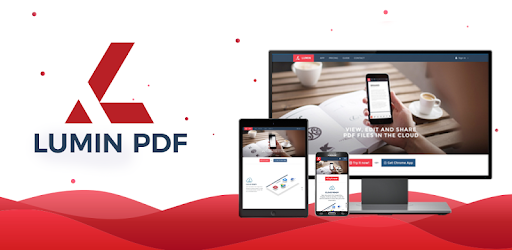
Lumin PDF is an Android app developed and published by Lumin PDF at Google Play Store on May 18, 2018 for Android users. Lumin PDF is so popular that it has gained 1322953 installs so far and growing.
Lumin PDF is a handy tool for managing, editing, and annotating PDF documents. Its intuitive and beautiful interface makes it an indispensable app for everyday document handling needs. This application is designed to help you work faster and more efficiently on your digital papers, making it a fantastic choice for everyone from business professionals to students.
One of the standout features of Lumin PDF is its e-signing capability. Instead of printing out documents to sign them, you can use the Markup tools directly within the app. This makes filling out PDF forms and adding signatures a breeze.
The app shines with its simple and clean interface. Navigating through its features is straightforward, making it easy even for those who aren't tech-savvy. The seamless interaction ensures that you can immediately get down to work without any hassles.
Lumin PDF allows you to take notes directly on the document, highlight text, and add comments. This is perfect for both learning and business purposes, as it enables you to remember important information and annotate documents effectively.
If you're using a Samsung device with an S Pen, Lumin PDF has got you covered. It enables flawless interaction with your S Pen, making note-taking and signing documents even more convenient. Auto-synchronization with the S Pen elevates this feature to another level.
Lumin PDF is highly reliable and opens large PDF files quickly. This is especially useful for those who handle extensive documents regularly. The app remains robust and stable, ensuring smooth operations without glitches.
By converting traditionally paper-based tasks to digital, Lumin PDF significantly boosts your productivity. Imagine not having to print, sign, scan, and then send PDFs. Just use the app to take care of everything digitally.
Time-saving is another significant advantage. By providing tools for quick annotation, filling forms, and adding signatures, Lumin PDF allows you to work faster. This frees up more time to focus on other important tasks.
Whether you’re using it for your business or personal projects, Lumin PDF is versatile. It caters to a broad audience, making it useful for many scenarios. Its reliability and simple interface ensure that it meets diverse needs efficiently.
Lumin PDF is also an excellent tool for students. Highlight and annotate critical points, take notes directly on the PDFs and enhance your learning experience. It makes studying more interactive and helps retain information better.
The dedicated support team behind Lumin PDF ensures that any issues or problems are addressed quickly and efficiently. Whether it's a billing problem or a feature inquiry, you can expect helpful and timely assistance.
Lumin PDF is a powerful, user-friendly tool that brings a wealth of benefits to both professional and personal use. Its wide array of features, combined with its simple interface, makes it an exceptional choice for anyone who needs to handle PDFs regularly. Its time-saving and efficiency-boosting capabilities stand out, making it a must-have app for your daily digital document needs.
Yes, you can run Lumin PDF on PC, but first, you will need emulator software installed on your Windows or MAC, which you can download for free. In the below video, you will find Lumin PDF in action. Before you install the emulator, check out the minimum and recommended system requirements to run it seamlessly. They may change depending on which version of the emulator you choose. Therefore, we recommend you download the latest version of the emulator. Below you will find three free Android emulators that we have shortlisted based on their popularity:
Up to date graphics drivers from Microsoft or the chipset vendor.
Storage: 1 GB available under installation path, 1.5GB available hard drive space
Internet: Broadband Internet connection
Regardless of which Android emulator you install, the steps to install, configure, and running the Lumin PDF app on PC are the same.