Published by The Apps Arena
Updated July 12, 2026
Supports read & conversion of doc/x, pdf, txt, ppt/x, rtf, xps, html, odt & More
| Version | 1.8 |
| Size | 31.2 MB |
| What's New | Screen brightness bug fixedMultiple language support and selection.xls / .xlsx format support addedImage to PDF creator addedNow purchase Pro version to remove adsPinch to zoom Feature addedMinor bug fixes |
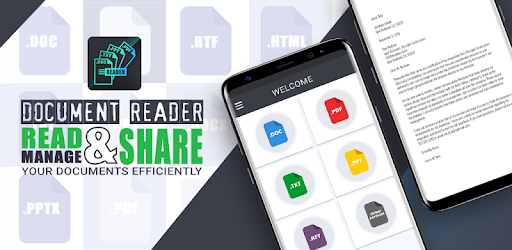
All Doc Reader is an Android app developed and published by The Apps Arena at Google Play Store on Aug 20, 2018 for Android users. All Doc Reader is so popular that it has gained 50000 installs so far and growing.
Are you a student looking for a reliable and efficient document reader? Look no further! All Doc Reader is here to revolutionize the way you read and translate documents. With its user-friendly interface and impressive features, this app is a game-changer for anyone in need of a powerful document reader.
All Doc Reader is designed with simplicity in mind. Whether you're a tech-savvy individual or a beginner, you'll find this app incredibly easy to use. Its intuitive interface allows you to effortlessly navigate through your documents, making reading a breeze. No more wasting time trying to figure out complicated menus or features – All Doc Reader ensures a seamless experience from start to finish.
With All Doc Reader, your productivity will skyrocket. This app offers a wide range of features that are specifically designed to help you get the most out of your documents. Whether you need to highlight important sections, make annotations, or search for specific keywords, All Doc Reader has got you covered. Say goodbye to the days of flipping through pages and struggling to find the information you need – this app will make your life so much easier.
One of the standout features of All Doc Reader is its translation capabilities. No matter what language your document is in, this app can help you understand it. With just a few taps, you can translate any text within your document, opening up a world of possibilities for international students, travelers, and professionals. All Doc Reader breaks down language barriers and allows you to access information like never before.
Yes, All Doc Reader is available for free on both iOS and Android devices. You can download it from the App Store or Google Play Store and start using it right away.
Yes, All Doc Reader supports various file formats, including PDF. You can easily convert your documents into different formats within the app.
All Doc Reader is compatible with most iOS and Android devices. However, it's always recommended to check the app's system requirements before downloading to ensure compatibility.
Yes, All Doc Reader offers seamless synchronization, allowing you to access your documents from different devices. Simply sign in with your account, and your documents will be available wherever you go.
Your privacy and security are of utmost importance. All Doc Reader takes all necessary measures to ensure the safety of your documents and personal information. You can use the app with peace of mind.
Download All Doc Reader today and experience the future of document reading and translation. Say goodbye to the hassle of traditional document readers and embrace a new era of efficiency and convenience. Get ready to unlock the full potential of your documents with All Doc Reader!
Yes, you can run All Doc Reader on PC, but first, you will need emulator software installed on your Windows or MAC, which you can download for free. In the below video, you will find All Doc Reader in action. Before you install the emulator, check out the minimum and recommended system requirements to run it seamlessly. They may change depending on which version of the emulator you choose. Therefore, we recommend you download the latest version of the emulator. Below you will find three free Android emulators that we have shortlisted based on their popularity:
Up to date graphics drivers from Microsoft or the chipset vendor.
Storage: 1 GB available under installation path, 1.5GB available hard drive space
Internet: Broadband Internet connection
Regardless of which Android emulator you install, the steps to install, configure, and running the All Doc Reader app on PC are the same.