Published by AK2
Updated April 5, 2026
EBookDroid is a highly customizable document viewer for Android.
| Version | 2.7.4.1 |
| Size | 13.4 MB |
| What's New | - Fix folder scanning on devices with Android 4.x — 8.x- Fix Show side view on action- Maximize diary dialog- Auto text size on bookshelves option- Fix second tap to bookmark jump- Setting for outline level marks in read progress- Add dropdown to shelf filter- Fixed various issues |
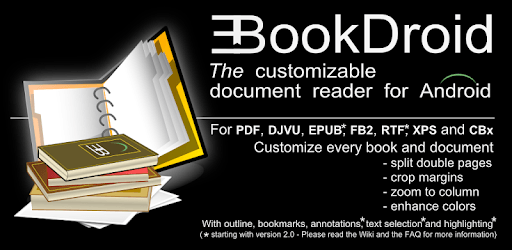
EBookDroid - PDF & DJVU Reader is an Android app developed and published by AK2 at Google Play Store on Aug 8, 2011 for Android users. EBookDroid - PDF & DJVU Reader is so popular that it has gained 5000000 installs so far and growing.
Are you tired of struggling with clunky book and document readers? Look no further than EBookDroid - PDF & DJVU Reader, the ultimate app that will revolutionize your reading experience. This app is a game-changer, offering a seamless and customizable reading experience for all types of books and documents, including comics!
EBookDroid takes customization to a whole new level. With its highly customizable features, you can tailor your reading experience according to your personal taste. Whether it's adjusting the font size, changing the background color, or selecting your preferred reading mode, this app allows you to create the perfect reading environment that suits your needs.
Privacy is a top concern for many users, and EBookDroid understands that. Unlike other apps, EBookDroid is completely free from trackers and spyware. You can enjoy your reading without worrying about your personal information being compromised. Say goodbye to intrusive ads and annoying pop-ups - EBookDroid is here to provide a clean and uninterrupted reading experience.
If you've been using outdated document viewer apps with performance issues, it's time to make the switch to EBookDroid. This app is constantly updated to ensure optimal performance and user satisfaction. With its smooth interface and efficient functionality, EBookDroid surpasses other apps in terms of reliability and user experience.
EBookDroid is not only a fantastic app, but it also prioritizes user privacy. While many apps on the Play Store may not highlight tracker-free and privacy-friendly apps, EBookDroid stands out as a beacon of security. It's time to support apps that prioritize your privacy and data protection.
EBookDroid may encounter compatibility issues with Android 13. The development team is aware of this and is actively working on resolving the problem. Stay tuned for updates and improvements!
If you're experiencing difficulties installing EBookDroid from the .apk file, we recommend downloading it directly from the Play Store. This ensures a smooth installation process and guarantees that you have the latest version of the app.
We apologize for any inconvenience caused by the app logo appearing when changing screen orientation. This issue has been reported, and our development team is actively working on a fix. We appreciate your patience and understanding.
We apologize for the display error you're experiencing when rotating the screen. Our team is aware of this issue and is working diligently to resolve it as soon as possible. We appreciate your support and encourage you to update the app regularly for the latest bug fixes.
EBookDroid may utilize a larger amount of internal storage when adding more ebooks to the app. This is to ensure smooth and efficient reading performance. We recommend periodically clearing unnecessary files or moving ebooks to external storage to optimize your device's storage capacity.
We apologize for any inconvenience caused by the missing drawing tool. Our development team is aware of this issue and is working on restoring the drawing tool functionality. We appreciate your patience and understanding during this process.
Experience the ultimate reading and document viewing experience with EBookDroid - PDF & DJVU Reader. Say goodbye to clunky interfaces and intrusive ads, and say hello to a seamless and personalized reading experience. Download EBookDroid now and discover the future of digital reading!
Yes, you can run EBookDroid - PDF & DJVU Reader on PC, but first, you will need emulator software installed on your Windows or MAC, which you can download for free. In the below video, you will find EBookDroid - PDF & DJVU Reader in action. Before you install the emulator, check out the minimum and recommended system requirements to run it seamlessly. They may change depending on which version of the emulator you choose. Therefore, we recommend you download the latest version of the emulator. Below you will find three free Android emulators that we have shortlisted based on their popularity:
Up to date graphics drivers from Microsoft or the chipset vendor.
Storage: 1 GB available under installation path, 1.5GB available hard drive space
Internet: Broadband Internet connection
Regardless of which Android emulator you install, the steps to install, configure, and running the EBookDroid - PDF & DJVU Reader app on PC are the same.