Published by Rookie001
Updated March 30, 2026
The most powerful and fast image/comics viewer.
| Version | 5.0.4.5 |
| Size | 14.3 MB |
| What's New | 2026/03/12 Version 5.0.4.5 -Fixed : Back button behavior issue on Android 15+ devices. |
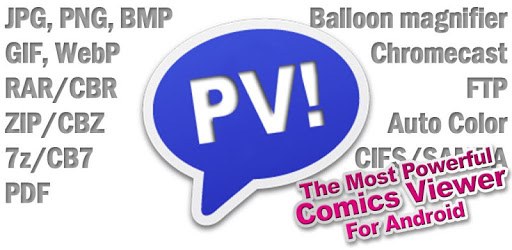
Perfect Viewer is an Android app developed and published by Rookie001 at Google Play Store on Oct 2, 2010 for Android users. Perfect Viewer is so popular that it has gained 6580209 installs so far and growing.
Perfect Viewer is a powerful and highly customizable app designed to provide a seamless experience when viewing various document types, especially comics. This feature-rich app allows users to enjoy their favorite comic books, manga, and other e-books with ease.
One of the standout features of Perfect Viewer is its intuitive and user-friendly interface. The app ensures that even beginners can navigate effortlessly through their collections. The design is clean and straightforward, enabling users to view their comics without unnecessary distractions.
Perfect Viewer's customizable settings are one of its major strengths. Users can adjust the transition speed to their liking, making the viewing experience exactly how they want it. This degree of customization is particularly beneficial for those who appreciate a specific pacing or style when reading through their digital collections.
The app excels in handling large, high-resolution image files without performance issues on the right device. For example, zooming into big photo files is a breeze as the app is designed to manage such tasks efficiently. Even with sizable archives, Perfect Viewer maintains speed and stability, making it a reliable choice for comic enthusiasts.
Perfect Viewer supports a wide range of file formats, including CBR, CBZ, and even PDFs with the help of plugins. This versatility makes it a one-stop solution for all your reading needs, regardless of the file type you're working with. Whether you're viewing comics, manga, or other document types, Perfect Viewer has got you covered.
Perfect Viewer offers a myriad of features that enhance the overall user experience. The app includes color and contrast controls, allowing users to adjust the display to their preferences. Additionally, the file organization system within the app is top-notch, ensuring that users can keep their collections well-managed and easily accessible.
One of the most appreciated aspects of Perfect Viewer is that it provides all of its features without bombarding users with ads. This clean, ad-free experience is a significant plus for those who want to enjoy their comics without interruptions. Moreover, despite being free, the app delivers a premium experience that rivals many paid alternatives.
Perfect Viewer has been a go-to app for many users over the years, and its reputation for reliability and performance continues to hold strong. Whether you are using older hardware or have recently upgraded to a new device, Perfect Viewer adapts well, ensuring a consistent and enjoyable reading experience.
The app is not just static; it keeps improving over time. Updates bring new features, enhanced stability, and better performance, ensuring that Perfect Viewer stays ahead of the curve and continues to meet the evolving needs of its users. This commitment to excellence makes it a favorite among comic and manga readers worldwide.
Perfect Viewer is specifically tailored for comic lovers. It offers functionalities such as a "bookcase view," which provides an aesthetically pleasing and organized way to browse through your library. This visually engaging feature makes managing and selecting your comics a delightful experience.
Additionally, Perfect Viewer allows users to control motion and animation settings. For instance, users can view pictures in a stop-motion style by adjusting the transition speed, providing a unique and highly customizable reading experience.
In summary, Perfect Viewer lives up to its name by offering a wealth of features that cater to comic and document enthusiasts' diverse needs. Its user-friendly interface, customizable settings, and robust performance make it an indispensable tool for anyone looking to enjoy their digital collections without hassle.
Yes, you can run Perfect Viewer on PC, but first, you will need emulator software installed on your Windows or MAC, which you can download for free. In the below video, you will find Perfect Viewer in action. Before you install the emulator, check out the minimum and recommended system requirements to run it seamlessly. They may change depending on which version of the emulator you choose. Therefore, we recommend you download the latest version of the emulator. Below you will find three free Android emulators that we have shortlisted based on their popularity:
Up to date graphics drivers from Microsoft or the chipset vendor.
Storage: 1 GB available under installation path, 1.5GB available hard drive space
Internet: Broadband Internet connection
Regardless of which Android emulator you install, the steps to install, configure, and running the Perfect Viewer app on PC are the same.