Published by yuanpei
Updated August 19, 2025
Available for DEPSTECH WF010/ WF020X/ WF028/WF050/NTC86T endoscope
| Version | v3.5.0 |
| Size | 54.9 MB |
| What's New | 1.兼容更多设备 |
Depstech-View is an Android app developed and published by yuanpei at Google Play Store on Jul 10, 2019 for Android users. Depstech-View is so popular that it has gained 677850 installs so far and growing.
When you are searching for a stable, clear, and versatile app to work with endoscopic cameras, look no further than Depstech-View. This remarkable application excels in multiple aspects, making it a reliable tool for both professional and personal use. It's straightforward, free of ads, and sets the bar high with its useful features.
Depstech-View stands out for its effortless usability. Plugging in your device, accepting permissions, and starting to use the camera can be done in a matter of seconds. Whether you have a Samsung Galaxy S10 or a Google Pixel 3xl, the app seamlessly connects with your USB-C endoscopic camera and displays the image promptly. This ease of connection ensures that anyone, regardless of technical experience, can use it effectively.
Depstech-View is equipped with several features that make it an indispensable tool:
1. Capture Photos and Videos: At its core, Depstech-View allows you to take high-quality photos and videos. This is particularly handy for users involved in detailed inspections, such as in the case of endoscopic examinations.
2. Playback Capabilities: After capturing your images or videos, you can easily play them back using the app. This feature is essential for reviewing critical footage and ensuring you haven't missed any details.
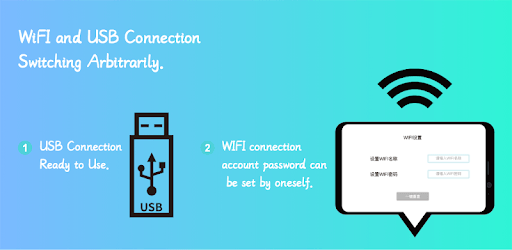
3. Set Wi-Fi Device Parameters: The app also supports setting up Wi-Fi device parameters, providing greater flexibility in how you connect and operate your endoscopic camera.
Depstech-View is not just limited to hobbyists; it finds applications in multiple industries, particularly the endoscopic industry. Whether you are conducting a building inspection, checking plumbing, or even cleaning your kitchen, this app proves to be an invaluable asset. It captures real-time images from every corner, making arduous tasks significantly easier.
The app works well with various endoscopic camera models, including the Depstech NTC86T 1MP version. With a resolution of 640x480, it is adequate for tasks like wall inspections or peering into a desktop PC. Remember to ensure that your device supports OTG (On-The-Go) to connect the USB camera effectively. If not, adapters are readily available to bridge the gap.
One of the standout attractions of Depstech-View is its hassle-free use. Unlike many applications that require account creation, Depstech-View lets you jump right into the action without any registration. This is a significant relief for those who detest unnecessary sign-ups. Moreover, the app is completely ad-free, providing a smooth and uninterrupted experience.
Depstech-View asks for only necessary permissions: access to files and the camera. These minimal and reasonable permissions ensure that your privacy is respected while still allowing the app to function optimally. This is a big plus for users who are mindful of their security and privacy.
Depstech-View is an outstanding app that combines ease of use, versatility, and performance. It's perfect for anyone needing a dependable tool for endoscopic camera operations and other inspection tasks. Its key features, compatibility, no-registration requirement, and ad-free nature make it a top choice in the realm of photographic and inspection software. Explore what Depstech-View has to offer and enhance your inspection and photographic experiences today.
Yes, you can run Depstech-View on PC, but first, you will need emulator software installed on your Windows or MAC, which you can download for free. In the below video, you will find Depstech-View in action. Before you install the emulator, check out the minimum and recommended system requirements to run it seamlessly. They may change depending on which version of the emulator you choose. Therefore, we recommend you download the latest version of the emulator. Below you will find three free Android emulators that we have shortlisted based on their popularity:
Up to date graphics drivers from Microsoft or the chipset vendor.
Storage: 1 GB available under installation path, 1.5GB available hard drive space
Internet: Broadband Internet connection
Regardless of which Android emulator you install, the steps to install, configure, and running the Depstech-View app on PC are the same.